
Last updated on
Oct 7, 2026
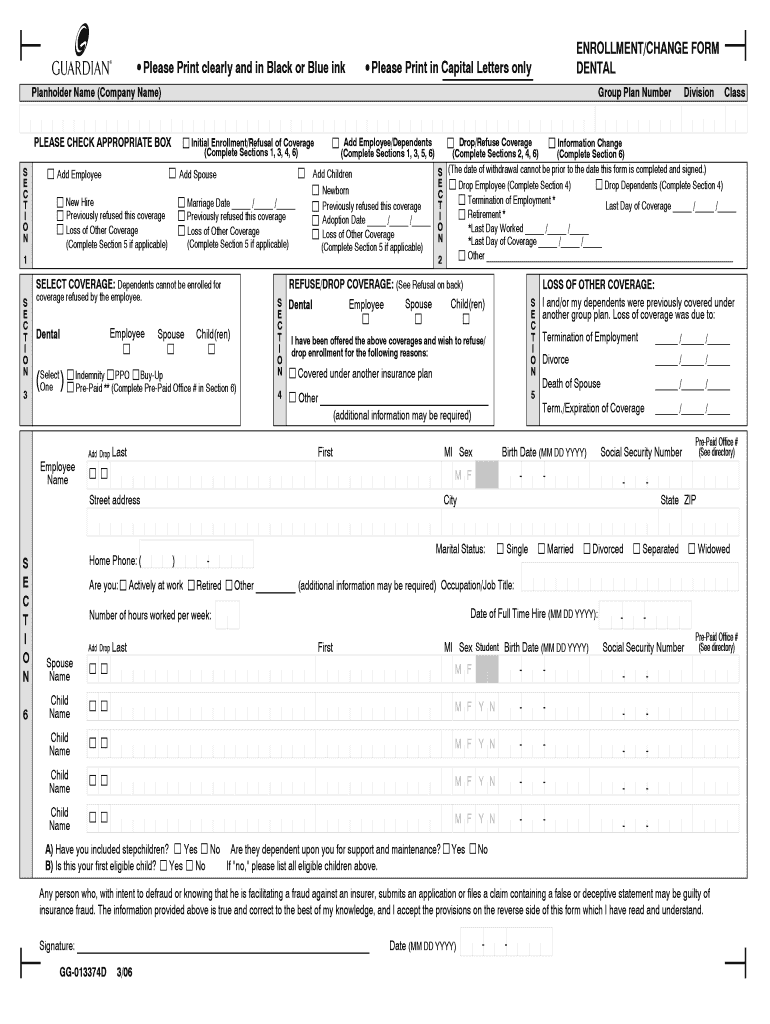
Daemen College Guardian Enrollment Form 2006-2026 free printable template
pdfFiller is not affiliated with any government organization

Fill out
Complete the form online in a simple drag-and-drop editor.

eSign
Add your legally binding signature or send the form for signing.

Share
Share the form via a link, letting anyone fill it out from any device.

Export
Download, print, email, or move the form to your cloud storage.
Why pdfFiller is the best tool for your documents and forms


End-to-end document management
From editing and signing to collaboration and tracking, pdfFiller has everything you need to get your documents done quickly and efficiently.
Accessible from anywhere
pdfFiller is fully cloud-based. This means you can edit, sign, and share documents from anywhere using your computer, smartphone, or tablet.
Secure and compliant
pdfFiller lets you securely manage documents following global laws like ESIGN, CCPA, and GDPR. It's also HIPAA and SOC 2 compliant.
What is Daemen College Guardian Enrollment Form
The Daemen College Guardian Enrollment Form is a document used by guardians to enroll students in Daemen College and ensure compliance with college policies.
pdfFiller scores top ratings on review platforms




Who needs Daemen College Guardian Enrollment Form?
Explore how professionals across industries use pdfFiller.

Daemen College Guardian Enrollment Form is needed by:
-
Guardians of prospective Daemen College students
-
Current students looking for guardian enrollment
-
Educational administrators at Daemen College
-
Student support services personnel
-
Legal representatives involved in educational matters
Comprehensive Guide to Daemen College Guardian Enrollment Form
What is the Daemen College Guardian Enrollment Form?
The Daemen College Guardian Enrollment Form is a crucial document designed specifically for the guardians of students at Daemen College. Its main purpose is to facilitate the enrollment process, ensuring that all guardians are appropriately recognized as responsible individuals for students. Completing this form is essential for the seamless transition of students into the college environment, confirming the involvement of guardians in their academic journey.
Why Use the Daemen College Guardian Enrollment Form?
Completing the Daemen College Guardian Enrollment Form offers several benefits to both guardians and students. First, it streamlines the enrollment process, reducing delays and confusion during registration. Additionally, failing to file the form on time could lead to complications, such as delays in enrollment or miscommunication regarding the guardian's role in supporting the student throughout their academic career. Understanding these consequences is vital for both parties.
Who Needs to Complete the Daemen College Guardian Enrollment Form?
This form is primarily targeted toward guardians of students enrolling at Daemen College. Eligibility criteria generally include parents, legal guardians, or individuals who have been entrusted with the student's care. Various scenarios may necessitate the completion of the form, including students who are minors or those who require specific accommodations. It is imperative for guardians to review their specific circumstances to determine if they need to fill out the form.
How to Fill Out the Daemen College Guardian Enrollment Form Online (Step-by-Step)
Following these step-by-step instructions will guide you through filling out the Daemen College Guardian Enrollment Form online:
-
Access the online form through the Daemen College portal.
-
Begin with the basic information fields, including the student’s name and date of birth.
-
Provide guardian details, ensuring correct contact information is entered.
-
Review each section carefully to avoid missing any required information.
-
Once completed, verify the accuracy of the details before submitting.
Common issues users may encounter include difficulty in navigating the form interface or trouble with digital signatures. Should these arise, consult the help section for troubleshooting tips or reach out to tech support.
Pre-Filing Checklist for the Daemen College Guardian Enrollment Form
Before initiating the process of filling out the Daemen College Guardian Enrollment Form, having the following documents and information ready is essential:
-
Student's full name and identification number.
-
Guardian’s contact details, including email and phone number.
-
Any relevant legal documentation confirming guardianship.
-
Emergency contact information.
Gathering this information efficiently will facilitate a smooth form-filling experience. Pay particular attention to important fields, as incomplete or incorrect submissions may delay the enrollment process.
How to Sign and Submit the Daemen College Guardian Enrollment Form
Signing the Daemen College Guardian Enrollment Form can be accomplished through various methods depending on user preference. Digital signatures may be accepted, allowing for convenient online submission, while wet signatures may be required in some cases.
Submission can be done through multiple channels, including:
-
Emailing the completed form to the designated office.
-
Using the online portal for direct submission.
-
Mailing a printed version to the college address.
After submission, it is advisable to confirm receipt through the method used for sending the form, ensuring it has been successfully processed.
What Happens After You Submit the Daemen College Guardian Enrollment Form?
Once the Daemen College Guardian Enrollment Form is submitted, you can expect a confirmation regarding its receipt. Users can track the application status through the online portal or by contacting the appropriate administrative office.
It is important to be aware of common reasons for rejection, such as incomplete fields or discrepancies in information. Addressing these issues promptly will help avoid delays in the processing of enrollment.
Security and Compliance for the Daemen College Guardian Enrollment Form
User security and data privacy are paramount when handling sensitive information in the Daemen College Guardian Enrollment Form. Daemen College complies with regulations such as HIPAA and GDPR, ensuring that user data is managed responsibly.
To maintain data privacy, it is recommended that users:
-
Use secure networks when completing the form.
-
Keep personal information confidential and share it only with authorized personnel.
Being aware of these security measures can help guardians feel more at ease during the enrollment process.
Examples and Resources Related to the Daemen College Guardian Enrollment Form
For reference, a sample of a completed Daemen College Guardian Enrollment Form is available for users to review. Familiarizing oneself with the final form layout can ease the filling process and reduce the likelihood of errors.
Additionally, links to useful guides, relevant regulations, and external resources are encouraged to support users seeking more information about the enrollment process.
Enhancing Your Experience with pdfFiller
pdfFiller offers a range of tools that simplify the process of filling out and managing the Daemen College Guardian Enrollment Form. Key features include the ability to eSign documents efficiently, create personalized forms, and manage submissions seamlessly.
By utilizing pdfFiller, users can ensure accuracy and ease of use throughout the form-filling process.
How to fill out the Daemen College Guardian Enrollment Form
-
1.Begin by accessing pdfFiller and logging into your account. If you don’t have one, create an account to continue.
-
2.Search for the 'Daemen College Guardian Enrollment Form' using the search bar. Once found, click on it to open the form in the editing interface.
-
3.Before filling the form, gather all necessary information, such as the student’s details, guardian's contact information, and any relevant legal documents that may be required.
-
4.Once you have all information ready, start filling in the required fields. Click on each field to enter data. Make sure to follow any specific instructions provided on the form.
-
5.If there are checkboxes or dropdown menus, click to select the appropriate options. Ensure that you double-check your selections for accuracy.
-
6.After completing all fields, review the form thoroughly. Look for any missed fields or errors. Use the preview option on pdfFiller to see how the completed form will appear.
-
7.Upon final review, save the form by clicking the save button. You can also download it as a PDF or submit it directly through pdfFiller depending on your preference.

Who is eligible to fill out the Daemen College Guardian Enrollment Form?
Eligibility for the Daemen College Guardian Enrollment Form includes guardians of prospective or current Daemen College students. Ensure that you fulfill any specific requirements outlined by the college.
Is there a deadline for submitting the Guardian Enrollment Form?
While specific deadlines may vary, it is generally advisable to complete and submit the form as early as possible to ensure enrollment acceptance and processing. Check with Daemen College for official deadlines.
How can I submit the completed Guardian Enrollment Form?
The completed Daemen College Guardian Enrollment Form can be submitted through pdfFiller directly, or you can download and email it to the appropriate department at Daemen College as instructed on the form.
What documents do I need to prepare before filling out the form?
Before completing the Daemen College Guardian Enrollment Form, gather information such as guardian and student identification details, contact information, and any legal documents relating to guardianship if applicable.
What are some common mistakes to avoid when filling out the form?
Common mistakes include missing information, incorrect selections in checkboxes or dropdowns, and submitting without a final review. Always double-check your entries for accuracy before submission.
How long does it take to process the Guardian Enrollment Form?
Processing times for the Daemen College Guardian Enrollment Form can vary; typically, you should expect a response within a few business days. Check with Daemen College for their specific processing schedule.
Can I edit the Guardian Enrollment Form after submission?
Editing the form after submission may not be possible. If changes are necessary, contact Daemen College’s administration directly to inquire about their procedures for submitting corrections or updates.
Related Content
Related Forms



Related Catalogs
Get the latest insights from our blog


If you believe that this page should be taken down, please follow our DMCA take down process
here
.
This form may include fields for payment information. Data entered in these fields is not covered by PCI DSS compliance.