Form preview

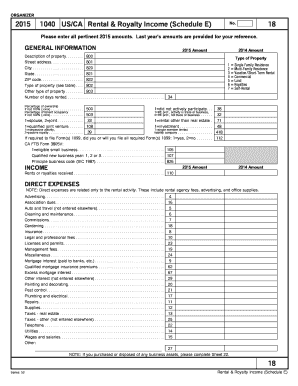
IRS 1040 - Schedule E 2007 free printable template


Get Form
pdfFiller is not affiliated with IRS
Screenshot
Screenshot
Screenshot

Get, Create, Make, and Sign IRS 1040 - Schedule E

Edit your IRS 1040 - Schedule E online
Type text, complete fillable fields, insert images, highlight or blackout data for discretion, add comments, and more.
Screenshot
Add your legally-binding signature
Draw or type your signature, upload a signature image, or capture it with your digital camera.
Screenshot
Share your form instantly
Email, fax, or share your IRS 1040 - Schedule E via URL. You can also download, print, or export forms to your preferred cloud storage service.
Screenshot

Instructions and Help about IRS 1040 - Schedule E

How to edit IRS 1040 - Schedule E

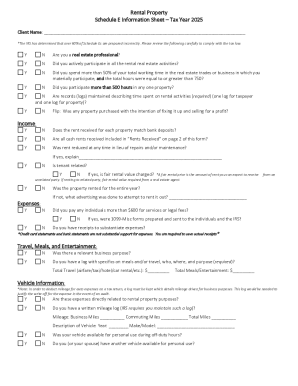
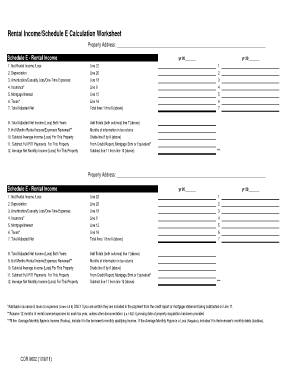
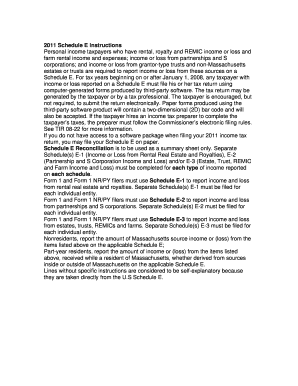
Editing the IRS 1040 - Schedule E requires a focus on accurate entries regarding income and expenses from rental real estate, partnerships, or S corporations. Use pdfFiller to easily modify your form, ensuring all fields reflect your current tax situation. After completing your edits, you can save, print, or submit the form directly from the platform.

How to fill out IRS 1040 - Schedule E

To fill out the IRS 1040 - Schedule E, follow these steps:
01
Gather all necessary documentation, including income records from rental properties and partnerships.
02
Begin by entering your name and social security number at the top of the form.
03
Select the appropriate sections that apply to your rental income or investments.
04
Document any expenses related to your properties or investments as indicated in the form.
05
Review your entries carefully for accuracy before submission.

About IRS 1040 - Schedule E 2007 previous version

What is IRS 1040 - Schedule E?

IRS 1040 - Schedule E is a form used by U.S. taxpayers to report income and losses from rental real estate, partnerships, S corporations, estates, trusts, and residual interests. This form is essential for individuals who earn income from these sources and helps determine taxable income accurately.

When am I exempt from filling out this form?

You do not need to file IRS 1040 - Schedule E if you do not have rental income, partnership income, or income from S corporations. Additionally, if your real estate activities qualify as a hobby rather than a business, you may not need to fill out this form.

What are the penalties for not issuing the form?

Failing to file IRS 1040 - Schedule E when required can result in penalties, including a failure-to-file penalty and interest on any unpaid taxes. The penalties can accumulate quickly, emphasizing the importance of timely and accurate filing.

Is the form accompanied by other forms?

IRS 1040 - Schedule E can be accompanied by other forms, particularly if you report various sources of income. For instance, you may need to include Form 4562 for depreciation expenses or additional worksheets for calculating specific deductions.

Where do I send the form?

The completed IRS 1040 - Schedule E is submitted along with your main tax return. Depending on your income and location, you would send it to the address specified in the IRS instructions for Form 1040. It is essential to check the latest guidelines to ensure timely submission.

What is the purpose of this form?

The purpose of IRS 1040 - Schedule E is to document various types of income and losses that are not classified as wages. The form helps the IRS to assess the taxpayer's overall income tax liability and validate claims for deductions related to rental properties and investments.

Who needs the form?

Taxpayers who receive rental income, are involved in partnerships, or have investments in S corporations must complete IRS 1040 - Schedule E. This is particularly relevant for landlords and investors who need to report income generated from these activities.

Components of the form

IRS 1040 - Schedule E consists of several sections including Part I, which is for rental income, and Part II, which documents income from partnerships and S corporations. Each part requires taxpayers to enter income, expenses, and provide detailed information about the properties or business activities involved.

What information do you need when you file the form?

When filing IRS 1040 - Schedule E, you will need the following information:
01
Detailed records of all rental income received.
02
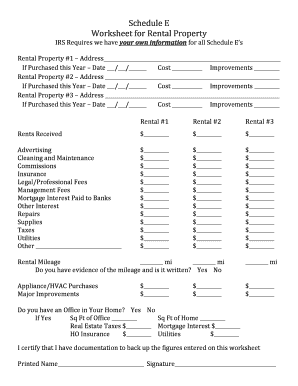
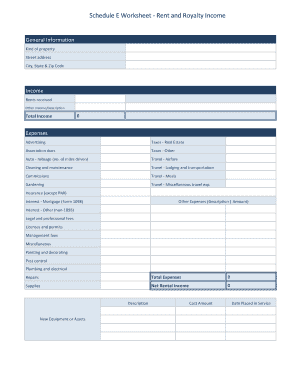
Documentation of expenses related to the rental properties, including repairs, property management fees, and mortgage interest.
03
Partnership and S corporation income statements, if applicable.

FAQ about IRS 1040 - Schedule E

If you discover an error after filing your IRS 1040 - Schedule E, you should file an amended return using Form 1040-X. This form allows you to correct mistakes and provide updated information. Additionally, ensure you attach a corrected Schedule E to the amended return.

To track the status of your IRS 1040 - Schedule E submission, you can use the IRS 'Where's My Refund?' tool if you expect a refund. For e-filing, you'll typically receive a confirmation email, and you can check your submission status through your tax software. Don't forget to keep an eye out for any notices from the IRS.

If your e-filed IRS 1040 - Schedule E is rejected, review the rejection code provided by the IRS. This will guide you on what corrections are needed. After making the necessary adjustments, you can resubmit your schedule electronically for processing.

For your IRS 1040 - Schedule E documents, the IRS generally recommends retaining your records for at least three years from the date of filing. However, if you are involved in an audit or have filed claims for loss, keep records longer to ensure compliance.

To protect your personal data while filing your IRS 1040 - Schedule E electronically, use reputable tax software that encrypts data. Ensure your internet connection is secure, and consider activating multi-factor authentication where available to add an extra layer of security.

See what our users say

Read user feedback and try pdfFiller to explore all its benefits for yourself
very resourceful very resourceful, love it!
Joe Harris
never had problems
Tawanna Broussard
See what our users say
Trust Seal
Trust Seal
Trust Seal
Trust Seal
Trust Seal
Trust Seal
Trust Seal
Trust Seal
Rate free form
4.9
satisfied
61 votes

How to Fill Out Small Business Tax Forms Online with pdfFiller

Struggling with your Schedule C or not sure how to file business taxes as a sole proprietor, LLC, or self-employed professional? This step-by-step pdfFiller tutorial walks you through completing IRS Schedule C quickly and accurately — no printing, no scanning, no stress. Whether you're handling small business tax deductions, tracking self-employed taxes, or preparing your full business tax return, pdfFiller makes it simple right in your browser.

Related Forms

If you believe that this page should be taken down, please follow our DMCA take down process here .
This form may include fields for payment information. Data entered in these fields is not covered by PCI DSS compliance.