
Last updated on
Nov 9, 2026
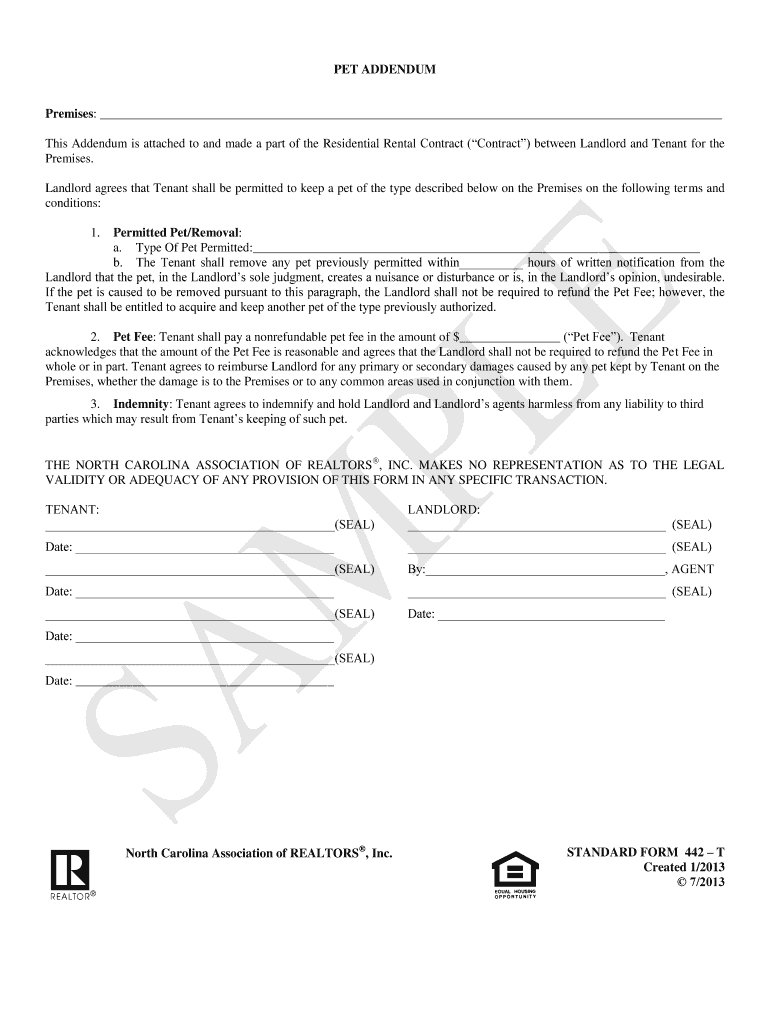
NCAR SF 442-T 2013 free printable template
pdfFiller is not affiliated with any government organization

Fill out
Complete the form online in a simple drag-and-drop editor.

eSign
Add your legally binding signature or send the form for signing.

Share
Share the form via a link, letting anyone fill it out from any device.

Export
Download, print, email, or move the form to your cloud storage.
Why pdfFiller is the best tool for your documents and forms


End-to-end document management
From editing and signing to collaboration and tracking, pdfFiller has everything you need to get your documents done quickly and efficiently.
Accessible from anywhere
pdfFiller is fully cloud-based. This means you can edit, sign, and share documents from anywhere using your computer, smartphone, or tablet.
Secure and compliant
pdfFiller lets you securely manage documents following global laws like ESIGN, CCPA, and GDPR. It's also HIPAA and SOC 2 compliant.
What is NCAR SF 442-T
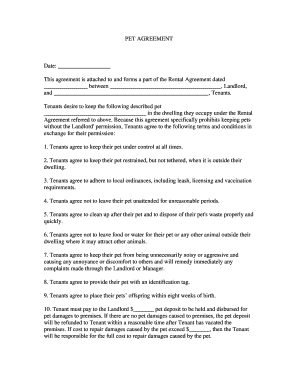
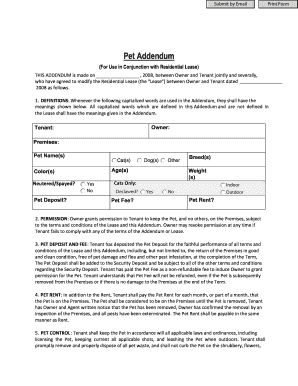
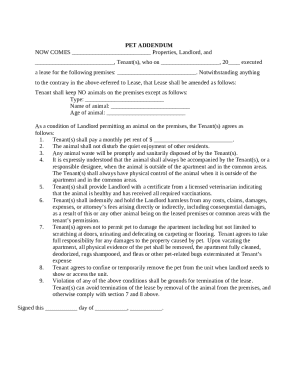
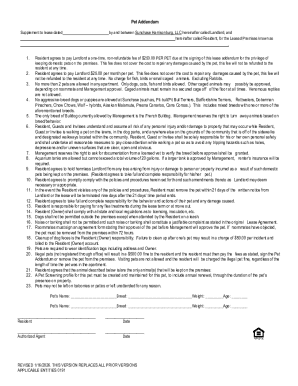
The Pet Addendum to Residential Rental Contract is a real estate form used by landlords and tenants in North Carolina to establish pet ownership terms within a rental agreement.
pdfFiller scores top ratings on review platforms




I own a few franchise restaurants and have to use this product about once a week and it makes my time with documents way faster and easier. I don't have to download a document, scan it, sign it, and then rescan it and then send it. I can do it all electronically thanks the PDFfiller.
VERY GOOD TOOL, I LIKE SO MUCH, IS A LITTLE DIFFICULT AT BEGINNING
Who needs NCAR SF 442-T?
Explore how professionals across industries use pdfFiller.

NCAR SF 442-T is needed by:
-
Landlords renting residential properties
-
Tenants who own pets
-
Real estate agents facilitating rental agreements
-
Property managers overseeing rental properties
-
Residential leasing offices in North Carolina
-
Legal advisors specializing in housing agreements
Comprehensive Guide to NCAR SF 442-T
What is the Pet Addendum to Residential Rental Contract?
The Pet Addendum to Residential Rental Contract is a crucial document that allows tenants to keep pets on rental properties. This form is essential in outlining specific conditions regarding pet ownership, ensuring that both landlords and tenants understand their rights and responsibilities. It integrates seamlessly into the overall framework of the Residential Rental Contract, thus formalizing the agreement for pet ownership.
By utilizing this pet addendum form, landlords can protect their property and establish clear expectations for tenants, while tenants gain the right to have their pets in their rental units.
Purpose and Benefits of the Pet Addendum
The purpose of the pet addendum is to provide clear guidelines regarding pet ownership in rental properties. This form is particularly important for landlords who want to establish a tenant pet policy that fosters a respectful environment for all residents. Landlords can outline specific terms and conditions that pertain to pet ownership, making it easier to manage potential risks.
Both landlords and tenants will find specific benefits in this agreement:
-
Establishes clear terms regarding pet types and fees.
-
Protects landlords from liability related to pet damages.
-
Ensures tenants can keep their pets, promoting tenant satisfaction.
-
Outlines pet-related responsibilities, such as cleaning and maintenance.
Key Features of the Pet Addendum to Residential Rental Contract
The pet addendum includes several key sections essential for a comprehensive agreement. Major features include:
-
Pet type: Specifies which animals are allowed on the premises.
-
Pet fee: Defines any applicable nonrefundable fees associated with keeping pets.
-
Indemnity clause: Protects landlords from claims arising due to pet-related incidents.
-
Tenant responsibilities: Outlines the duties of the tenant concerning pet care and maintenance.
Highlighting these features is crucial for both landlords and tenants to understand their rights and obligations regarding pet ownership in a rental context.
Who Needs the Pet Addendum to Residential Rental Contract?
This form is necessary for both landlords and tenants, especially in scenarios where pets are involved. Various types of tenants may require specifically tailored agreements based on their unique circumstances, including:
-
Pet owners looking to rent units that permit animals.
-
Landlords who want to establish clear pet policies.
-
Tenants with emotional support animals requiring formal recognition.
In these situations, the pet addendum serves to protect both parties by clarifying expectations and responsibilities, ensuring a harmonious rental experience.
How to Fill Out the Pet Addendum to Residential Rental Contract Online (Step-by-Step)
Filling out the pet addendum is straightforward, especially using pdfFiller. Follow these steps to complete the form:
-
Open the pet addendum form in pdfFiller.
-
Enter the premises where the pet will reside.
-
Specify the type of pet you wish to have.
-
Include any applicable pet fees.
-
Sign and date the document to confirm your agreement.
Using online platforms simplifies the process, allowing quick modifications and ensuring compliance with the North Carolina lease agreement standards.
Common Errors and How to Avoid Them
It's vital to avoid common pitfalls when completing the pet addendum. Frequent mistakes include:
-
Failing to specify the type of pet being permitted.
-
Omitting details regarding the pet fee and payment terms.
-
Not signing or dating the form after completion.
To ensure a smooth submission process, double-check all fields for accuracy and completeness, minimizing errors associated with the standard form 442-t.
Submission Methods and Delivery for the Pet Addendum
After completing the pet addendum, it must be submitted to the appropriate landlord or property management company. Preferred methods include:
-
Emailing the completed form as a PDF attachment.
-
Delivering a printed copy in person.
-
Using a secure document-sharing service for confidentiality.
Be sure to check for any associated fees for submission and understand the deadlines, processing times, and requirements for successful delivery of the pet addendum.
Security and Compliance for the Pet Addendum
When using pdfFiller to manage sensitive documents like the pet addendum, users can be assured of robust security measures. The platform is compliant with relevant legal standards such as HIPAA and GDPR, ensuring:
-
256-bit encryption for data protection.
-
Secure storage and handling of personal and private information.
These measures provide peace of mind while filling out forms, affirming the commitment to privacy and data protection.
What Happens After You Submit the Pet Addendum to Residential Rental Contract
After submitting the pet addendum, the next steps may include:
-
Receiving confirmation of submission from the landlord.
-
Waiting for processing and review of the submitted terms.
-
Being prepared for potential follow-up inquiries regarding the pet.
Understanding the timeline and what is expected at this stage helps both landlords and tenants stay informed about next steps, including any necessary renewal or resubmission processes.
Maximize Your Experience with pdfFiller
pdfFiller offers various features to enhance your experience in managing the pet addendum and other documents effectively. Users can:
-
Effortlessly edit text and images within the form.
-
Utilize eSigning capabilities for a quick and secure signature process.
-
Access a centralized platform for all fillable forms, simplifying document management.
Leveraging these features allows for a seamless experience when dealing with the pet addendum form and other important documents.
How to fill out the NCAR SF 442-T
-
1.To access the Pet Addendum to Residential Rental Contract on pdfFiller, visit the pdfFiller website and log into your account. Use the search feature to locate the form by typing its name in the search bar.
-
2.Once you've found the form, click on it to open the fillable template in the pdfFiller editor. This interface is user-friendly and allows you to navigate easily between different fields.
-
3.Before starting, gather necessary information such as your premises address, details about your pet (type and breed), the agreed nonrefundable pet fee, and the date you want to complete the form. This preparation will help streamline the process.
-
4.Begin filling out the form by clicking on the designated fields. Enter the premises address in the respective field, specify your pet's type, and input the agreed pet fee. Make sure to fill in the date as well.
-
5.Once all fields are completed, review your entries to ensure accuracy. Check for common errors like typos or incorrect pet information to avoid potential issues later on.
-
6.After reviewing, save your completed form by clicking the save icon. You can choose to download it as a PDF or submit it through the platform, depending on your requirements.
-
7.If you need to submit the form to your landlord or property manager, use the email option on pdfFiller to send the completed form directly or print it for physical submission.

Who should use the Pet Addendum to Residential Rental Contract?
The Pet Addendum is intended for landlords who want to allow tenants to keep pets on rented properties, as well as tenants who own pets and need to comply with additional rental conditions.
Is there a fee associated with the Pet Addendum?
Yes, the form typically requires the inclusion of a nonrefundable pet fee that the tenant must pay, as specified in the addendum.
Does this form need to be notarized?
No, the Pet Addendum to Residential Rental Contract does not require notarization. It should be agreed upon and signed by both landlord and tenant.
What information do I need to complete this form?
You will need specific details such as the premises address, the type of pet being kept, the agreed pet fee, and the date of the agreement to complete the form accurately.
How can I submit the Pet Addendum once completed?
Once the form is completed, it can be downloaded, printed, and submitted physically or emailed directly to your landlord or property manager, depending on your agreement.
What are common mistakes to avoid when filling out the form?
Common mistakes include entering incorrect pet details, forgetting to include the pet fee, and not reviewing the form for accuracy before submission.
Are there any processing times associated with this form?
Processing times for the Pet Addendum are dependent on how quickly both parties review and sign the document. Generally, it should be completed at the time of signing the rental agreement.
NCAR SF 442-T Form Versions
Related Content
Related Forms



Get the latest insights from our blog


If you believe that this page should be taken down, please follow our DMCA take down process
here
.
This form may include fields for payment information. Data entered in these fields is not covered by PCI DSS compliance.