
Last updated on
Oct 2, 2026

Get the free Reimbursement Form
We are not affiliated with any brand or entity on this form

Fill out
Complete the form online in a simple drag-and-drop editor.

eSign
Add your legally binding signature or send the form for signing.

Share
Share the form via a link, letting anyone fill it out from any device.

Export
Download, print, email, or move the form to your cloud storage.
Why pdfFiller is the best tool for your documents and forms


End-to-end document management
From editing and signing to collaboration and tracking, pdfFiller has everything you need to get your documents done quickly and efficiently.
Accessible from anywhere
pdfFiller is fully cloud-based. This means you can edit, sign, and share documents from anywhere using your computer, smartphone, or tablet.
Secure and compliant
pdfFiller lets you securely manage documents following global laws like ESIGN, CCPA, and GDPR. It's also HIPAA and SOC 2 compliant.
What is Expense Reimbursement
The Reimbursement Form is an Expense Report used by employees to request reimbursement for business-related expenses.
pdfFiller scores top ratings on review platforms




Who needs Expense Reimbursement?
Explore how professionals across industries use pdfFiller.

Expense Reimbursement is needed by:
-
Employees claiming business expenses
-
Managers approving reimbursement requests
-
Human Resources for expense tracking
-
Finance departments for budgeting
-
Accountants for financial reporting
Comprehensive Guide to Expense Reimbursement
What is the Reimbursement Form?
The Reimbursement Form serves as a vital tool for employees to report and request reimbursements for business-related expenses. This form is designed to include essential details such as expenses incurred for meals, travel, and other business costs. Accurate reporting within this framework is crucial for maintaining financial integrity in any organization.
Purpose and Benefits of the Reimbursement Form
The primary purpose of the Reimbursement Form is to simplify the reimbursement process for employees. By using this form, employees can enjoy a more efficient way to submit expense reports that enhance organizational transparency. Benefits of utilizing this tool include quicker approval times and improved organization of business expenses, fostering accountability within the company.
Key Features of the Reimbursement Form
This form contains several key features that users should be aware of:
-
Fields for essential information, including date, name, title, and purpose of expense.
-
Checkboxes and blank fields for added customization based on user input.
-
Options for digital integration with tools such as pdfFiller, making completion seamless.
Who Needs the Reimbursement Form?
The Reimbursement Form is designed for a wide array of users that include employees, freelancers, and contractors. This form is specifically required in situations such as business trips or work-related meals. The roles of HR or accounting departments are also significant, as they typically handle the processing of these forms for reimbursement.
How to Fill Out the Reimbursement Form Online (Step-by-Step)
Follow these steps to successfully complete the Reimbursement Form using pdfFiller:
-
Access the reimbursement form online via pdfFiller.
-
Fill in the required fields with accurate information.
-
Utilize tools available on pdfFiller for editing the document.
-
eSign the form if needed.
-
Submit the completed form once all details have been verified for accuracy.
Common Errors and How to Avoid Them
Users may encounter several common pitfalls when submitting the Reimbursement Form. These include:
-
Omitting crucial information or leaving fields blank.
-
Entering incorrect amounts that do not match receipts.
-
Failing to adhere to specific company guidelines during submission.
Taking the time to double-check all details before submission can help avert these mistakes.
Security and Compliance for the Reimbursement Form
When using the Reimbursement Form, it’s important to consider data safety and regulatory compliance. pdfFiller employs robust security measures, including 256-bit encryption, to protect sensitive information. Furthermore, it complies with industry standards such as HIPAA and GDPR, ensuring that all financial information remains secure during form submission.
Where to Submit the Reimbursement Form and Tracking Submission
Upon completing the Reimbursement Form, users should know where to send it. The completed form can typically be submitted to HR or directly to a supervisor. Submission methods may include:
-
Emailing the completed form.
-
Physical mailing if required.
It’s advisable to confirm receipt of the form and track the status of reimbursement to ensure timely processing.
Sample or Example of a Completed Reimbursement Form
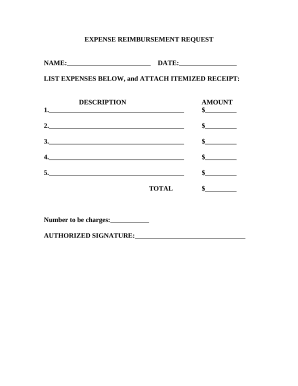
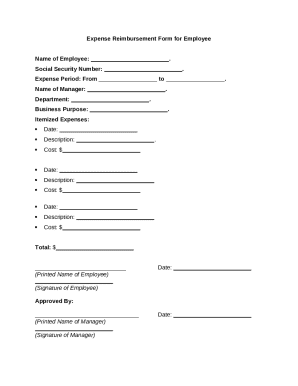
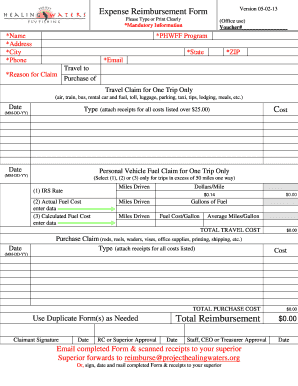
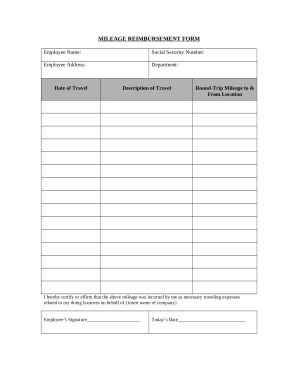
Visual guidance can aid users in understanding how to complete the Reimbursement Form accurately. An example of a filled-out reimbursement form illustrates the correct use of each field, showing how to report expenses effectively. This sample provides useful insights into the nuances of submitting a reimbursement request.
Experience Seamless Reimbursement Processing with pdfFiller
Using pdfFiller to handle your Reimbursement Form needs allows for a streamlined experience from filling to submission. Features like eSigning and easy sharing enhance the form-handling process. Users are encouraged to try pdfFiller, benefiting from its user-friendly interface and extensive support options.
How to fill out the Expense Reimbursement
-
1.Access the Reimbursement Form by navigating to pdfFiller's website and searching for it in the template library or directly through a link provided by your employer.
-
2.Open the form in pdfFiller's editor. Familiarize yourself with the interface, noting the blank fields and checkboxes designated for input.
-
3.Before filling out the form, gather all necessary documents such as receipts, invoices, and records of your expenses, including dates, amounts, and reasons.
-
4.Begin completing the form by entering the date of the expense in the appropriate field. Ensure it's clear and matches your supporting documents.
-
5.Next, input your name and occupation. Make sure that this information is consistent with your employment details.
-
6.Provide a detailed explanation for each expense in the designated field, including the reason for the expense and its relation to business activities.
-
7.Fill in the location where the expense occurred and enter the amount being claimed for reimbursement.
-
8.If applicable, detail any travel mileage in the miles-driven field, ensuring accuracy for potential reimbursement criteria.
-
9.Review all fields to verify correctness and completeness, ensuring that you haven’t overlooked any required fields.
-
10.Finalize the form by saving your progress frequently. Once satisfied with the completed form, download it as a PDF or submit it directly through pdfFiller's submission options.

Who is eligible to use the Reimbursement Form?
Any employee who incurs work-related expenses, such as travel or meals, can use the Reimbursement Form to submit claims for reimbursement from their employer.
What documents do I need to submit with the form?
Typically, you need to attach receipts or invoices that correspond to the expenses claimed on the Reimbursement Form to verify the authenticity of the submitted amounts.
How do I submit the completed Reimbursement Form?
You can submit the Reimbursement Form electronically through pdfFiller or by printing it and submitting it to your employer's accounting department according to your company’s procedures.
Is there a deadline for submitting reimbursement claims?
Yes, most companies set a deadline for expense submissions, usually within a specified number of days after the expense was incurred. Check your company’s policy for specific timelines.
What common mistakes should I avoid when filling out the form?
Be sure to avoid incomplete fields, incorrect dates, and mismatched amounts between your receipts and the form. Double-check calculations to prevent any delays in processing.
How long does it take to process reimbursement requests?
Processing times vary by company, but typically requests can take a few days to a couple of weeks. Check with your finance department for precise timelines based on their processing schedule.
Related Content
Related Forms






Related Catalogs
Get the latest insights from our blog


If you believe that this page should be taken down, please follow our DMCA take down process
here
.
This form may include fields for payment information. Data entered in these fields is not covered by PCI DSS compliance.