
Last updated on
Oct 28, 2026

Canada RCP-E 30A 2008 free printable template
We are not affiliated with any brand or entity on this form

Fill out
Complete the form online in a simple drag-and-drop editor.

eSign
Add your legally binding signature or send the form for signing.

Share
Share the form via a link, letting anyone fill it out from any device.

Export
Download, print, email, or move the form to your cloud storage.
Why pdfFiller is the best tool for your documents and forms


End-to-end document management
From editing and signing to collaboration and tracking, pdfFiller has everything you need to get your documents done quickly and efficiently.
Accessible from anywhere
pdfFiller is fully cloud-based. This means you can edit, sign, and share documents from anywhere using your computer, smartphone, or tablet.
Secure and compliant
pdfFiller lets you securely manage documents following global laws like ESIGN, CCPA, and GDPR. It's also HIPAA and SOC 2 compliant.
What is Canada RCP-E 30A
The Affidavit of Documents Form 30A is a legal document used by deponents in Canadian courts to disclose relevant documents in their possession related to a legal action.
pdfFiller scores top ratings on review platforms




PDFfiller is so easy to use!! PDF's are so often difficult to manipulate when you need to complete a form. PDFfiller makes it simple to do!
This is a great program, easy to use and is going to be a great asset
Who needs Canada RCP-E 30A?
Explore how professionals across industries use pdfFiller.

Canada RCP-E 30A is needed by:
-
Individuals involved in legal disputes
-
Lawyers assisting clients in litigation
-
Parties required to submit evidentiary documents
-
Legal professionals handling court filings
-
Individuals seeking to comply with court orders
Comprehensive Guide to Canada RCP-E 30A
What is the Affidavit of Documents Form 30A?
The Affidavit of Documents Form 30A is a crucial legal document used in Canadian legal proceedings. This document serves to disclose all relevant documents in the possession of the deponent, which is essential under the Courts of Justice Act. The form requires the deponent, typically an individual involved in a legal action, to transparently list documents that are available for production as well as those that might be exempt due to legal privilege.
The role of the deponent is significant as they must accurately list documents in Schedule A, B, and C, while a lawyer certifies the affidavit. This collaboration ensures both compliance and accountability within the legal process.
Purpose and Benefits of the Affidavit of Documents Form 30A
Using the Affidavit of Documents Form 30A streamlines the document disclosure process, which is vital in legal cases. It fosters transparency between parties, allowing for a more efficient legal procedure. This accountability significantly reduces misunderstandings and the possibility of discoveries during litigation.
-
Enhances document disclosure, which is fundamental in legal cases.
-
Promotes compliance with legal norms, ensuring that all parties are informed.
-
Facilitates the organization of legal documentation, easing the overall process.
Who Needs the Affidavit of Documents Form 30A?
The Affidavit of Documents Form 30A is essential for various stakeholders in a legal proceeding. Primarily, the deponent—who is involved in the case—must complete this form to provide a thorough account of relevant documents. Legal practitioners, typically lawyers, also have a critical role in the certification of these documents.
This form is needed in diverse legal actions such as civil disputes, family law cases, and any situation requiring documentation disclosure. Individuals and organizations involved in such cases must be aware of their obligations regarding filing this affidavit.
How to Fill Out the Affidavit of Documents Form 30A Online (Step-by-Step)
Filling out the Affidavit of Documents Form 30A online is simplified with user-friendly tools. Here’s how to complete this process efficiently:
-
Access the fillable Affidavit of Documents Form 30A on the designated platform.
-
Carefully read the instructions provided at the beginning of the form.
-
Fill out Schedule A with documents you can produce.
-
Document any objections due to privilege in Schedule B.
-
In Schedule C, indicate documents that are no longer in your possession.
-
If applicable, provide the names and addresses of knowledgeable individuals in Schedule D.
-
Review all provided information for accuracy before submitting.
Common Errors and How to Avoid Them When Filling Out the Affidavit of Documents Form 30A
When completing the Affidavit of Documents Form 30A, several common pitfalls can arise. Being aware of these can help you in submitting an accurate affidavit.
-
Omitting documents in Schedule A, which can lead to compliance issues.
-
Incorrectly identifying privileged documents in Schedule B.
-
Providing vague or incomplete information in any section of the form.
Double-check all entries and ensure that documents listed in Schedule B are adequately described to avoid any challenges during court proceedings.
How to Sign or Notarize the Affidavit of Documents Form 30A
Signing and notarizing the Affidavit of Documents Form 30A is an essential step. The deponent must sign the affidavit, and a lawyer must certify it. This ensures the authenticity and integrity of the document.
-
The deponent needs to provide a wet signature or an approved digital signature.
-
Understand the differences in requirements between digital and physical signatures.
-
If notarization is required, ensure that it is completed properly after signing.
What Happens After You Submit the Affidavit of Documents Form 30A?
After submitting the Affidavit of Documents Form 30A, several actions follow. Understanding the post-submission process is vital for staying informed about your case's progression.
-
Expect confirmation from the court regarding proper submission.
-
Check for timelines on processing or responses from the legal system.
-
Utilize available options to track the status of your submission, ensuring you stay updated on any developments.
Security and Compliance for the Affidavit of Documents Form 30A
Ensuring security and compliance during the management of the Affidavit of Documents Form 30A is paramount. pdfFiller employs robust security protocols to protect sensitive information.
-
pdfFiller utilizes 256-bit encryption to safeguard user data.
-
Compliance with HIPAA and GDPR is strictly maintained in all document handling processes.
-
User data remains protected throughout the submission and storage phases.
Experience Easier Document Management with pdfFiller
Using pdfFiller for managing the Affidavit of Documents Form 30A offers numerous advantages. This platform simplifies the filling, editing, and signing processes associated with legal documents.
-
Create, edit, and fill the Affidavit of Documents Form 30A seamlessly with intuitive tools.
-
Utilize numerous resources available for users to enhance their document management experience.
-
Enjoy the anonymity and convenience that comes with managing crucial legal documentation online.
How to fill out the Canada RCP-E 30A
-
1.Access the Affidavit of Documents Form 30A on pdfFiller by searching for 'Form 30A Affidavit' in the templates section or using the provided link.
-
2.Once the form is opened, review the blank fields and sections to familiarize yourself with the layout and required information.
-
3.Gather the necessary information about all relevant documents you possess, control, or have previously held before you start filling out the form.
-
4.Begin filling in the relevant fields with your information, such as your full name as the deponent and details of the documents you wish to list.
-
5.Fill out Schedule A for documents you will produce, Schedule B for documents you refuse on privilege grounds, and Schedule C for documents no longer in your possession.
-
6.If applicable under the simplified procedure, complete Schedule D by incorporating names and addresses of persons knowledgeable about the transactions.
-
7.Use the features of pdfFiller to add text in the designated fields, utilize checkboxes, and follow the explicit instructions provided alongside each section.
-
8.Once you have filled out the form, review each section carefully for accuracy and completeness to ensure all required fields are filled.
-
9.Finalize the form by saving your progress and ensuring that both you and your lawyer are ready to sign it electronically using pdfFiller's signature feature.
-
10.After completion, choose to save the document, download it in your preferred format, or submit it via pdfFiller’s submission options, ensuring you keep a copy for your records.

Who can complete the Affidavit of Documents Form 30A?
The form can be completed by individuals involved in legal disputes, typically referred to as deponents, and must be certified by a lawyer.
Are there any deadlines for filing the affidavit?
While specific deadlines can vary based on court rules and procedures, it is crucial to file the Affidavit of Documents as per the schedule set by the court to avoid procedural delays.
What documents do I need to submit along with the affidavit?
No additional documents are required to be submitted with the Affidavit of Documents Form 30A itself; however, you should have relevant documents to disclose listed within the form.
Can I make changes after I have submitted the affidavit?
Generally, once submitted, changes cannot be made without following specific court procedures. It’s advisable to ensure all information is accurate before submission.
How do I avoid common mistakes when filling out this affidavit?
To avoid common mistakes, ensure that all required fields are filled, double-check the accuracy of document listings, and confirm your deponent and lawyer signatures are established on the form.
How long does it take to process the Affidavit of Documents?
Processing times can vary by court, but typically, affidavits are processed as part of the overall case timeline, so it's best to check with your local court for specific estimates.
Is notarization required for the Affidavit of Documents Form 30A?
Yes, the Affidavit of Documents Form 30A must be notarized by a lawyer or a notary public to validate the deponent's signature and the document's legality.
Canada RCP-E 30A Form Versions
Related Content
Related Forms
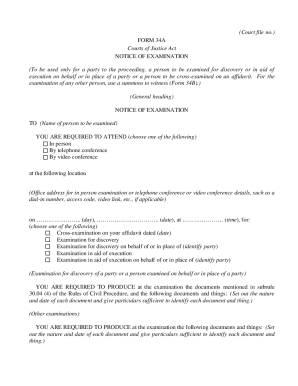
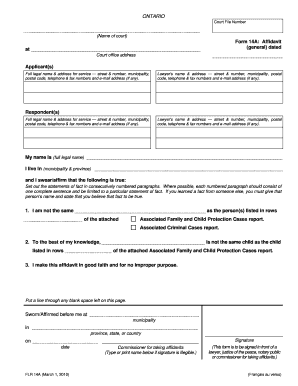
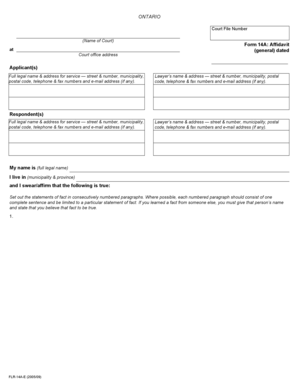


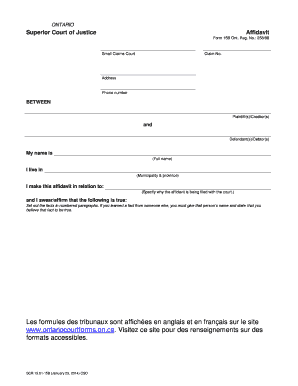

Related Catalogs
Get the latest insights from our blog


If you believe that this page should be taken down, please follow our DMCA take down process
here
.
This form may include fields for payment information. Data entered in these fields is not covered by PCI DSS compliance.