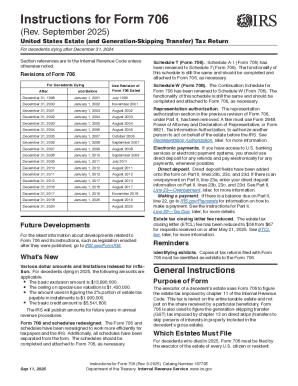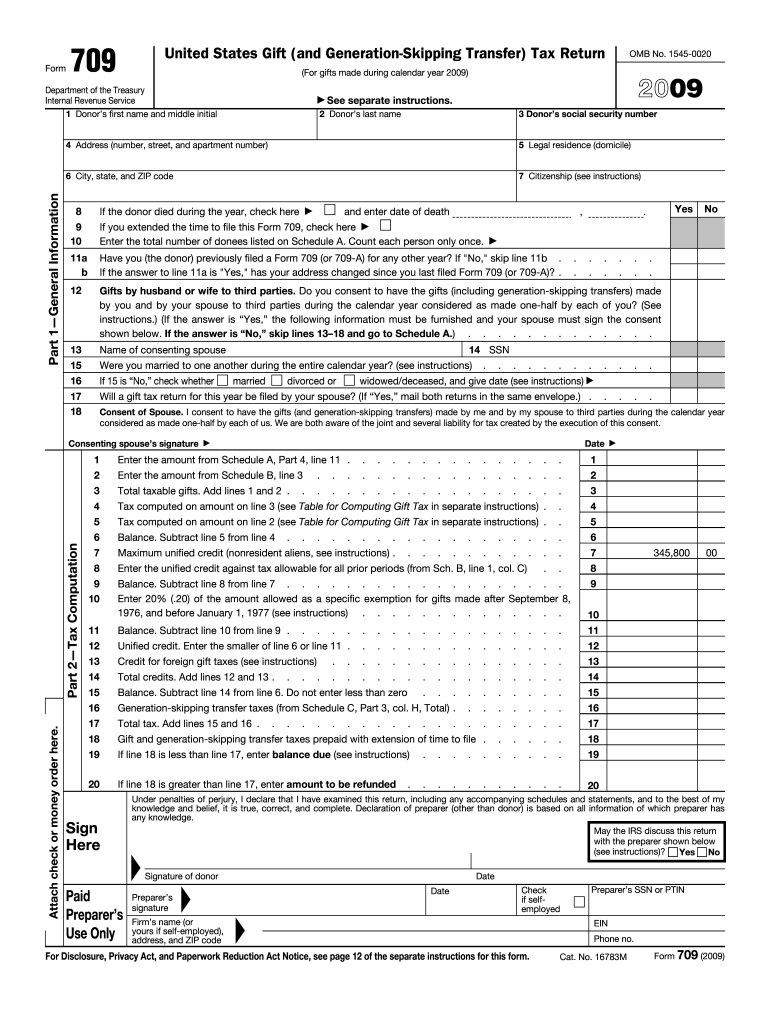
Form preview

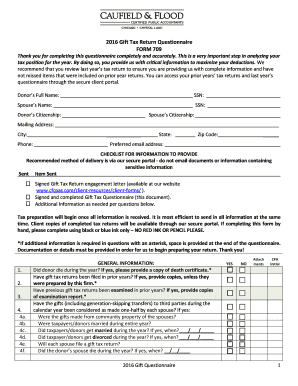
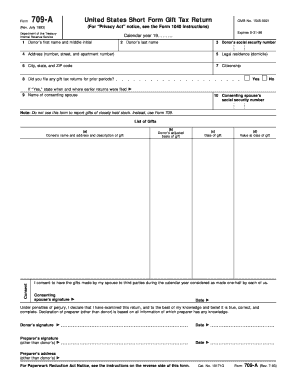
IRS 709 2009 free printable template


Get Form
We are not affiliated with any brand or entity on this form
Screenshot
Screenshot
Screenshot

Get, Create, Make, and Sign IRS 709

Edit your IRS 709 online
Type text, complete fillable fields, insert images, highlight or blackout data for discretion, add comments, and more.
Screenshot
Add your legally-binding signature
Draw or type your signature, upload a signature image, or capture it with your digital camera.
Screenshot
Share your form instantly
Email, fax, or share your IRS 709 via URL. You can also download, print, or export forms to your preferred cloud storage service.
Screenshot

Instructions and Help about IRS 709

How to edit IRS 709

To edit IRS 709, you can use online PDF editing tools such as pdfFiller. This platform allows you to modify fields, add comments, and make necessary adjustments before finalizing your submission. After editing, you can save or export the form to ensure it is ready for filing.

How to fill out IRS 709

Filling out IRS 709 requires attention to detail to ensure compliance with IRS regulations. Begin by clearly identifying the donor and recipient's information. Next, accurately report the gifts made during the year, including fair market values. Follow the IRS instructions corresponding to each section to avoid common mistakes.

About IRS previous version

What is IRS 709?

IRS 709 is the United States Gift (and Generation-Skipping Transfer) Tax Return. This tax form is used to report gifts made by an individual during the calendar year that exceed the annual exclusion amount. Filing this form helps in determining the amount of gift tax owed, if any.

Who needs the form?

Individuals who make gifts exceeding the annual exclusion amount, which is subject to change based on IRS guidelines, must file IRS 709. Additionally, estates that utilize generation-skipping transfer strategies need to complete this form. It is crucial for taxpayers seeking to ensure compliance with gift tax regulations.

Components of the form

IRS 709 contains several components, including personal information about the donor and recipient, details of the gifts made, and calculations related to the gift tax owed. Key sections include the “Gift Tax Computation” and “Schedule A,” which details the taxable gifts. Understanding these components is vital for accuracy in reporting.

How many copies of the form should I complete?

You should complete one copy of IRS 709 for your records and submit the original to the IRS. It is always advisable to keep a copy for your personal files, as it helps track your gifting history and any potential tax implications.

What information do you need when you file the form?

When filing IRS 709, you will need the following information: your name and identification number, details about the gifts made including recipient information, fair market values, and any exemptions being claimed. Accurate data is necessary for proper evaluation by the IRS.

Where do I send the form?

You should send IRS 709 to the address specified in the form instructions, which typically depends on your location and whether you are enclosing a payment. Ensure that you send it to the correct processing center to avoid delays in processing your return.

What is the purpose of this form?

The purpose of IRS 709 is to report taxable gifts and compute any applicable gift tax. It ensures that individuals comply with federal tax laws regarding the transfer of wealth. This form is essential for assessing whether a donor has exceeded the lifetime exemption limit for gifts.

When am I exempt from filling out this form?

You are exempt from filling out IRS 709 if your gifts do not exceed the annual exclusion limit as set by the IRS for the tax year. Generally, gifts below this threshold do not need to be reported. However, private gifts made to charities or medical expenses may also be exempt under certain conditions.

Due date

The due date for filing IRS 709 is typically April 15 of the year following the gifts made. If you are unable to meet this deadline, you can request an extension. However, note that any gift tax owed is still due on the original due date.

What payments and purchases are reported?

IRS 709 reports any transfers of money or property that qualify as gifts under tax law. This includes cash gifts, stocks, real estate, and tangible items. It is essential to report any gifts that exceed the annual exclusion amount to avoid penalties.

What are the penalties for not issuing the form?

Failure to file IRS 709 when required can result in penalties, including interest on any gift tax due. The IRS may impose fines for late filing that accumulate over time, making timely submission crucial to avoid unnecessary financial burdens.

Is the form accompanied by other forms?

IRS 709 may need to be accompanied by additional documentation depending on the nature of the gifts reported. Supplemental forms may include appraisals for items being gifted or other IRS forms that relate to the specific circumstances of the donor.

FAQ about IRS 709

If you discover an error after submitting IRS 709, you can file an amended return using the same form. Ensure you clearly indicate the corrections made and label the return as 'Amended' to distinguish it from the original submission. It’s essential to retain copies of all submitted forms and any correspondence for your records.

To check the status of your IRS 709, you can visit the IRS website and use their online tracking tools, or contact the IRS directly by phone. Keep handy your Social Security number and other identifying information to facilitate your inquiry. It’s crucial to follow up promptly to resolve any potential issues with your filing.

Common errors when filing IRS 709 include incorrect taxpayer identification numbers, missing signatories, and improperly reported gifts. To avoid these pitfalls, double-check all information for accuracy and ensure that all necessary fields are filled out completely. A thorough review before submission can help prevent delays or rejections.

E-signatures are not universally accepted for IRS 709 at this time. Be sure to check the latest IRS guidelines and ensure compliance with their electronic submission rules. If e-signatures are not permitted, printed signatures are required to validate the submission of the form.

If your IRS 709 is rejected, the IRS will notify you with an explanation of the rejection reason. Take prompt action by addressing the specific issue mentioned and resubmitting the corrected form. If applicable, inquire about any potential service fees associated with the resubmission process.

See what our users say

Read user feedback and try pdfFiller to explore all its benefits for yourself
It was my first time uploading forms. It was pretty easy. I think the more I use it the better.
Anonymous Customer
It just needs to be a bit more responsive. Features are solid.
Michael M
The application works great and the customer service is very good.
Robert
So far, the program performs as promised.
Steve B
Lots of "new" ways to create and edit documents of multiple formats...
Treg John Qualman S
PDF filler has been a huge help for my new business, and in my personal life. The more editing options they add, the better it gets!
Bryan M
See what our users say
Trust Seal
Trust Seal
Trust Seal
Trust Seal
Trust Seal
Trust Seal
Trust Seal
Trust Seal
Rate free form
4.0
satisfied
27 votes

How to Fill Out Small Business Tax Forms Online with pdfFiller

Struggling with your Schedule C or not sure how to file business taxes as a sole proprietor, LLC, or self-employed professional? This step-by-step pdfFiller tutorial walks you through completing IRS Schedule C quickly and accurately — no printing, no scanning, no stress. Whether you're handling small business tax deductions, tracking self-employed taxes, or preparing your full business tax return, pdfFiller makes it simple right in your browser.

Related Forms

If you believe that this page should be taken down, please follow our DMCA take down process here .
This form may include fields for payment information. Data entered in these fields is not covered by PCI DSS compliance.