
Last updated on
Oct 2, 2026

Get the free Resume Template
We are not affiliated with any brand or entity on this form

Fill out
Complete the form online in a simple drag-and-drop editor.

eSign
Add your legally binding signature or send the form for signing.

Share
Share the form via a link, letting anyone fill it out from any device.

Export
Download, print, email, or move the form to your cloud storage.
Why pdfFiller is the best tool for your documents and forms


End-to-end document management
From editing and signing to collaboration and tracking, pdfFiller has everything you need to get your documents done quickly and efficiently.
Accessible from anywhere
pdfFiller is fully cloud-based. This means you can edit, sign, and share documents from anywhere using your computer, smartphone, or tablet.
Secure and compliant
pdfFiller lets you securely manage documents following global laws like ESIGN, CCPA, and GDPR. It's also HIPAA and SOC 2 compliant.
What is Resume Template
The Resume Template is a fillable document used by job seekers to create a professional summary of their qualifications and experiences for employment applications.
pdfFiller scores top ratings on review platforms




Who needs Resume Template?
Explore how professionals across industries use pdfFiller.

Resume Template is needed by:
-
Job seekers looking for employment
-
Students applying for internships
-
Professionals changing careers
-
Recruiters seeking standardized resumes
-
Employees updating their resumes
-
Freelancers and contractors
-
Human resource personnel reviewing applications
Comprehensive Guide to Resume Template
What is a Resume Template?
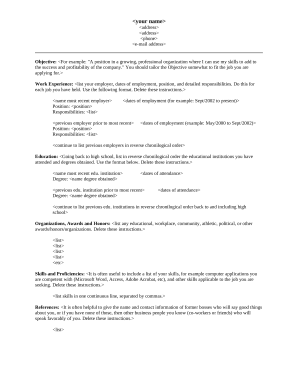
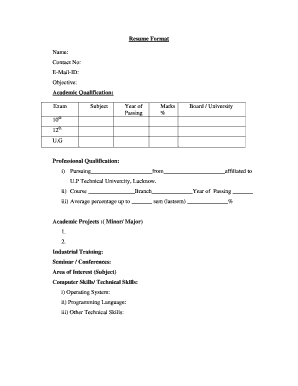
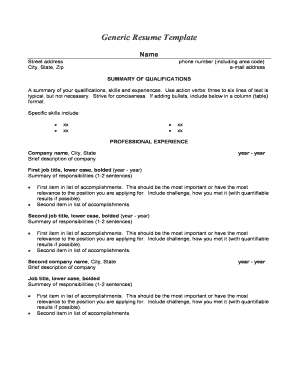
A resume template is a structured document designed to assist job seekers in crafting their job applications. It typically includes essential sections such as contact information, an objective statement, education history, work experience, skills, and activities or leadership roles. Utilizing a well-organized resume template enhances the likelihood of securing job interviews, making it a vital tool for professionals in the job market.
Purpose and Benefits of Using a Resume Template
Using a resume template offers numerous advantages for job seekers. Firstly, it streamlines the resume writing process by providing a clear framework to follow. Secondly, a professional and organized template ensures that qualifications are presented effectively, showcasing the candidate's suitability for the position. Additionally, a well-structured resume increases the chances of passing through Applicant Tracking Systems (ATS), which many employers use to screen applicant resumes.
Key Features of the Resume Template
-
Fillable fields that facilitate the easy entry of personal and professional details.
-
Guidelines on formatting, language usage, and organizational best practices.
-
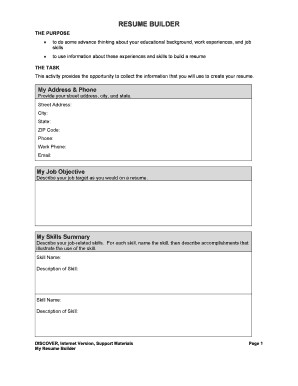
Instructions for each section, such as "Fill in all required fields" and "Describe your job objective."
Who Needs the Resume Template?
The resume template is designed for various individuals, including recent graduates entering the job market, professionals seeking to change careers or pursue new opportunities, and individuals re-entering the workforce after a break. This broad audience underscores the template's versatility and applicability across different job-seeking scenarios.
How to Fill Out the Resume Template Online
To fill out the resume template on the pdfFiller platform, follow these steps:
-
Access the resume template through the pdfFiller website.
-
Complete each field with the necessary personal and professional information.
-
Utilize the provided tips to enhance the entries in each section.
-
Review your completed resume against a checklist to ensure all fields are accurately filled.
Common Errors and How to Avoid Them
While completing the resume, users should be cautious of common mistakes such as typos and vague descriptions. To avoid these pitfalls, it is essential to proofread the document thoroughly. Additionally, candidates should focus on keeping their job descriptions concise and relevant to make a strong impression on potential employers.
How to Save, Download, and Print the Resume Template
Once the resume template is filled out, users can manage their document efficiently by following these instructions:
-
Save the completed resume as a PDF or in other formats as needed.
-
Download the resume for offline use or for sharing with potential employers.
-
Print the resume directly from the platform or after downloading it for a physical copy.
Security and Compliance When Using the Resume Template
When utilizing the resume template, security and user privacy are paramount. pdfFiller employs robust security measures, including 256-bit encryption, and adheres to regulations such as HIPAA and GDPR. Users can have confidence in the platform's ability to protect sensitive personal information throughout the document handling process.
Enhance Your Job Application with pdfFiller
By leveraging pdfFiller to complete the resume template, users can benefit from additional capabilities, such as editing features, eSigning options, and a user-friendly interface. With a community of over 100 million users, pdfFiller has established itself as a trusted brand in document management, enabling job seekers to enhance their job applications effectively.
How to fill out the Resume Template
-
1.To access the Resume Template on pdfFiller, visit the pdfFiller website and log in to your account. Use the search bar to type 'Resume Template' and select it from the results.
-
2.Once the form is open, navigate the interface to locate the fillable fields. Click on the section labeled 'Name' to input your personal details.
-
3.Gather all necessary information beforehand, such as your contact details, educational background, work experience, skills, and any leadership activities or relevant accomplishments.
-
4.Proceed to fill in each section of the template, ensuring accuracy. Use clear and concise language. For the 'Objective' section, describe your career goals succinctly.
-
5.After completing all fields, review your entries for any spelling or grammatical errors. Make sure every required field is filled correctly.
-
6.Once satisfied with your resume, finalize it by clicking on the save button. You can also preview the document to see how it appears as a finished product.
-
7.To save or download your completed resume, choose the option for PDF download from the menu. You can also opt to submit it directly via email or print it.

Who is eligible to use the Resume Template?
The Resume Template is designed for anyone looking to create a professional resume, including students, job seekers, and professionals seeking new career opportunities.
What information should I gather before filling out the form?
Before starting, gather your personal details, educational history, work experience, skills, and any other relevant information you want to include in your resume.
How can I submit my completed resume?
You can submit your completed resume by downloading it as a PDF from pdfFiller, emailing it to prospective employers, or printing it out for in-person submissions.
Are there any common mistakes to avoid when using the Resume Template?
Common mistakes include leaving fields blank, using unprofessional language, and failing to proofread for spelling and grammatical errors. Ensure all sections are filled accurately.
What is the typical processing time for a resume submission?
While this varies by employer, the processing time for resume submissions can range from a few days to a few weeks. Check with the specific employer for their timeline.
Do I need to notarize my resume?
No, notarization is not required for resumes. You can create and submit your resume directly without needing a notary.
Is there a fee to access the Resume Template on pdfFiller?
Accessing the Resume Template on pdfFiller typically requires a subscription. Check the pdfFiller website for any applicable fees or free trial options.
Related Content
Related Forms



Related Catalogs
Get the latest insights from our blog


If you believe that this page should be taken down, please follow our DMCA take down process
here
.
This form may include fields for payment information. Data entered in these fields is not covered by PCI DSS compliance.