
Last updated on
Nov 9, 2026

HI On-the-Job Training (OJT) Progress Report Form 2011-2026 free printable template
pdfFiller is not affiliated with any government organization

Fill out
Complete the form online in a simple drag-and-drop editor.

eSign
Add your legally binding signature or send the form for signing.

Share
Share the form via a link, letting anyone fill it out from any device.

Export
Download, print, email, or move the form to your cloud storage.
Why pdfFiller is the best tool for your documents and forms


End-to-end document management
From editing and signing to collaboration and tracking, pdfFiller has everything you need to get your documents done quickly and efficiently.
Accessible from anywhere
pdfFiller is fully cloud-based. This means you can edit, sign, and share documents from anywhere using your computer, smartphone, or tablet.
Secure and compliant
pdfFiller lets you securely manage documents following global laws like ESIGN, CCPA, and GDPR. It's also HIPAA and SOC 2 compliant.
What is HI On-the-Job Training (OJT) Progress Report Form
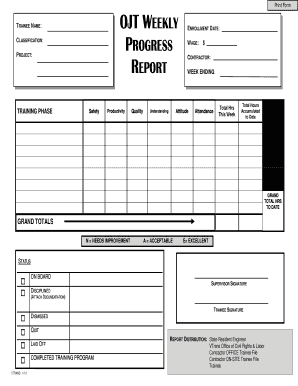
The On-the-Job Training Progress Report Form is a performance evaluation document used by employers to assess and document trainee progress in an OJT program.
pdfFiller scores top ratings on review platforms




Made it easy to complete and update employment application, provides a much cleaner and more professional document for submittal.
my experience was smooth. though it need some time to get used to.
Who needs HI On-the-Job Training (OJT) Progress Report Form?
Explore how professionals across industries use pdfFiller.

HI On-the-Job Training (OJT) Progress Report Form is needed by:
-
Employers managing on-the-job training programs
-
Human resources professionals overseeing employee evaluations
-
Trainers requiring structured feedback on trainee performance
-
Organizations offering reimbursement for training hours
-
Compliance officers ensuring training programs meet standards
-
Trainees seeking to understand their performance reviews
Comprehensive Guide to HI On-the-Job Training (OJT) Progress Report Form
What is the On-the-Job Training Progress Report Form?
The On-the-Job Training Progress Report Form is a critical document used in occupational training programs. It functions to evaluate trainee progress and serves as a comprehensive record of hours worked, invoices, and performance evaluations. This form is essential for assessing the effectiveness of the training program and tracking the development of skills necessary for employment.
Employers utilize this form to ensure that all aspects of the training, including time management and performance metrics, are documented accurately. This not only helps in monitoring trainee input but also enhances the overall quality of the OJT programs.
Purpose and Benefits of the On-the-Job Training Progress Report Form
The On-the-Job Training Progress Report Form provides employers with a structured method for tracking their trainees' development. This form is significant for financial reimbursement processes and ensuring compliance with industry standards. It allows for objective assessments, which can lead to training improvements and better resource allocation.
-
Tracking progress helps employers identify strengths and areas for improvement.
-
Facilitates reimbursement claims with accurate records of hours worked.
-
Supports compliance with training regulations.
Key Features of the On-the-Job Training Progress Report Form
This form includes essential components designed to enhance usability and effectiveness. Key sections consist of employer and trainee information, detailed competency ratings, and an area for comments and skills evaluation. It is structured to allow for accurate data entry, emphasizing the importance of completeness and correctness in the documentation process.
-
Sections for detailed employer and trainee information.
-
Competency ratings for objective evaluation.
-
Fillable format to simplify the completion of the form.
Who Needs the On-the-Job Training Progress Report Form?
The On-the-Job Training Progress Report Form is vital for a variety of stakeholders involved in OJT programs. Employers across multiple industries use it to gauge trainee performance and ensure robust training practices. Trainees also benefit from this form by engaging in self-assessment, which aids in their professional development.
Additionally, training coordinators or HR professionals play a critical role in managing OJT initiatives, making them primary users of this form.
How to Fill Out the On-the-Job Training Progress Report Form Online
Utilizing pdfFiller to fill out the On-the-Job Training Progress Report Form is straightforward. Users need to follow several key steps to ensure accuracy and completeness:
-
Access the On-the-Job Training Progress Report Form through pdfFiller.
-
Complete all sections, including employer and trainee details.
-
Provide competency ratings and any additional comments or feedback.
-
Double-check entries to avoid common errors before submission.
Submission Methods and Next Steps After Filing the On-the-Job Training Progress Report Form
After completing the On-the-Job Training Progress Report Form, users can choose between digital and paper submission methods. Digital submissions are often more efficient and allow for easier tracking.
-
Submit via email or a secure upload portal for digital methods.
-
Mail the paper form directly to the relevant department or agency.
-
Keep a record of your submission for tracking confirmation.
Security and Compliance When Using the On-the-Job Training Progress Report Form
Ensuring the security of sensitive information in the On-the-Job Training Progress Report Form is paramount. pdfFiller offers robust security features, including encryption and compliance with HIPAA and GDPR standards, to protect user data.
-
Utilize 256-bit encryption for safe document handling.
-
Follow best practices for data privacy during form submissions.
-
Securely manage and store completed forms to maintain confidentiality.
Examples of a Completed On-the-Job Training Progress Report Form
Providing visual references can enhance understanding when filling out the form. A sample completed form showcases properly filled-out sections, offering insights into expected entries.
-
The sample demonstrates completion of competency ratings.
-
Annotations clarify the purpose of each section in the form.
-
Variations common across different OJT programs are discussed for context.
Why Choose pdfFiller for Your On-the-Job Training Progress Report Form?
pdfFiller stands out as an optimal choice for filling out the On-the-Job Training Progress Report Form. With its cloud-based platform, users can enjoy a hassle-free experience without the need for downloads. The benefits of using pdfFiller include ease of use, high-level security, and the ability to access documents from any device.
User testimonials reflect the platform's reliability and efficiency when it comes to form submissions, enhancing the overall experience for all stakeholders involved.
How to fill out the HI On-the-Job Training (OJT) Progress Report Form
-
1.To access the On-the-Job Training Progress Report Form on pdfFiller, visit the pdfFiller website and use the search bar to find the form by its official name.
-
2.Once you locate the form, click on it to open it in the pdfFiller editor where you can start completing it.
-
3.Gather necessary information prior to filling out the form, including employer contact details, trainee performance data, and competency ratings based on the training plan.
-
4.In the pdfFiller interface, navigate through the form’s fields by clicking on each blank space to enter text or select options from checkboxes.
-
5.Complete the contact information section for both the employer and trainee, ensuring accuracy and clarity in your entries.
-
6.Fill out the evaluation sections according to each invoice period, providing reasons for your ratings and including constructive comments.
-
7.Review your input to ensure all fields are correctly filled out before finalizing the document.
-
8.Once you are satisfied with the progress report, use the ‘Save’ option to preserve your changes.
-
9.You can then download the completed form in your preferred format or submit it directly through pdfFiller based on your organizational preferences.

Who is eligible to use the On-the-Job Training Progress Report Form?
Employers, trainers, and human resource professionals managing on-the-job training programs are eligible to use this form. It is designed for organizations involved in training programs that require documentation of trainee evaluations and performance.
Are there deadlines for submitting the training progress report?
Submission deadlines for the On-the-Job Training Progress Report may vary based on specific training programs or organizational policies. It is advisable to check with your organization’s training protocol for any time-sensitive requirements.
What documents are required to complete the form?
To complete the On-the-Job Training Progress Report Form, you typically need the trainee's evaluation data, feedback from trainers, and any associated training hours documentation. Ensure all information is accurate for effective evaluation.
What are common mistakes to avoid when filling out the form?
Common mistakes include omitting crucial information, providing vague performance ratings, and failing to review the completed form for errors. Ensure each section is thoroughly completed before final submission.
How can I submit the On-the-Job Training Progress Report Form?
You can submit the On-the-Job Training Progress Report Form electronically through pdfFiller once completed. Alternatively, you may print it and submit it as a hard copy according to your organization’s submission guidelines.
What is the processing time for reviewing the training report?
Processing times for the On-the-Job Training Progress Report can vary depending on the employer's review process. Typically, you can expect feedback within a few days to a couple of weeks, depending on internal evaluations.
Can the form be modified after submission?
Once the On-the-Job Training Progress Report Form is submitted, modifications may not be possible without resubmitting. It’s essential to ensure all information is correct before submitting.
Related Content
Related Forms





Related Catalogs
Get the latest insights from our blog


If you believe that this page should be taken down, please follow our DMCA take down process
here
.
This form may include fields for payment information. Data entered in these fields is not covered by PCI DSS compliance.