
Last updated on
Oct 2, 2026

UT Dental Assisting Clinical Evaluation Form 2012-2026 free printable template
pdfFiller is not affiliated with any government organization

Fill out
Complete the form online in a simple drag-and-drop editor.

eSign
Add your legally binding signature or send the form for signing.

Share
Share the form via a link, letting anyone fill it out from any device.

Export
Download, print, email, or move the form to your cloud storage.
Why pdfFiller is the best tool for your documents and forms


End-to-end document management
From editing and signing to collaboration and tracking, pdfFiller has everything you need to get your documents done quickly and efficiently.
Accessible from anywhere
pdfFiller is fully cloud-based. This means you can edit, sign, and share documents from anywhere using your computer, smartphone, or tablet.
Secure and compliant
pdfFiller lets you securely manage documents following global laws like ESIGN, CCPA, and GDPR. It's also HIPAA and SOC 2 compliant.
What is UT Dental Assisting Clinical Evaluation Form
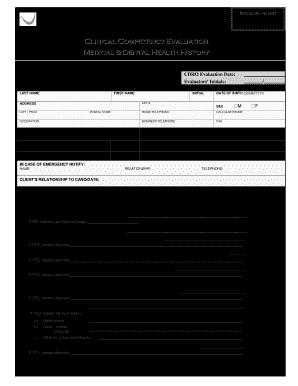
The Dental Assisting Clinical Evaluation Form is a document used by evaluators to assess the performance of dental assisting students during their clinical training.
pdfFiller scores top ratings on review platforms




Who needs UT Dental Assisting Clinical Evaluation Form?
Explore how professionals across industries use pdfFiller.

UT Dental Assisting Clinical Evaluation Form is needed by:
-
Dental assisting program evaluators who need to provide assessments.
-
Educational institutions requiring feedback on student performance.
-
Dental clinics conducting clinical training for students.
-
Students seeking constructive feedback on their clinical skills.
-
Accrediting bodies reviewing evaluation processes in dental assisting programs.
Comprehensive Guide to UT Dental Assisting Clinical Evaluation Form
What is the Dental Assisting Clinical Evaluation Form?
The Dental Assisting Clinical Evaluation Form is a crucial document used to assess the performance of dental assisting students during their clinical training. This form plays an essential role in evaluating the skills and competency of students, providing structured feedback critical for their development.
Utilized primarily by evaluators such as clinical supervisors and instructors, this form helps dental schools and training institutions ensure students meet required standards. Its relevance extends to all parties involved in dental education, making it an integral part of the training process.
Purpose and Benefits of the Dental Assisting Clinical Evaluation Form
The Dental Assisting Clinical Evaluation Form serves multiple purposes, primarily providing structured feedback to dental students. This form is essential for educators and clinical site supervisors as it evaluates student performance comprehensively.
Key benefits include the enhancement of clinical skills and the preparedness of students for professional practice. The form facilitates constructive criticism, helping students identify strengths and areas needing improvement, which is vital for their success in the field.
Key Features of the Dental Assisting Clinical Evaluation Form
Several key features distinguish this form. First, it includes sections dedicated to assessing work habits, clinical tasks performed, and additional remarks from the evaluator.
-
The signature requirement emphasizes the importance of authenticity in evaluations.
-
Various customizable features allow evaluators to tailor the form to specific training requirements.
This diverse functionality makes the Dental Assisting Clinical Evaluation Form a versatile tool in dental education.
Who Needs the Dental Assisting Clinical Evaluation Form?
The primary users of the Dental Assisting Clinical Evaluation Form include clinical supervisors, instructors, and dental training institutions. Evaluators play a significant role in determining the effectiveness of the curriculum and the skill level of the students.
Additionally, dental students benefit immensely from this resource as it provides valuable feedback regarding their clinical skills, promoting continuous improvement.
How to Fill Out the Dental Assisting Clinical Evaluation Form Online (Step-by-Step)
Filling out the Dental Assisting Clinical Evaluation Form is a straightforward process. Here’s a step-by-step guide to help you:
-
Access the form via pdfFiller.
-
Complete the required fields, ensuring all information is accurate.
-
Review your entries to verify completeness.
Pay attention to each field for thorough evaluations and follow the instructions carefully to avoid any errors.
Common Errors and How to Avoid Them when Completing the Form
When filling out the Dental Assisting Clinical Evaluation Form, users often encounter several common errors. Awareness of these mistakes can significantly improve the accuracy of the evaluations.
-
Leaving fields incomplete can lead to misunderstanding.
-
Failing to sign the form may render it invalid.
To prevent such issues, always validate your entries and review the completed form before final submission.
How to Sign the Dental Assisting Clinical Evaluation Form
Signing the Dental Assisting Clinical Evaluation Form is crucial to certify its authenticity. Both digital signatures and traditional wet signatures can be utilized depending on requirements.
Using pdfFiller simplifies the electronic signing process, ensuring that signatures are secured and properly documented, enhancing the integrity of the evaluation process.
How to Download, Save, and Print the Dental Assisting Clinical Evaluation Form
Managing the Dental Assisting Clinical Evaluation Form safely involves downloading, saving, and printing the document efficiently. Follow these steps for proper document management:
-
Download the completed form securely to your device.
-
Save the file in a designated folder for future reference.
-
Print a hard copy if required for physical delivery.
Always observe security practices when handling sensitive documents to protect personal data.
What Happens After You Submit the Dental Assisting Clinical Evaluation Form?
After submitting the Dental Assisting Clinical Evaluation Form, you can expect a confirmation of your submission. Tracking your submission is vital to ensure it has been received.
There may be specific timeframes for feedback or follow-ups, and understanding how to amend any corrections can be beneficial if revisions are necessary post-submission.
Maximize Your Evaluation Process with pdfFiller
pdfFiller is designed to enhance your experience with the Dental Assisting Clinical Evaluation Form through its user-friendly platform. With features that streamline filling, signing, and submitting the form, it significantly reduces administrative burdens.
The platform adheres to security regulations such as HIPAA and GDPR, making it a reliable choice for managing sensitive evaluations. By leveraging pdfFiller, you can ensure a more efficient evaluation process while maintaining compliance.
How to fill out the UT Dental Assisting Clinical Evaluation Form
-
1.To begin, access the Dental Assisting Clinical Evaluation Form on pdfFiller by searching for the form name in the platform's search bar.
-
2.Once located, click on the form to open it in the editing interface.
-
3.Before completing the form, gather necessary information such as the student's name and performance criteria.
-
4.Navigate through the form by clicking on each field. Use the text box for the student's name and fill in relevant comments in the remarks section.
-
5.For performance assessments, utilize the checkboxes next to the rubric scoring options to provide clear evaluations.
-
6.Review all entered information for accuracy by going through each section of the form carefully.
-
7.Finalize the form by checking that all required fields are filled and signatures are provided if needed.
-
8.Once everything is complete, save the form in pdfFiller. You can download it directly or submit it electronically to the designated recipient.

Who is eligible to use the Dental Assisting Clinical Evaluation Form?
The form is intended for evaluators in dental assisting programs who are assessing students during clinical training. It is essential for those involved in educational institutions that offer dental assisting.
Is there a deadline for submitting the completed evaluation form?
While specific deadlines may vary by program, it's generally best to complete and submit the evaluation form promptly after the clinical assessment to ensure timely feedback for the student.
What is the process for submitting the Dental Assisting Clinical Evaluation Form?
After completing the form on pdfFiller, you can submit it either electronically through the platform or print it out to send it via traditional mail to your institution or designated recipient.
What supporting documents are required with the evaluation form?
Typically, no additional supporting documents are required with the Dental Assisting Clinical Evaluation Form. However, it may be helpful to include a checklist of objectives or skills achieved during the evaluation period.
What common mistakes should I avoid while filling out the form?
Ensure all sections of the form are filled out completely, as missing information can lead to delays. Double-check spelling, especially the student's name, and ensure the evaluator's signature is present when required.
How long does it take to process the evaluation form?
Processing time for the Dental Assisting Clinical Evaluation Form can vary depending on the institution's policies. Generally, expect feedback or confirmation within a week after submission.
Are there any fees associated with submitting this evaluation form?
The evaluation form itself typically does not have associated fees. However, check with your institution for any processing fees related to evaluations or administrative tasks.
Related Content
Related Forms





Related Catalogs
Get the latest insights from our blog


If you believe that this page should be taken down, please follow our DMCA take down process
here
.
This form may include fields for payment information. Data entered in these fields is not covered by PCI DSS compliance.