
Last updated on
Nov 10, 2026

CO Birth Certificate Worksheet for Health and Medical Information 2006 free printable template
pdfFiller is not affiliated with any government organization

Fill out
Complete the form online in a simple drag-and-drop editor.

eSign
Add your legally binding signature or send the form for signing.

Share
Share the form via a link, letting anyone fill it out from any device.

Export
Download, print, email, or move the form to your cloud storage.
Why pdfFiller is the best tool for your documents and forms


End-to-end document management
From editing and signing to collaboration and tracking, pdfFiller has everything you need to get your documents done quickly and efficiently.
Accessible from anywhere
pdfFiller is fully cloud-based. This means you can edit, sign, and share documents from anywhere using your computer, smartphone, or tablet.
Secure and compliant
pdfFiller lets you securely manage documents following global laws like ESIGN, CCPA, and GDPR. It's also HIPAA and SOC 2 compliant.
What is CO Birth Certificate Worksheet for Health and Medical Information
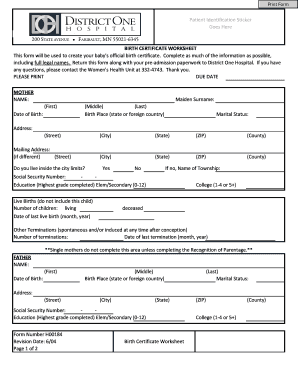
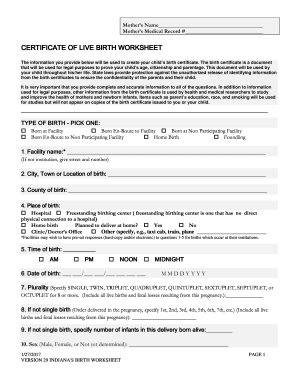
The Colorado Birth Certificate Worksheet is a government form used by parents to collect information for creating a child's birth certificate in Colorado.
pdfFiller scores top ratings on review platforms




Who needs CO Birth Certificate Worksheet for Health and Medical Information?
Explore how professionals across industries use pdfFiller.

CO Birth Certificate Worksheet for Health and Medical Information is needed by:
-
New parents in Colorado
-
Legal guardians of infants
-
Informants required to certify birth details
-
Health care providers at hospitals
-
Family members needing to apply for a birth certificate
Comprehensive Guide to CO Birth Certificate Worksheet for Health and Medical Information
What is the Colorado Birth Certificate Worksheet?
The Colorado Birth Certificate Worksheet is essential for the birth certificate application process, as it facilitates the collection of necessary information for creating a child's birth certificate in Colorado. This worksheet requires specific details about the infant and the parents, including their names and personal information. Those needing to sign this form include the mother and the informant, ensuring that all submitted information is accurate and validated.
Purpose and Benefits of the Colorado Birth Certificate Worksheet
Obtaining a birth certificate is crucial for a child's legal identity and access to essential services. The Colorado Birth Certificate Worksheet assists parents or guardians in gathering the required information correctly, minimizing the chances of errors during completion. The fillable PDF format simplifies the entire process, allowing users to input data conveniently while ensuring all necessary fields are covered.
Who Needs the Colorado Birth Certificate Worksheet?
The individuals required to fill out the Colorado Birth Certificate Worksheet typically include the mother, the father, and an informant. The informant may vary based on circumstances, as they are responsible for providing accurate details to complete the application. In some cases, additional documentation like an Acknowledgement of Paternity may be necessary, particularly when the parents are not married.
Key Features of the Colorado Birth Certificate Worksheet
This worksheet comprises several form elements such as fillable fields and sections dedicated to capturing names, dates, and other relevant details. Each section of the form comes with explicit instructions to guide users in their completion, emphasizing the importance of providing accurate and truthful information. Clear fields prompt users for essential data like the child's full name, mother's current full name, and father's full name, which are crucial for successful submission.
How to Fill Out the Colorado Birth Certificate Worksheet Online (Step-by-Step)
To complete the Colorado Birth Certificate Worksheet online using pdfFiller, follow these step-by-step instructions:
-
Gather all necessary personal information regarding the child and parents.
-
Access the worksheet through pdfFiller's platform and open the fillable PDF.
-
Carefully fill out each section of the form, using the instructions provided as a guide.
-
Review the completed form for any inaccuracies or missing information.
-
Save and submit the worksheet as per the submission guidelines for Colorado.
Common Errors and How to Avoid Them
When filling out the Colorado Birth Certificate Worksheet, individuals often make common mistakes such as omitting required fields or entering incorrect information. To avoid these errors, it is vital to review all data for accuracy before submission. Utilizing pdfFiller's features helps minimize mistakes, as it offers validation tools and prompts for ensuring that all necessary fields are completed accurately.
Submission Methods for the Colorado Birth Certificate Worksheet
Completed worksheets can be submitted through various methods, including online submission or in-person delivery. Individuals should know where to send or deliver the form within Colorado, as these options may vary by location. It's also essential to be aware of any associated fees and the expected processing times for submissions to ensure a smooth application experience.
Security and Compliance When Handling Sensitive Information
When processing sensitive information like birth certificates, safeguarding personal data is paramount. pdfFiller employs 256-bit encryption and adheres to stringent compliance standards to ensure document security. Users should follow best practices for maintaining privacy while utilizing online form services, such as not sharing sensitive information through unsecured channels.
What Happens After You Submit the Colorado Birth Certificate Worksheet?
Once the Colorado Birth Certificate Worksheet is submitted, it undergoes a review process to ensure all information is accurate and complete. Applicants can check the status of their application or request to stay informed. Understanding common reasons for rejection and how to address them is crucial for ensuring a successful application outcome.
Empower Your Birth Certificate Application Journey with pdfFiller
Leveraging pdfFiller for your form-filling experience can greatly enhance your efficiency and accuracy when applying for a birth certificate. The platform offers user-friendly features, including e-signatures and easy editing, making the application process seamless and straightforward.
How to fill out the CO Birth Certificate Worksheet for Health and Medical Information
-
1.Access the Colorado Birth Certificate Worksheet form on pdfFiller by searching for it in the template library.
-
2.Once open, navigate through the form using the side menu to easily find each section.
-
3.Gather necessary information, including child's full name, date of birth, and parents' details before you start filling in the form.
-
4.Begin completing the fields by clicking on each blank space. Use the provided checkboxes where applicable.
-
5.Enter the mother's and father's names, alongside their birth dates and addresses, ensuring all details are accurate.
-
6.If applicable, include additional forms such as the Acknowledgment of Paternity by selecting and filling them out within pdfFiller.
-
7.Review each entry carefully to verify that all provided information is correct before finalizing the document.
-
8.Once completed, click on 'Save' to store your progress. You can also download or print the form as needed.
-
9.To submit the form, follow the instructions provided on pdfFiller for electronic submission or follow your local state guidelines for document submission.

Who can fill out the Colorado Birth Certificate Worksheet?
The worksheet can be filled out by the child's mother, father, or an informant who can provide the necessary details about the birth.
What documents do I need to complete the worksheet?
Prepare personal identification details for both parents and any other necessary documentation that verifies the child's birth information, including IDs and proof of residency.
Is there a deadline for submitting the worksheet?
While there may not be an official deadline, it is advisable to submit the worksheet as soon as possible after the birth to ensure timely registration of the birth certificate.
Where do I submit the completed form?
The completed Colorado Birth Certificate Worksheet must be submitted to the hospital where the birth occurred or to the vital records office in Colorado.
Are there any fees associated with this form?
There may be fees for processing the birth certificate after submitting the worksheet, which can vary by county. Check local regulations for exact amounts.
What common mistakes should I avoid when filling out this form?
Ensure all required fields are filled accurately. Avoid leaving any sections blank and double-check the spellings of names and dates to prevent processing delays.
How long does it take to process the birth certificate after submission?
Processing times for the birth certificate can vary but typically range from a few days to several weeks, depending on the volume of applications with the vital records office.
CO Birth Certificate Worksheet for Health and Medical Information Form Versions
Related Content
Related Forms




Related Catalogs
Get the latest insights from our blog


If you believe that this page should be taken down, please follow our DMCA take down process
here
.
This form may include fields for payment information. Data entered in these fields is not covered by PCI DSS compliance.