
Last updated on
Nov 6, 2026

SC Form 350 2006-2026 free printable template
pdfFiller is not affiliated with any government organization

Fill out
Complete the form online in a simple drag-and-drop editor.

eSign
Add your legally binding signature or send the form for signing.

Share
Share the form via a link, letting anyone fill it out from any device.

Export
Download, print, email, or move the form to your cloud storage.
Why pdfFiller is the best tool for your documents and forms


End-to-end document management
From editing and signing to collaboration and tracking, pdfFiller has everything you need to get your documents done quickly and efficiently.
Accessible from anywhere
pdfFiller is fully cloud-based. This means you can edit, sign, and share documents from anywhere using your computer, smartphone, or tablet.
Secure and compliant
pdfFiller lets you securely manage documents following global laws like ESIGN, CCPA, and GDPR. It's also HIPAA and SOC 2 compliant.
What is SC Form 350
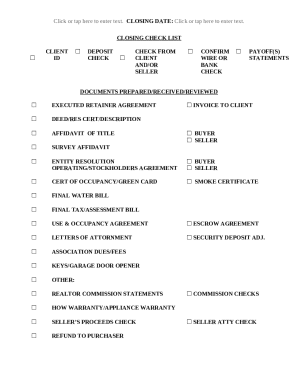
The Real Estate Closing Checklist is a document used by buyers, sellers, and their attorneys to ensure all necessary tasks are completed during the real estate closing process in South Carolina.
pdfFiller scores top ratings on review platforms




eal nice software helps add info to a drawing which saves paper and time with out having to resubmit change orders.
Easy to get in touch with customer service and super fast response and action. Great company to do business with
Who needs SC Form 350?
Explore how professionals across industries use pdfFiller.

SC Form 350 is needed by:
-
Home sellers finalizing property sales
-
Home buyers preparing for purchases
-
Seller's attorneys facilitating transactions
-
Buyer's attorneys reviewing closing steps
-
Real estate agents aiding clients during closing
-
Investment groups managing property transactions
Comprehensive Guide to SC Form 350
What is the Real Estate Closing Checklist?
The Real Estate Closing Checklist is a crucial form utilized in South Carolina to facilitate the closing process in real estate transactions. This checklist serves to ensure that all necessary steps are followed, helping streamline the real estate closing process. Produced by the South Carolina Association of REALTORS®, the checklist encompasses important tasks such as confirming deposit arrangements, ordering property inspections, and transferring utilities.
A typical real estate closing involves several key steps. These steps generally include preparation of closing documents, finalizing financing, conducting a final walkthrough, and obtaining necessary signatures. The checklist plays a vital role in guiding all parties through these tasks efficiently.
Purpose and Benefits of Using the Real Estate Closing Checklist
Using the Real Estate Closing Checklist provides significant advantages for all parties involved in a real estate transaction. This checklist ensures a streamlined and organized closing process, which is essential for avoiding miscommunication and potential setbacks.
-
Sellers benefit by having a clear list of obligations, ensuring all conditions are met before closing.
-
Buyers gain reassurance that their interests are protected, as necessary tasks are tracked and completed.
-
Attorneys can efficiently manage documentation and compliance, thus reducing the risk of legal issues.
Failing to use a closing checklist may lead to delays and complications in the transaction, which can negatively impact all parties involved.
Key Features of the Real Estate Closing Checklist
The Real Estate Closing Checklist includes several essential components to guide users through the closing process effectively. Key fields that are typically included in the form are ‘EARNEST MONEY CHECK’ and ‘PROPERTY INSPECTION,’ among others.
-
Multiple fillable fields for inputting critical information.
-
Checkboxes to confirm task completion, ensuring nothing is overlooked.
-
Clear instructions for users to accurately complete the checklist.
Who Needs the Real Estate Closing Checklist?
The Real Estate Closing Checklist is designed for multiple stakeholders in the real estate closing process. Each participant, including the seller, buyer, seller's attorney, and buyer's attorney, plays a crucial role in verifying and signing the checklist.
Each of these parties needs to ensure that the checklist is completed accurately to prevent future disputes. Specific scenarios, such as financing contingencies or inspection results, may also dictate which party requires the checklist at different stages.
How to Fill Out the Real Estate Closing Checklist Online
Completing the Real Estate Closing Checklist online can streamline the process significantly. To fill out the checklist using pdfFiller, follow these steps:
-
Access the form through pdfFiller's platform.
-
Enter personal and transaction details in the fillable fields.
-
Utilize checkboxes to track completed tasks.
-
Review all entries for accuracy before finalizing.
-
eSign the document as required.
Utilizing a cloud-based platform like pdfFiller not only simplifies the process but also ensures that documents are accessible from anywhere, making management convenient.
Submission Methods for the Real Estate Closing Checklist
Once the Real Estate Closing Checklist is completed, it can be submitted through various methods. Users can choose to submit the form electronically via email or use traditional mail to send a physical copy. It's important to verify if South Carolina has specific submission guidelines to ensure compliance.
Additionally, keep relevant deadlines in mind, as timely submissions can affect the closing timeline. Processing times may vary depending on the submission method chosen.
Security and Compliance in Handling the Real Estate Closing Checklist
When handling sensitive documents such as the Real Estate Closing Checklist, security is paramount. pdfFiller employs advanced security features, including 256-bit encryption, to protect confidential information throughout the process.
Furthermore, pdfFiller adheres to compliance standards such as HIPAA and GDPR, which ensures that user data is managed responsibly. This commitment to data protection is essential for maintaining trust in real estate transactions.
What Happens After Submitting the Real Estate Closing Checklist?
After submitting the Real Estate Closing Checklist, users can track their submission status through pdfFiller. Understanding the next steps is crucial, as users may need to participate in closing meetings or conduct a review of the submitted documents.
If amendments to the checklist are necessary, users must follow the established process to make changes before finalizing the closing transaction.
Share Your Experience with the Real Estate Closing Checklist
Engagement with users is key to improving services. pdfFiller invites users to share their feedback regarding their experience with the Real Estate Closing Checklist. Such input helps refine the platform's offerings and enhances user satisfaction.
Additionally, users can explore the various document management capabilities of pdfFiller, ensuring they maximize the benefits of this cloud-based tool for all their document needs.
How to fill out the SC Form 350
-
1.Access pdfFiller and log in or create an account if you don't have one.
-
2.Search for the 'Real Estate Closing Checklist' using the search bar at the top of the page.
-
3.Once located, click on the form to open it in the editing interface.
-
4.Review the form layout, noting the fillable fields and checkboxes provided for each section.
-
5.Before filling in fields, gather all necessary information such as the sales contract, earnest money details, and inspection reports.
-
6.Start at the top of the form and begin filling in the required fields, using the tooltips for guidance where available.
-
7.For checkboxes, click on the box to mark it as completed; ensure that you complete each task as outlined in the checklist.
-
8.Continue to the end of the form, and be sure that every required signature section is filled out—seller, buyer, and attorneys must sign as needed.
-
9.After completing all fields, review the form for accuracy, making sure all necessary information has been included and all checkboxes are completed.
-
10.Once satisfied, click on the 'Save' button to keep your changes, and consider downloading a final copy for your records.
-
11.To download the form, click on the 'Download' option and select your preferred file format.
-
12.For submission, follow the preferred method as per your transaction requirements, whether via email or in-person delivery.

Who needs to sign the Real Estate Closing Checklist?
The Real Estate Closing Checklist must be signed by the seller, buyer, and their respective attorneys to ensure that all parties agree on the tasks completed during the closing process.
Is notarization required for this form in South Carolina?
No, notarization is not required for the Real Estate Closing Checklist in South Carolina. However, it must be properly signed by all involved parties.
What common mistakes should I avoid when filling out this checklist?
Common mistakes include forgetting to complete all required fields, not signing the form correctly, and failing to check off completed tasks. Review the form carefully before submission.
How do I submit the Real Estate Closing Checklist?
You can submit the Real Estate Closing Checklist by emailing it to the necessary parties or delivering it in person, ensuring that all required signatures are included.
What information do I need to fill out this form?
Before filling out the checklist, gather necessary details such as the sales contract, earnest money amount, inspection reports, and utility transfer information.
Are there any fees associated with this form?
Typically, there are no fees specifically associated with filling out the Real Estate Closing Checklist itself. However, other transaction-related fees may apply.
How long does the completion process take?
The completion of the Real Estate Closing Checklist may take anywhere from a few minutes to an hour, depending on how prepared you are with the necessary information.
Related Content
Related Forms

Related Catalogs
Get the latest insights from our blog


If you believe that this page should be taken down, please follow our DMCA take down process
here
.
This form may include fields for payment information. Data entered in these fields is not covered by PCI DSS compliance.