
Last updated on
Oct 2, 2026

FL Business Tax Receipt Occupational License free printable template
pdfFiller is not affiliated with any government organization

Fill out
Complete the form online in a simple drag-and-drop editor.

eSign
Add your legally binding signature or send the form for signing.

Share
Share the form via a link, letting anyone fill it out from any device.

Export
Download, print, email, or move the form to your cloud storage.
Why pdfFiller is the best tool for your documents and forms


End-to-end document management
From editing and signing to collaboration and tracking, pdfFiller has everything you need to get your documents done quickly and efficiently.
Accessible from anywhere
pdfFiller is fully cloud-based. This means you can edit, sign, and share documents from anywhere using your computer, smartphone, or tablet.
Secure and compliant
pdfFiller lets you securely manage documents following global laws like ESIGN, CCPA, and GDPR. It's also HIPAA and SOC 2 compliant.
What is FL Business Tax Receipt Occupational License
The Business Tax Receipt and Certificate of Use Application is a government form used by businesses in Cocoa Beach, Florida, to apply for or renew their occupational license.
pdfFiller scores top ratings on review platforms




Who needs FL Business Tax Receipt Occupational License?
Explore how professionals across industries use pdfFiller.

FL Business Tax Receipt Occupational License is needed by:
-
Property owners wanting to open a business
-
Business owners applying for a new occupational license
-
Agents managing business licenses on behalf of owners
-
Local entrepreneurs seeking to understand licensing requirements
-
Businesses renewing their existing licenses
-
Real estate professionals assisting clients with licenses
Comprehensive Guide to FL Business Tax Receipt Occupational License
What is the Business Tax Receipt and Certificate of Use Application?
The Business Tax Receipt and Certificate of Use Application is a crucial form required in Cocoa Beach, Florida. This form serves the purpose of allowing businesses to apply for or renew their occupational licenses. Specifically, the cocoa beach occupational license form is designed to gather essential information from applicants, ensuring compliance with local regulations.
Purpose and Benefits of the Business Tax Receipt and Certificate of Use Application
Businesses need the Business Tax Receipt and Certificate of Use Application for multiple reasons. First, it establishes legal compliance with local laws, which is critical for any operating business. Additionally, obtaining this form imparts operational authority, allowing businesses to conduct their activities without interruption. Furthermore, it enhances credibility in the eyes of clients and partners, reinforcing the legitimacy of the business.
Who Needs the Business Tax Receipt and Certificate of Use Application?
The target audience for the Business Tax Receipt and Certificate of Use Application includes property owners, business owners, and their agents. Each of these individuals is required to sign and submit the form to ensure that the business operates within legal parameters. Understanding who holds the responsibility of signing the application is essential for a smooth submission process.
Eligibility Criteria for the Business Tax Receipt and Certificate of Use Application
To qualify for the Business Tax Receipt and Certificate of Use Application, businesses must meet specific eligibility criteria. Requirements may vary based on the type of business, and it is vital for applicants to be aware of any special stipulations that may apply. Meeting these qualifications not only smoothens the application process but also fosters a compliant operational environment.
How to Fill Out the Business Tax Receipt and Certificate of Use Application Online (Step-by-Step)
Filling out the Business Tax Receipt and Certificate of Use Application online can be achieved through these steps:
-
Access the online form through the designated portal.
-
Enter the business name and relevant location information.
-
Provide contact details and owner information.
-
Ensure required signatures are included where necessary.
-
Check for notarization requirements and complete accordingly.
Following these detailed steps ensures a complete and accurate submission.
Required Documents and Supporting Materials
When submitting the Business Tax Receipt and Certificate of Use Application, additional documentation is often needed. Commonly required documents include:
-
Proof of insurance coverage.
-
Copies of relevant licenses.
-
Any business-specific certifications or permits.
These supporting documents are crucial, as they help verify the authenticity of the application and ensure adherence to regulations.
Submission Methods and Delivery Options
Applicants have several options for submitting the Business Tax Receipt and Certificate of Use Application. These methods include:
-
Online submission through the city's official portal.
-
Postal service for mail-in applications.
-
In-person submission at designated city offices.
Choosing the appropriate submission method can significantly influence the processing time and efficiency of the application.
Fees, Deadlines, and Processing Time
Understanding the financial and time commitments associated with the Business Tax Receipt and Certificate of Use Application is essential. Applicants should be aware of any applicable fees that accompany the application process, alongside deadlines for submission. Additionally, knowing the expected processing duration can help businesses plan accordingly and avoid unnecessary delays.
What Happens After You Submit the Business Tax Receipt and Certificate of Use Application?
Once the Business Tax Receipt and Certificate of Use Application is submitted, applicants can expect a follow-up process that includes confirmation of receipt. Applicants are encouraged to track their submissions for updates regarding approval or rejection. Knowing how to check the application status is vital for maintaining awareness throughout this period.
Making the Process Easier with pdfFiller
Utilizing pdfFiller can significantly streamline the process of filling out the Business Tax Receipt and Certificate of Use Application. The platform offers features such as eSigning, which simplifies the requirement for signatures, and the ability to save documents securely. With robust security measures in place, pdfFiller ensures that sensitive information remains protected throughout the document handling process.
How to fill out the FL Business Tax Receipt Occupational License
-
1.To access the Business Tax Receipt and Certificate of Use Application, visit pdfFiller and search for the form by its official name.
-
2.Once located, open the form in the pdfFiller interface to start filling it out online.
-
3.Before you begin, gather all necessary information such as your business name, location, contact details, and the owner's information to ensure a smooth process.
-
4.Begin by filling out the blank fields for required information like business name and address.
-
5.Use the provided checkboxes to indicate your business type and services offered.
-
6.Make sure to fill in the signature lines for both the property owner and the owner or agent, as both signatures are necessary.
-
7.Consult the form's instructions while filling it out to ensure all necessary sections are completed accurately.
-
8.After completing the form, review it thoroughly to check for any errors or missing information.
-
9.Finalize the form by notarizing it, if required, and ensuring that all supplementary documents, such as copies of licenses and insurance, are included.
-
10.When satisfied with the form, save your work on pdfFiller using the download option or submit it digitally through their platform.

Who is eligible to file this application?
Property owners and their agents can file the Business Tax Receipt and Certificate of Use Application. It's essential that the owner signs the application, or an authorized agent can act on their behalf.
What supporting documents are needed for submission?
Typically, applicants must provide copies of licenses, insurance documents, and identification. These support documents help validate the business operation and compliance with local regulations.
Is there a deadline for submitting this form?
It’s important to apply for your Business Tax Receipt and Certificate of Use before starting business operations. Check with the local Cocoa Beach government for specific deadlines related to renewals or new applications.
What are the common mistakes to avoid when filling out this form?
Common mistakes include leaving fields incomplete, not notarizing the form when required, and failing to provide all necessary documents. Double-check requirements before submission to avoid delays.
How is this form submitted once completed?
After completing the form online on pdfFiller, submit it digitally if that option is available, or print it out and submit it in person or mail to the Cocoa Beach City Hall.
How long does it take to process the application?
Processing times can vary. Typically, it can take a few weeks, but it’s best to check with the Cocoa Beach local authorities for specific timelines related to the business licensing process.
What should I do if I made a mistake on my application?
If you find a mistake after submission, contact the Cocoa Beach Business Licensing office immediately for guidance on how to correct the error and whether you need to submit a new application.
Related Forms


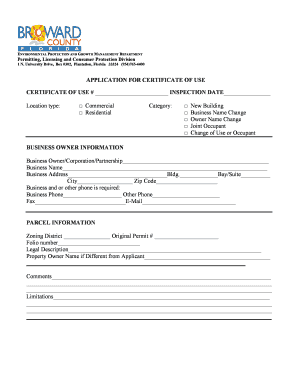
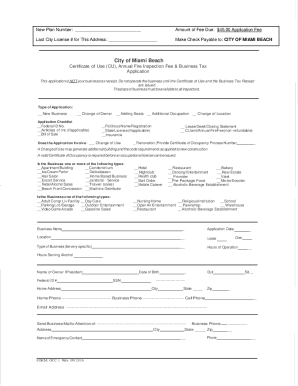
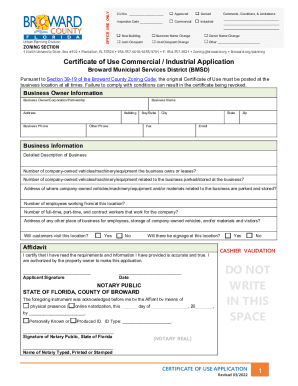


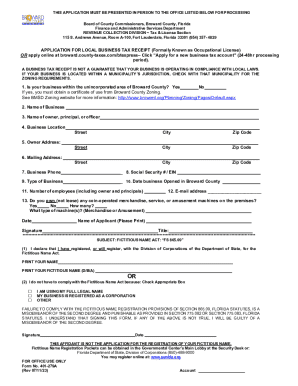

Get the latest insights from our blog



If you believe that this page should be taken down, please follow our DMCA take down process
here
.
This form may include fields for payment information. Data entered in these fields is not covered by PCI DSS compliance.