
Last updated on
Oct 31, 2026

Get the free Safety Meeting Agenda Template
We are not affiliated with any brand or entity on this form

Fill out
Complete the form online in a simple drag-and-drop editor.

eSign
Add your legally binding signature or send the form for signing.

Share
Share the form via a link, letting anyone fill it out from any device.

Export
Download, print, email, or move the form to your cloud storage.
Why pdfFiller is the best tool for your documents and forms


End-to-end document management
From editing and signing to collaboration and tracking, pdfFiller has everything you need to get your documents done quickly and efficiently.
Accessible from anywhere
pdfFiller is fully cloud-based. This means you can edit, sign, and share documents from anywhere using your computer, smartphone, or tablet.
Secure and compliant
pdfFiller lets you securely manage documents following global laws like ESIGN, CCPA, and GDPR. It's also HIPAA and SOC 2 compliant.
What is Safety Meeting Agenda
The Safety Meeting Agenda Template is a document used by employers and workplace managers to plan and document safety meetings effectively.
pdfFiller scores top ratings on review platforms




Who needs Safety Meeting Agenda?
Explore how professionals across industries use pdfFiller.

Safety Meeting Agenda is needed by:
-
Safety officers
-
Human resource managers
-
Team leaders
-
Construction site managers
-
Compliance officers
-
Employees involved in safety training
Comprehensive Guide to Safety Meeting Agenda
What is the Safety Meeting Agenda Template?
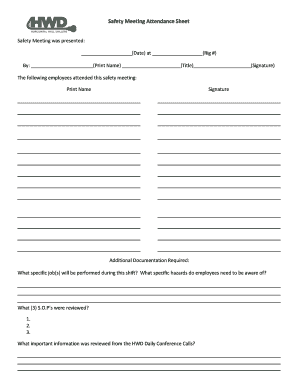
The Safety Meeting Agenda Template is a structured document designed to facilitate effective safety meetings in the workplace. It outlines the key components necessary for organizing meeting discussions, ensuring that all safety issues are comprehensively addressed. This template typically includes vital details such as meeting information, attendee lists, discussion topics, and actionable items, making it easier for teams to stay focused and organized during safety discussions.
By utilizing a workplace safety meeting form, organizations can ensure that critical safety topics are systematically covered, enhancing the overall effectiveness of safety meetings.
Purpose and Benefits of Using a Safety Meeting Agenda Template
Maintaining structured safety meetings is crucial for fostering a culture of workplace safety. A safety meeting agenda template serves multiple purposes, including documenting safety concerns and decisions made during meetings. By using this template, businesses can promote an improved safety culture, heighten accountability, and ensure compliance with industry regulations.
Specific benefits of implementing an employee safety meeting template include streamlining communication among team members and providing a clear record of safety discussions, which can be referenced in future meetings.
Key Features of the Safety Meeting Agenda Template
The safety meeting agenda template includes essential elements that enhance the user experience. These features are designed to simplify the documentation process while promoting clarity in safety discussions. Key features include customizable fields such as ‘Department/Job Site’ and ‘Meeting Date’, as well as detailed instructions to guide users in accurately completing the form.
-
Customizable fields for department and meeting specifics
-
Clear instructions for filling out the template
-
Sections dedicated to discussion topics and action items
Who Needs the Safety Meeting Agenda Template?
The safety meeting agenda template is beneficial for various roles within an organization. Safety officers, HR managers, and team leaders are primary users who can utilize this tool to ensure safe working environments. Industries prioritizing workplace safety, such as manufacturing, construction, and healthcare, can greatly improve their safety documentation processes by integrating this agenda template into their meeting protocols.
How to Fill Out the Safety Meeting Agenda Template Online (Step-by-Step)
To effectively utilize the safety meeting agenda template online, users should follow these steps:
-
Access the template via the designated online platform.
-
Fill in the general meeting information, including the date and location.
-
List attendee names to ensure appropriate participation.
-
Add discussion topics that need to be addressed during the meeting.
-
Document action items for accountability and follow-up.
Ensure clarity and accuracy by reviewing the filled form before submission for best practices.
Common Errors and How to Avoid Them When Using the Safety Meeting Agenda Template
Several common mistakes can occur when completing the safety meeting agenda template. These include missing information, unclear documentation, or failing to specify action items. To avoid these pitfalls, users should adhere to the following best practices:
-
Double-check all entries for completeness.
-
Ensure clarity in the wording of discussion topics.
-
Review and validate the form with team members before finalization.
How to Download, Save, and Print the Safety Meeting Agenda Template
Accessing and saving the safety meeting agenda template is straightforward. Users can follow these instructions:
-
Navigate to the online platform where the template is hosted.
-
Select the download option to save the document in your preferred format (PDF or DOCX).
-
For printing, ensure the document is correctly formatted for your printer settings.
Always handle saved documents securely to maintain privacy and compliance.
Security and Compliance Considerations for the Safety Meeting Agenda Template
Data security and compliance are fundamental aspects of workplace documentation. Organizations must ensure that sensitive information within the safety meeting agenda template is securely handled. pdfFiller adheres to strict privacy measures, utilizing 256-bit encryption and compliance with standards like HIPAA and GDPR to protect sensitive data during document management.
What Happens After You Submit the Safety Meeting Agenda?
Once the safety meeting agenda is filled out and submitted, several important steps follow. Record retention is crucial for tracking the outcomes of meetings and maintaining a history of safety discussions. It is also essential to conduct follow-ups based on the documented action items, as this impacts the overall culture of safety within the workplace.
Maximize Your Workplace Safety Documentation with pdfFiller
Using pdfFiller to complete the safety meeting agenda template offers numerous benefits. Users can create, edit, and manage their forms securely in the cloud. Additionally, pdfFiller simplifies the process of eSigning and securely sharing documents among team members, streamlining collaboration on safety documentation.
How to fill out the Safety Meeting Agenda
-
1.Begin by accessing the Safety Meeting Agenda Template on pdfFiller. You can do this by searching for the template in the pdfFiller search bar or by clicking on a direct link if available.
-
2.Once you have opened the template, take a moment to familiarize yourself with the layout of the document. Note the different sections that require your input.
-
3.Before you start filling out the form, gather all necessary information regarding the meeting. This includes the department or job site details, the meeting date, attendees' names, and the specific safety topics to be discussed.
-
4.Begin filling in the ‘DEPARTMENT/JOB SITE’ field with accurate information about the location where the safety meeting will take place.
-
5.Next, specify the ‘MEETING DATE’ by entering the correct date for the scheduled meeting. Ensure this date aligns with the availability of attendees.
-
6.Proceed to fill out the section for attendees' names, making sure to include everyone who will participate in the safety meeting. This ensures proper record-keeping.
-
7.In the discussion topics section, list the key safety issues or topics that need to be addressed during the meeting. Be concise but clear to facilitate a structured discussion.
-
8.If there are any action items determined from previous meetings that need reporting, include them as well for accountability.
-
9.After filling out the template, review all entries for accuracy and completeness to avoid any misunderstandings during the meeting.
-
10.Once satisfied with the content, save your work on pdfFiller. You can then download a copy for your records or share it directly with team members.
-
11.Finally, consider submitting the finalized agenda via email if pdfFiller has integrated sharing options, or print it out for distribution during the meeting.

Who should use the Safety Meeting Agenda Template?
The Safety Meeting Agenda Template is ideal for safety officers, team leaders, and HR managers responsible for planning and conducting safety meetings in the workplace.
Is there a deadline for completing the Safety Meeting Agenda Template?
While there is no official deadline, it is crucial to complete the Safety Meeting Agenda Template well in advance of the meeting to ensure all necessary details are covered.
How can I submit the completed Safety Meeting Agenda Template?
You can save your completed template on pdfFiller or download it for distribution. Additionally, pdfFiller may offer various sharing options to send the document via email.
What information is required to fill out the Safety Meeting Agenda Template?
You will need details such as department or job site, meeting date, attendees' names, discussion topics, and any relevant action items from previous meetings to complete the form.
What common mistakes should I avoid when completing the template?
Avoid leaving fields blank, mislabeling discussion topics, or failing to document attendees. Ensure all information is accurate for effective record-keeping.
How long does it take to process the Safety Meeting Agenda Template?
The processing time for the Safety Meeting Agenda Template is immediate since it is a fillable document. Just ensure that all information is thoroughly reviewed before finalizing it.
Can I make changes to the Safety Meeting Agenda Template after filling it out?
Yes, you can edit the Safety Meeting Agenda Template at any time before saving or finalizing your submissions. Ensure all changes are saved to avoid losing information.
Related Forms
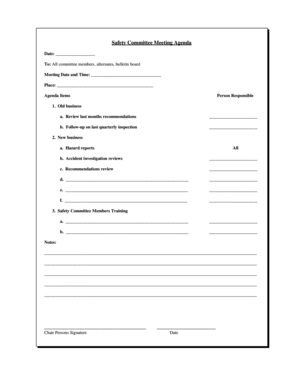
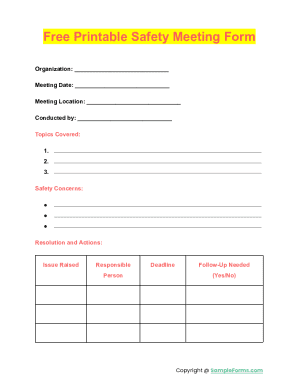
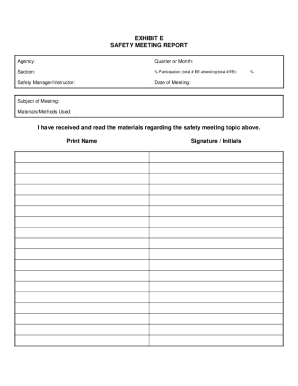
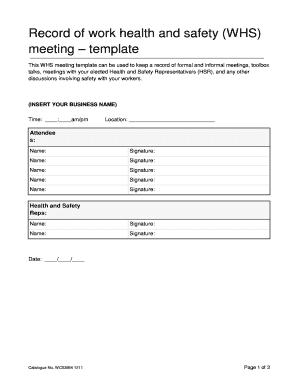



Related Catalogs
Get the latest insights from our blog



If you believe that this page should be taken down, please follow our DMCA take down process
here
.
This form may include fields for payment information. Data entered in these fields is not covered by PCI DSS compliance.