
Last updated on
Oct 2, 2026

Get the free Child Health History Form - Hinesly Orthodontics
We are not affiliated with any brand or entity on this form

Fill out
Complete the form online in a simple drag-and-drop editor.

eSign
Add your legally binding signature or send the form for signing.

Share
Share the form via a link, letting anyone fill it out from any device.

Export
Download, print, email, or move the form to your cloud storage.
Why pdfFiller is the best tool for your documents and forms


End-to-end document management
From editing and signing to collaboration and tracking, pdfFiller has everything you need to get your documents done quickly and efficiently.
Accessible from anywhere
pdfFiller is fully cloud-based. This means you can edit, sign, and share documents from anywhere using your computer, smartphone, or tablet.
Secure and compliant
pdfFiller lets you securely manage documents following global laws like ESIGN, CCPA, and GDPR. It's also HIPAA and SOC 2 compliant.
What is Child Dental Form
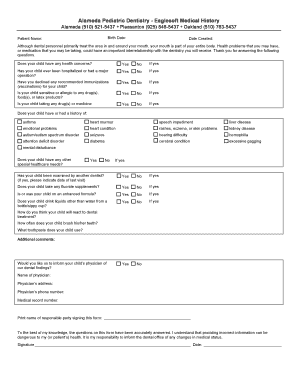
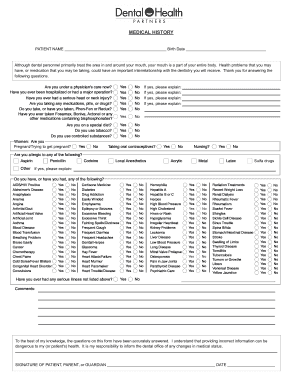
The Child Health History Form is a crucial document used by parents or guardians to provide a comprehensive medical background of a child for healthcare providers.
pdfFiller scores top ratings on review platforms




Who needs Child Dental Form?
Explore how professionals across industries use pdfFiller.

Child Dental Form is needed by:
-
Parents seeking to document their child's health history
-
Guardians needing to provide medical information for daycare or school
-
Healthcare providers requiring detailed pediatric health information
-
Researchers collecting data on children's health or medical studies
-
Social workers evaluating child health and welfare
Comprehensive Guide to Child Dental Form
What is the Child Health History Form?
The Child Health History Form is a crucial document that collects comprehensive health information for children. It ensures that healthcare providers have access to the child's medical background, which is essential for delivering effective care. A thorough health history facilitates better healthcare decisions by parents and practitioners, ultimately enhancing child welfare.
This form includes specific fields that capture vital details about a child's past illnesses, allergies, and vaccinations, which can significantly impact medical assessments. Parents and healthcare providers rely on this form as a foundational tool for managing children's health effectively.
Purpose and Benefits of the Child Health History Form
The primary purpose of the Child Health History Form is to provide an accurate and detailed medical history that impacts both caregiver awareness and the quality of care received from healthcare professionals. Having this form filled out ensures that in emergencies, the child’s medical needs are quickly addressed with precision.
Benefits of maintaining an updated health record through the form include:
-
Facilitating ongoing care management
-
Enhancing communication between caregivers and providers
-
Supporting medical assessments for new environments, such as schools
Key Features of the Child Health History Form
The Child Health History Form contains various essential features and sections designed to capture comprehensive health data. Key fields within the form include past illnesses, allergies, and vaccination records, all pivotal for assessing a child's health status.
Users can create a fillable form using pdfFiller, which allows for easy data entry and modifications. To protect sensitive information, pdfFiller implements robust security measures, ensuring that the child's health data remains private and secure.
Who Needs the Child Health History Form?
Parents, guardians, and healthcare professionals are the primary users of the Child Health History Form. It is particularly crucial for parents to complete this form during specific scenarios, such as:
-
School enrollment processes
-
Visits to new healthcare providers
By filling out this form, caregivers empower healthcare providers with the necessary information to offer the best care possible.
How to Fill Out the Child Health History Form Online
To fill out the Child Health History Form online using pdfFiller, follow these step-by-step instructions:
-
Access the pdfFiller platform and locate the Child Health History Form.
-
Gather all necessary information, including past medical records and immunization details.
-
Fill out the form by entering data into the designated fields.
-
Review your entries to ensure accuracy.
-
Save and share the completed form securely through the platform.
Using a digital platform enhances the efficiency of form completion while maintaining data integrity.
Common Errors and How to Avoid Them
While filling out the Child Health History Form, users may encounter common errors, such as omissions or inaccurate data entries. To mitigate these issues:
-
Double-check all entries for completeness before submission.
-
Validate the information against existing health records.
-
Ensure compliance with any state-specific regulations applicable to health documentation.
By being proactive, users can ensure a smooth submission process.
How to Sign and Submit the Child Health History Form
Understanding the signing and submission process is essential for completing the Child Health History Form. Users have the option to use digital signatures or traditional wet signatures depending on their preference.
Methods for securely submitting the completed form include:
-
Online submission via pdfFiller
-
Emailing the completed form to the healthcare provider
-
Printing a hard copy and delivering it in person
Once submitted, users should request a confirmation receipt to track their submission.
What Happens After You Submit the Child Health History Form?
After submitting the Child Health History Form, users can expect a review and processing phase. It is vital to keep track of the submission status, as healthcare providers may follow up for further information or clarification if needed.
A timely response can enhance the continuity of care and ensure ongoing healthcare needs are met effectively.
Security and Compliance for the Child Health History Form
Users can feel secure knowing that their sensitive health data is protected when using the Child Health History Form. pdfFiller employs comprehensive security measures, including 256-bit encryption and adheres to compliance standards such as HIPAA and GDPR.
Selecting a secure platform like pdfFiller is crucial for document management, offering peace of mind that personal information remains confidential.
Your Path to Hassle-Free Form Completion with pdfFiller
pdfFiller simplifies the process of filling out the Child Health History Form by providing a user-friendly, cloud-based solution. The platform's capabilities enhance accessibility, enabling users to create, edit, and submit the form effortlessly while ensuring their data is handled securely.
Embracing pdfFiller means users can confidently manage their child's health documentation without the hassle of traditional methods.
How to fill out the Child Dental Form
-
1.Start by accessing pdfFiller. Go to the pdfFiller website and log in to your account or create a new one if you don’t have it yet.
-
2.Once logged in, use the search bar to enter 'Child Health History Form' and select it from the results to open the form.
-
3.Review the form layout and familiarize yourself with its sections. Gather necessary information such as previous medical records, vaccination history, and family health histories before starting to fill the form.
-
4.Begin completing the fields systematically. Click on the form fields to provide answers. Ensure you fill out all required sections including your child's name, date of birth, and health concerns.
-
5.Take advantage of pdfFiller’s features like auto-save and field hints to streamline your filling process and avoid errors.
-
6.After completing all sections of the form, use the review feature in pdfFiller to check for any missing information or mistakes.
-
7.Once confirmed that all information is accurate, you can save the form. Use the 'Save' option to store it in your pdfFiller account.
-
8.To download a copy, click on the download button, and select your preferred file format. You can also submit the form directly via email or print it for physical submission, depending on your requirements.

Who is eligible to fill out the Child Health History Form?
The Child Health History Form can be filled out by any parent or guardian responsible for a child’s care. It is typically needed for healthcare appointments or school enrollments.
Are there any deadlines for submitting the Child Health History Form?
Deadlines for submission may vary depending on the healthcare provider or institution requesting the form. It is advisable to complete and submit it ahead of any scheduled appointments or school enrollments.
What are the best methods for submitting the form?
You can submit the completed Child Health History Form by uploading it through a healthcare provider's portal, emailing it directly, or printing and handing it in physically, according to specific guidelines provided.
What supporting documents should accompany the form?
Supporting documents might include previous medical records, vaccination records, and any relevant information regarding family health histories. Check with your healthcare provider for specific requirements.
What common mistakes should I avoid when filling out the form?
Always double-check the fields for completeness and accuracy, especially tricky areas like dates of previous vaccinations and medical history. Typos or missing information can delay processing.
How long does it take to process the Child Health History Form?
Processing times can vary, but generally, if submitted properly, you can expect a response within a few days. For immediate needs, follow up with the healthcare provider.
What if I have additional concerns about my child's health history?
If you have specific concerns that the form does not address, consider attaching an additional note or discussing them directly with your healthcare provider during the appointment.
Related Forms





Related Catalogs
Get the latest insights from our blog


If you believe that this page should be taken down, please follow our DMCA take down process
here
.
This form may include fields for payment information. Data entered in these fields is not covered by PCI DSS compliance.