
Last updated on
Oct 31, 2026
Get the free Mandate Form for E-Payment
We are not affiliated with any brand or entity on this form

Fill out
Complete the form online in a simple drag-and-drop editor.

eSign
Add your legally binding signature or send the form for signing.

Share
Share the form via a link, letting anyone fill it out from any device.

Export
Download, print, email, or move the form to your cloud storage.
Why pdfFiller is the best tool for your documents and forms


End-to-end document management
From editing and signing to collaboration and tracking, pdfFiller has everything you need to get your documents done quickly and efficiently.
Accessible from anywhere
pdfFiller is fully cloud-based. This means you can edit, sign, and share documents from anywhere using your computer, smartphone, or tablet.
Secure and compliant
pdfFiller lets you securely manage documents following global laws like ESIGN, CCPA, and GDPR. It's also HIPAA and SOC 2 compliant.
What is E-Payment Mandate
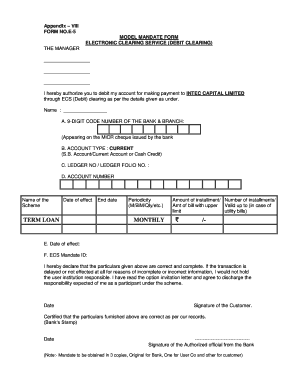
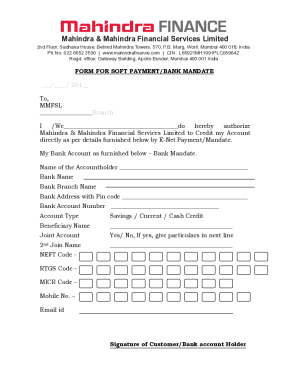
The Mandate Form for E-Payment is a financial document used by beneficiaries to facilitate direct credit of retirement dues into their bank accounts under the E-Payment Scheme.
pdfFiller scores top ratings on review platforms




Still new to the site but as of now it has been great. Very user friendly and very well designed. Definitely a professional look for my business.
The experience has been good overall. Thank you. Getting the hang of things . Will contact support if i need.
Who needs E-Payment Mandate?
Explore how professionals across industries use pdfFiller.

E-Payment Mandate is needed by:
-
Beneficiaries receiving retirement dues
-
Bank managers overseeing account verification
-
Pension sanctioning authorities processing payments
-
Financial institutions involved in direct credit transactions
-
Telecommunication department officials managing retiree benefits
-
Accountants handling pension disbursement forms
Comprehensive Guide to E-Payment Mandate
What is the Mandate Form for E-Payment?
The Mandate Form for E-Payment is essential for managing direct credit payments, including retirement dues. This form allows beneficiaries to receive funds directly into their bank accounts under the e-payment scheme. It is crucial that all information provided in the form is complete and accurate to prevent any payment delays.
This document serves as an authorization allowing financial transactions without direct intervention, which ensures efficiency in the disbursement of funds.
Purpose and Benefits of the Mandate Form for E-Payment
The primary purpose of the Mandate Form for E-Payment is to facilitate direct credit for retirement dues. By utilizing this form, beneficiaries can experience several advantages:
-
Guaranteed direct credit for timely payment of retirement dues.
-
Streamlined process for receiving funds, minimizing wait times.
-
Enhanced financial management for beneficiaries, ensuring payments are not missed.
Who Needs the Mandate Form for E-Payment?
This form is designed for various roles involved in the e-payment process:
-
Beneficiary: The individual entitled to receive the payments.
-
Bank Manager: Responsible for verifying bank details and authorizing the form.
-
Pension Sanctioning Authority: Ensures the legitimacy of the beneficiary’s claim.
It is imperative that beneficiaries meet the necessary criteria and provide required signatures for validation.
Key Features of the Mandate Form for E-Payment
The Mandate Form for E-Payment includes several distinctive features, essential for its processing:
-
Fillable fields such as name, address, and bank account information.
-
Requirements for submitting attachments like a cancelled cheque.
-
Validation necessitating signatures from both the bank manager and the pension sanctioning authority.
These fields ensure that all essential data is captured accurately, facilitating smooth processing.
How to Fill Out the Mandate Form for E-Payment Online (Step-by-Step)
To complete the Mandate Form for E-Payment online, follow these steps:
-
Access the online form through the designated platform.
-
Fill in your personal details, including your name and address.
-
Provide your bank account information, ensuring that it is accurate.
-
Attach the necessary documents, such as a cancelled cheque.
-
Review all your entries for accuracy before submitting the form.
Avoid common mistakes like omitting required information or failing to sign where necessary.
Submission Methods for the Mandate Form for E-Payment
Once your Mandate Form for E-Payment is filled out, there are several submission methods available:
-
Online submission via the e-payment portal.
-
In-person submission at designated offices.
Be aware of any associated fees, and ensure to track your submission for processing confirmation.
What Happens After You Submit the Mandate Form for E-Payment?
After submitting the Mandate Form for E-Payment, you can expect the following:
-
A processing time, which may vary based on your financial institution.
-
Confirmation receipt indicating that your submission has been received.
-
Options to check the status of your submission online.
In case of any delays or issues, contacting your bank or pension authority is advisable to resolve the matter swiftly.
Security and Compliance for the Mandate Form for E-Payment
When handling the Mandate Form for E-Payment, several security measures are in place:
-
Utilization of encryption to protect sensitive information.
-
Compliance with privacy standards such as HIPAA and GDPR.
The importance of privacy cannot be overstated, ensuring that all financial data remains secure throughout the process.
Examples and Templates for the Mandate Form for E-Payment
Users can benefit from practical resources such as:
-
Sample completed Mandate Forms for reference.
-
Templates that can be utilized to streamline the completion process.
Accessing these examples can significantly aid in understanding how to fill out the form accurately.
Experience Hassle-Free Form Filling with pdfFiller
Utilizing pdfFiller for filling out the Mandate Form for E-Payment offers remarkable advantages:
-
Cloud-based editing capabilities that can be accessed from any device.
-
Ease of use, ensuring a straightforward filling experience.
-
Additional features like eSigning and document sharing capabilities.
Leveraging pdfFiller can enhance your efficiency in managing important documents and forms.
How to fill out the E-Payment Mandate
-
1.Access the Mandate Form for E-Payment on pdfFiller by searching for the form name in the search bar.
-
2.Open the form to reveal its fillable fields and instructions clearly displayed within the interface.
-
3.Before starting to fill in the form, gather essential information such as the beneficiary's name, address, bank account number, MICR code, IFSC code, and bank branch details, along with a cancelled cheque.
-
4.Begin entering your details into each field, ensuring that all information is accurate and complete. You can click on each field to type or select responses as needed.
-
5.Navigate to the signature areas for the Beneficiary, Bank Manager, and Pension Sanctioning Authority. Ensure each person understands they must sign the form where indicated.
-
6.Once you have filled out all necessary sections, review the entire form for any mistakes or missing information to minimize errors.
-
7.After completing the review, finalize the form by clicking the save or submit button within the pdfFiller interface.
-
8.If required, you can download the completed form or submit it directly to the relevant authority via the pdfFiller platform.

Who can use the Mandate Form for E-Payment?
The Mandate Form for E-Payment can be used by beneficiaries receiving retirement dues, bank managers for verification, and pension sanctioning authorities. It's essential for those involved in direct credit transactions related to retirement benefits.
What information do I need to fill out the form?
To complete the Mandate Form for E-Payment, you will need details such as the beneficiary's name, address, bank account number, MICR code, IFSC code, bank branch information, and a cancelled cheque for verification.
Do I need to have this form notarized?
No, the Mandate Form for E-Payment does not require notarization. However, the signatures of the beneficiary and relevant authorities are needed for verification.
How do I submit the completed form?
You can submit the completed Mandate Form for E-Payment by using the submit option on pdfFiller. Alternatively, download the form and submit it physically to the appropriate department.
What are common mistakes to avoid when completing this form?
Common mistakes include incorrect bank account details, missing signatures from required parties, and not double-checking the information provided. Ensure accuracy and completeness to avoid processing delays.
How long does it take for the form to be processed?
Processing times for the Mandate Form for E-Payment can vary, but it typically takes a few business days once submitted to the appropriate authority, depending on their workload.
What happens if I make a mistake on the form?
If you discover a mistake after submitting the Mandate Form, contact the appropriate authority immediately to rectify it. You may need to fill out a new form or provide additional documentation, depending on the error.
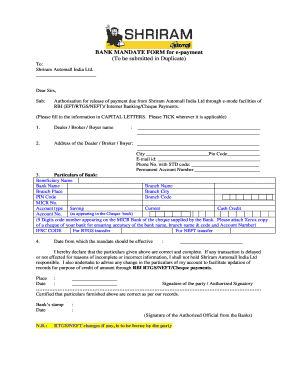
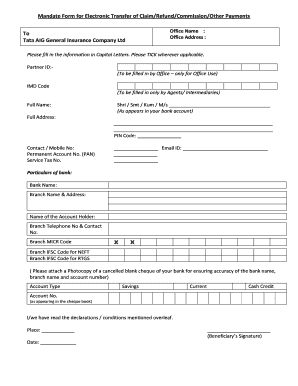
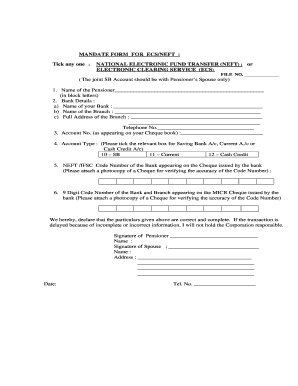
Related Forms





Get the latest insights from our blog


If you believe that this page should be taken down, please follow our DMCA take down process
here
.
This form may include fields for payment information. Data entered in these fields is not covered by PCI DSS compliance.