
Last updated on
Nov 9, 2026
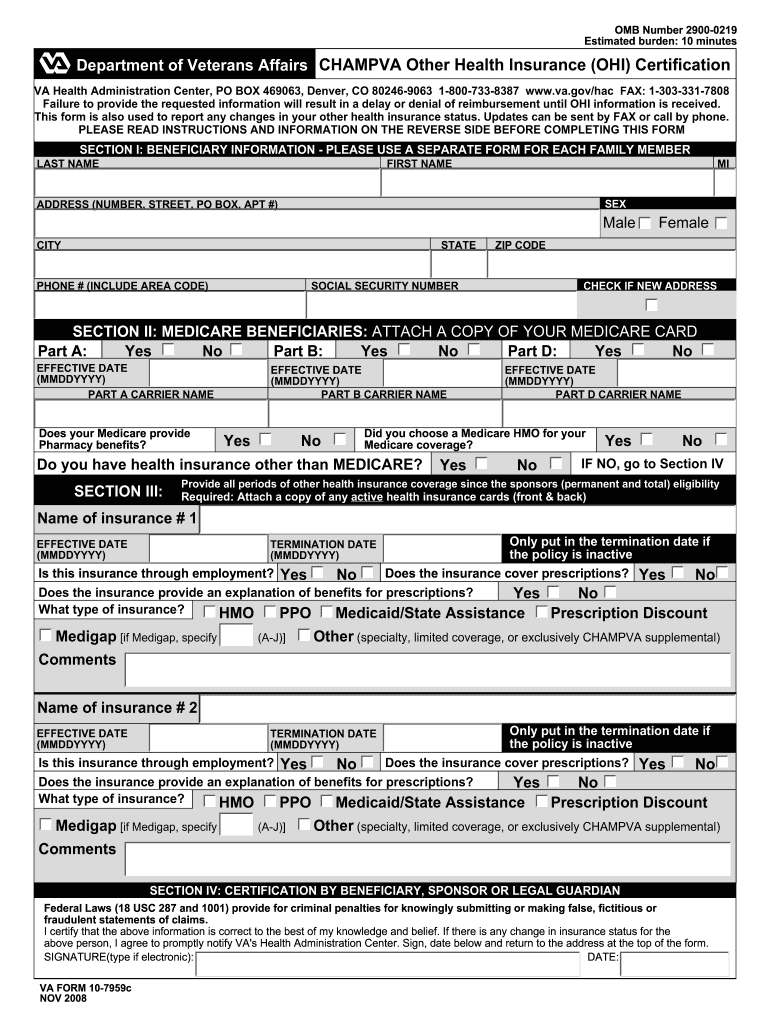
VA 10-7959c 2008 free printable template
pdfFiller is not affiliated with any government organization

Fill out
Complete the form online in a simple drag-and-drop editor.

eSign
Add your legally binding signature or send the form for signing.

Share
Share the form via a link, letting anyone fill it out from any device.

Export
Download, print, email, or move the form to your cloud storage.
Why pdfFiller is the best tool for your documents and forms


End-to-end document management
From editing and signing to collaboration and tracking, pdfFiller has everything you need to get your documents done quickly and efficiently.
Accessible from anywhere
pdfFiller is fully cloud-based. This means you can edit, sign, and share documents from anywhere using your computer, smartphone, or tablet.
Secure and compliant
pdfFiller lets you securely manage documents following global laws like ESIGN, CCPA, and GDPR. It's also HIPAA and SOC 2 compliant.
What is VA 10-7959c
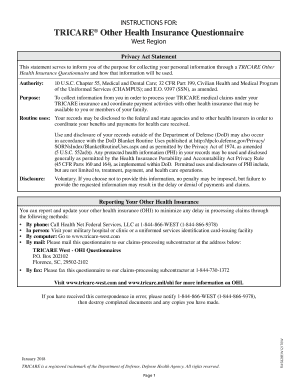
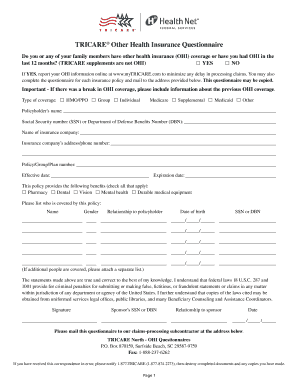
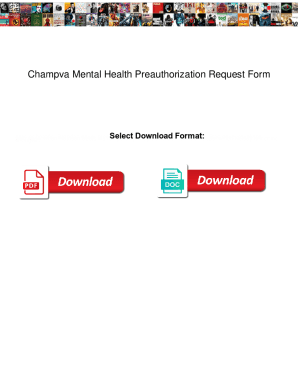
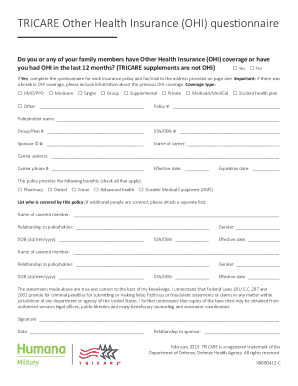
The CHAMPVA Other Health Insurance Certification is a health insurance claim form used by beneficiaries of the CHAMPVA program to certify their other health insurance coverage.
pdfFiller scores top ratings on review platforms




I use it to complete tax returns, mostly amended from prior years for new clients.
Admin just getting started with PDFfiller - so far this is great! Easy to use and appears to provide all desired options for helping to get our required results. THANKS PDFfiller!
great fillable forms
great fillable forms. easy save and email. would recommend for all small businesses.
CAROL C.
pdfFiller is so easy to use.
Very easy to use!!!
Very easy to use!!!
good
very goo, i am happy
Who needs VA 10-7959c?
Explore how professionals across industries use pdfFiller.

VA 10-7959c is needed by:
-
Beneficiaries of the CHAMPVA program needing to report other health insurance coverage.
-
Sponsors seeking to assist in completing the certification for CHAMPVA beneficiaries.
-
Legal guardians managing health insurance details for CHAMPVA beneficiaries.
-
Healthcare providers requiring updated insurance information for services rendered.
-
Insurance administrators needing accurate claims processing information.
Comprehensive Guide to VA 10-7959c
What is the CHAMPVA Other Health Insurance Certification (VA Form 10-7959c)?
The VA Form 10-7959c is designed for beneficiaries of the CHAMPVA program to certify their other health insurance (OHI) coverage. This certification is crucial as it allows beneficiaries to report any additional health insurance they may have. The CHAMPVA program provides healthcare coverage to eligible dependents of Veterans, making the accurate completion of this form essential.
By certifying OHI coverage, beneficiaries ensure that they receive the full benefits associated with their CHAMPVA enrollment. This not only streamlines healthcare access but also enhances the billing and reimbursement processes for services rendered under CHAMPVA.
Purpose and Benefits of the CHAMPVA Other Health Insurance Certification
The primary purpose of the CHAMPVA Other Health Insurance Certification is to enable beneficiaries to report their other health insurance plans effectively. This reporting is beneficial for multiple reasons, including:
-
Maximizing reimbursement for healthcare services by properly informing providers of all available insurance.
-
Clarifying the relationship between CHAMPVA benefits and other policies, such as Medicare.
-
Ensuring beneficiaries are aware of their rights and benefits under both programs, which can significantly reduce out-of-pocket expenses.
Overall, this certification process aids in mitigating any potential issues that might arise during claims processing.
Who Needs to Complete the CHAMPVA Other Health Insurance Certification?
Completion of the CHAMPVA Other Health Insurance Certification is necessary for various parties involved in the health coverage scheme:
-
The beneficiary of CHAMPVA who is enrolled in the program.
-
The sponsor, typically the Veteran, who may need to verify the beneficiary's coverage.
-
A legal guardian where applicable, especially if the beneficiary is not of legal age or is unable to sign.
Filing this form accurately is crucial to avoid complications and ensure that beneficiaries retain their health care eligibility and benefits under CHAMPVA.
Eligibility Criteria for the CHAMPVA Other Health Insurance Certification
To utilize the CHAMPVA Other Health Insurance Certification, specific eligibility criteria must be met:
-
Beneficiaries must be enrolled in the CHAMPVA program.
-
They must hold valid health coverage under another insurance policy.
-
Conditions affecting eligibility can include the type of coverage and any restrictions placed by the health carrier.
Understanding how these criteria align with ongoing insurance coverage will ultimately influence the benefits received under CHAMPVA.
How to Fill Out the CHAMPVA Other Health Insurance Certification Online (Step-by-Step)
Filling out the CHAMPVA Other Health Insurance Certification online can be accomplished easily through pdfFiller. Here are the steps:
-
Access the VA Form 10-7959c via pdfFiller.
-
Enter your personal details as specified, including 'LAST NAME FIRST NAME MI'.
-
Complete fields related to your other health insurance and Medicare details.
-
Review the completed form for accuracy.
-
Sign the document electronically and submit it as directed.
Accuracy in filling out this form ensures that your submission is processed smoothly.
Common Errors When Completing the CHAMPVA Other Health Insurance Certification
Being aware of common errors can help in avoiding unnecessary delays. Frequent mistakes include:
-
Omitting critical information such as effective dates of coverage.
-
Incorrectly inputting carrier names, leading to potential insurance claim issues.
These errors can have significant consequences on the reimbursement process from CHAMPVA, highlighting the importance of careful completion and review.
Security and Privacy When Submitting Your Form
When submitting sensitive information through the CHAMPVA Other Health Insurance Certification, security is paramount. Utilizing pdfFiller ensures:
-
Data protection through 256-bit encryption.
-
Compliance with HIPAA regulations and other privacy standards to safeguard personal health information.
These measures protect users' sensitive data while providing peace of mind during submission.
Where to Submit the CHAMPVA Other Health Insurance Certification
After completing the form, beneficiaries can submit it through multiple channels. Submission options include:
-
Online submission via the designated systems.
-
Postal mail for those preferring conventional methods.
In Colorado, residents may have additional state-specific requirements to consider when submitting their forms. It's advisable to track submissions to ensure timely processing.
What Happens After You Submit the CHAMPVA Other Health Insurance Certification?
Upon submission, beneficiaries can expect the following:
-
A processing timeline as defined by CHAMPVA guidelines.
-
The ability to check the status of their claims online.
-
Guidance on how to resubmit claims in cases of denial or requests for further information.
These steps are essential for maintaining effective communication with the CHAMPVA claims processing teams.
Empowering Your Experience with pdfFiller for the CHAMPVA Other Health Insurance Certification
To streamline the completion of the CHAMPVA Other Health Insurance Certification, pdfFiller offers several features:
-
eSigning capabilities that expedite the process.
-
Intuitive filling and editing tools for a user-friendly experience.
-
Document management options that help organize important healthcare forms.
Using pdfFiller simplifies the certification process and enhances the overall filing experience for beneficiaries of the CHAMPVA program.
How to fill out the VA 10-7959c
-
1.To access and open the CHAMPVA Other Health Insurance Certification form on pdfFiller, go to the pdfFiller website and use the search bar to locate the form by entering its name or form number.
-
2.Once you have opened the form, familiarize yourself with the layout. Use the toolbar to zoom in or out for easier navigation and view each section carefully.
-
3.Before completing the form, gather the necessary documents, including Medicare and other insurance cards. Ensure you have details like effective dates and carrier names.
-
4.As you fill in each field, click on the applicable sections using pdfFiller's interactive fields. Use the tab key to move between fields and double-check that you enter accurate information.
-
5.Review each section once you have completed the form. Look for any highlighted errors or incomplete fields, and cross-reference with your gathered information.
-
6.After finalizing the form, use the save function to securely store your progress. You can download the completed form in various formats such as PDF or Word.
-
7.To submit your form, use the integrated options within pdfFiller to either send it directly through email or print it for physical submission.

Who is eligible to use the CHAMPVA Other Health Insurance Certification form?
Eligibility for the CHAMPVA Other Health Insurance Certification form includes beneficiaries enrolled in the CHAMPVA program, their sponsors, or legal guardians responsible for the certification process.
Are there deadlines for submitting this form?
While specific deadlines may vary, it is essential to submit the CHAMPVA Other Health Insurance Certification form promptly to avoid delays in reimbursement once your other health insurance coverage changes.
What submission methods are available for this form?
You can submit the completed CHAMPVA Other Health Insurance Certification form via email directly from pdfFiller, or print and mail it to the specified address provided by the CHAMPVA program.
What supporting documents must I include with this form?
You must attach copies of your Medicare and other health insurance cards, as this information is vital for processing your CHAMPVA claims accurately.
What are common mistakes to avoid when completing this form?
Common mistakes include failing to sign the certification, leaving required fields blank, or providing inaccurate information. Make sure to review before submission.
How long does it take to process the CHAMPVA Other Health Insurance Certification form?
Processing times for the CHAMPVA certification form can vary. Typically, allow several weeks for the process, and it's advisable to confirm receipt with the CHAMPVA office.
What if I have questions about the form?
If you have questions regarding the CHAMPVA Other Health Insurance Certification form, contact the CHAMPVA customer service or consult the resources provided on their official website for assistance.
VA 10-7959c Form Versions
Related Content
Related Forms


Get the latest insights from our blog


If you believe that this page should be taken down, please follow our DMCA take down process
here
.
This form may include fields for payment information. Data entered in these fields is not covered by PCI DSS compliance.