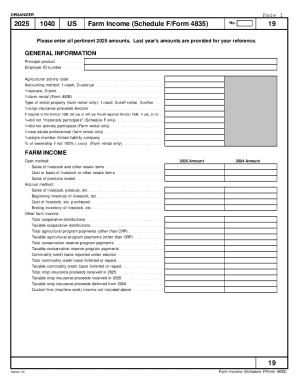
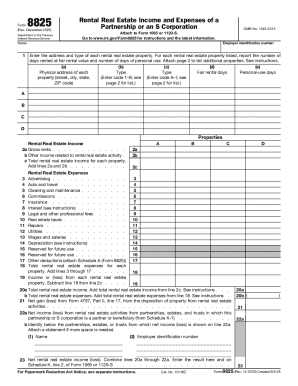
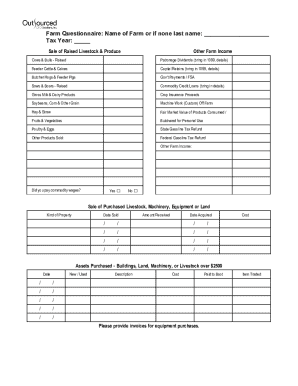
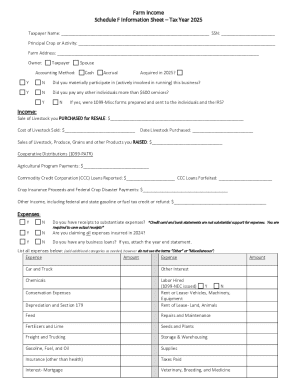
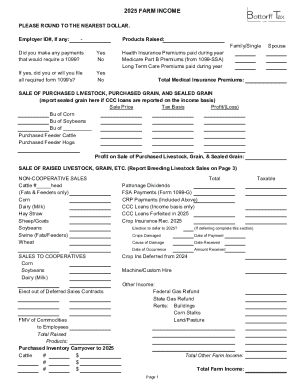
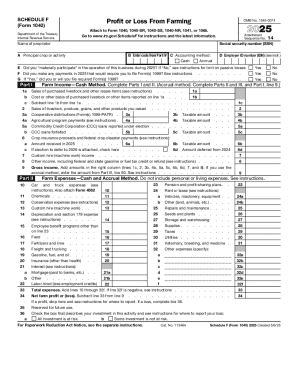
Form preview

IRS 4835 2019 free printable template


Get Form
pdfFiller is not affiliated with IRS
Screenshot
Screenshot
Screenshot

Get, Create, Make, and Sign IRS 4835

Edit your IRS 4835 online
Type text, complete fillable fields, insert images, highlight or blackout data for discretion, add comments, and more.
Screenshot
Add your legally-binding signature
Draw or type your signature, upload a signature image, or capture it with your digital camera.
Screenshot
Share your form instantly
Email, fax, or share your IRS 4835 via URL. You can also download, print, or export forms to your preferred cloud storage service.
Screenshot

Instructions and Help about IRS 4835

How to edit IRS 4835

To edit IRS 4835, use pdfFiller to upload the form and access editing tools. You can modify text entries, add or remove information, and ensure accuracy before submission. Once your changes are complete, you can save or print the edited form as needed.

How to fill out IRS 4835

To fill out IRS 4835, follow these steps:
01
Gather necessary information about the rental income, expenses, and any allowable deductions.
02
Enter your name, address, and the details of the property on the form.
03
Provide accurate figures for income and expenses. Ensure all entries are typed clearly and correctly.
04
Review the completed form to confirm that all necessary data is entered before submission.

About IRS 4 previous version

What is IRS 4835?

IRS 4835 is the form used to report income and expenses from the rental of personal property, specifically for use by farm rental income recipients. This form allows landlords to report the financial details related to rental properties that they do not own but operate.

Who needs the form?

Individuals who earn income from renting personal property and do not hold ownership rights are required to file IRS 4835. Typically, this form is used by farmers who rent land, equipment, or livestock, and it's essential for accurate tax filing.

Components of the form

IRS 4835 comprises various sections that require detailed reporting of rental income, expenses related to property management, and depreciation details. Main components include the property information section, income reporting, and a section dedicated to listing all deductible expenses for the tax year.

What information do you need when you file the form?

When filing IRS 4835, you will need the following information:
01
Your name, address, and taxpayer identification number.
02
Details of the rental property, including location and rental agreement specifics.
03
Accurate records of income received and expenses incurred during the tax year.

Where do I send the form?

IRS 4835 can be submitted by mail to the IRS at the address provided in the form instructions based on your location. The specific mailing address may vary depending on whether you are enclosing a payment or not. Always verify the correct address to ensure timely processing.

What is the purpose of this form?

The purpose of IRS 4835 is to report income earned from renting personal property and the associated expenses such as maintenance, utilities, and depreciation. This information is recorded to calculate the correct amount of tax owed by the individual or entity renting the property.

When am I exempt from filling out this form?

You are exempt from filling out IRS 4835 if your rental activity qualifies as a "real estate professional," and you meet specific criteria outlined by the IRS. Additionally, if the rental income falls below the reporting threshold, or if it is reported on another applicable form, you may not need to submit the IRS 4835.

What are the penalties for not issuing the form?

Failing to issue IRS 4835, when required, can lead to penalties from the IRS. These can include fines based on the amount of tax owed or delays in processing any tax refunds. It is crucial to comply with all reporting requirements to avoid such penalties.

Is the form accompanied by other forms?

IRS 4835 may need to be accompanied by several other forms, such as Schedule E, where additional details about rental activities are reported. It is important to check the IRS guidelines for any specific requirements related to your situation.

FAQ about IRS 4835

If you realize you've made an error on your irs 4835 after submission, you can submit an amended return using Form 1040-X. Be sure to indicate the changes clearly and provide any necessary documentation to support the amendments. Checking for common mistakes can help in avoiding future errors.

To verify the status of your filed irs 4835, you can use the IRS 'Where's My Refund?' tool if you expect a refund. For e-filing, tracking can also be done through your e-file provider’s system. Keep an eye out for any rejection codes and understand what they mean to address any issues quickly.

It's advisable to retain copies of your irs 4835 and related documents for at least three years from the date you filed the return or the due date of the return, whichever is later. This timeframe helps ensure that you're prepared in case of any audits or inquiries from the IRS.

Yes, you can designate an authorized representative to file your irs 4835 by providing them with a Power of Attorney (POA). This allows them to handle the filing and communication with the IRS regarding your tax matters, so ensure they are trustworthy and informed about your financial details.

See what our users say

Read user feedback and try pdfFiller to explore all its benefits for yourself
Great features separating documents, editing, downloading, etc. Very user-friendly. Thanks.
Anonymous Customer
It was so easy and convenient to send… It was so easy and convenient to send documents to IRS and I used the customer service/help desk and they were very knowledgeable and answered my questions promptly. First time user and I'm impressed!
Rebeca Mata
See what our users say
Trust Seal
Trust Seal
Trust Seal
Trust Seal
Trust Seal
Trust Seal
Trust Seal
Trust Seal
Rate free form
4.1
satisfied
32 votes

How to Fill Out Small Business Tax Forms Online with pdfFiller

Struggling with your Schedule C or not sure how to file business taxes as a sole proprietor, LLC, or self-employed professional? This step-by-step pdfFiller tutorial walks you through completing IRS Schedule C quickly and accurately — no printing, no scanning, no stress. Whether you're handling small business tax deductions, tracking self-employed taxes, or preparing your full business tax return, pdfFiller makes it simple right in your browser.

Related Forms

If you believe that this page should be taken down, please follow our DMCA take down process here .
This form may include fields for payment information. Data entered in these fields is not covered by PCI DSS compliance.