
Last updated on
Oct 17, 2026

Canada WCB C-504 2016-2026 free printable template
pdfFiller is not affiliated with any government organization

Fill out
Complete the form online in a simple drag-and-drop editor.

eSign
Add your legally binding signature or send the form for signing.

Share
Share the form via a link, letting anyone fill it out from any device.

Export
Download, print, email, or move the form to your cloud storage.
Why pdfFiller is the best tool for your documents and forms


End-to-end document management
From editing and signing to collaboration and tracking, pdfFiller has everything you need to get your documents done quickly and efficiently.
Accessible from anywhere
pdfFiller is fully cloud-based. This means you can edit, sign, and share documents from anywhere using your computer, smartphone, or tablet.
Secure and compliant
pdfFiller lets you securely manage documents following global laws like ESIGN, CCPA, and GDPR. It's also HIPAA and SOC 2 compliant.
What is Canada WCB C-504
The Worker's Injury Questionnaire is an employment form used by workers in Alberta, Canada, to assess whether a work-related injury is eligible for claims processing.
pdfFiller scores top ratings on review platforms




Who needs Canada WCB C-504?
Explore how professionals across industries use pdfFiller.

Canada WCB C-504 is needed by:
-
Workers seeking to report a work-related injury
-
Employers needing to document employee injury claims
-
Medical professionals providing treatment for workplace injuries
-
Human Resources personnel managing employee injuries
-
Legal representatives handling workplace injury cases
Comprehensive Guide to Canada WCB C-504
What is the Worker's Injury Questionnaire?
The Worker's Injury Questionnaire is a vital form utilized in Alberta to assess the work-related nature of injuries. This form is designed specifically for workers and employers, serving as a crucial tool in injury assessment and claim processing. By clearly documenting injuries sustained in the workplace, the questionnaire plays an essential role in ensuring both workers and employers understand their rights and responsibilities.
The importance of the Worker's Injury Questionnaire lies in its ability to gather detailed information regarding an individual's injury and the circumstances surrounding it. This comprehensive approach helps streamline the claims process and fosters better communication between all parties involved.
Purpose and Benefits of the Worker's Injury Questionnaire
Utilizing the Worker's Injury Questionnaire offers several significant advantages to both workers and employers. First and foremost, it helps establish the work-relatedness of injuries, which is critical for justifying claims. The form enables faster processing of injury claims, ensuring that workers receive the support they need without unnecessary delays.
Additionally, the Worker's Injury Questionnaire aids in gathering comprehensive information necessary for accurate assessments, thereby mitigating misunderstandings and enhancing the overall efficiency of the claims process.
Key Features of the Worker's Injury Questionnaire
The Worker's Injury Questionnaire is structured with essential components that ensure usability and clarity. Key features include:
-
Fillable fields requiring the worker’s name, date of birth, and address
-
Checkboxes for providing additional details
-
Explicit instructions that guide users through the completion process
These features bolster the usability of the form, ensuring that users can provide accurate information with minimal confusion.
Who Needs the Worker's Injury Questionnaire?
The Worker's Injury Questionnaire is essential for various stakeholders within different industries. Primarily, any worker who suffers from a workplace injury should consider filling out this form to initiate the claims process. It is equally important for employers who need access to this document to understand the context of an incident and respond appropriately to claims.
This form can be beneficial across numerous industries, ensuring that both employees and employers maintain clarity and accountability in the case of work-related injuries.
How to Fill Out the Worker's Injury Questionnaire Online
Completing the Worker's Injury Questionnaire online is a straightforward process that can significantly expedite your claim submission. The steps include:
-
Access the Worker's Injury Questionnaire through pdfFiller.
-
Fill in each section according to the provided instructions.
-
Review the form for accuracy and completeness to avoid common errors.
By following these steps, users can effectively fill out the questionnaire and ensure successful submission.
Security and Compliance for the Worker's Injury Questionnaire
When handling the Worker's Injury Questionnaire, security and compliance are paramount. pdfFiller implements 256-bit encryption and complies with regulations such as HIPAA and GDPR, ensuring that sensitive information is adequately protected.
The platform offers secure eSigning options and robust document management tools, providing users with peace of mind regarding their privacy and data protection while handling sensitive documents.
Submission Methods and Delivery for the Worker's Injury Questionnaire
Upon completing the Worker's Injury Questionnaire, there are multiple submission methods available. Workers can choose to submit the form online, by mail, or in person. It's also crucial to be aware of important deadlines and processing times, allowing for a smoother claims experience.
For tracking the status of your submission, detailed instructions are provided within the platform to ensure that users remain informed about their claims progress.
What Happens After You Submit the Worker's Injury Questionnaire?
Following the submission of the Worker's Injury Questionnaire, the claims review process commences. During this phase, users may receive requests for additional information or clarification regarding their submitted details.
Understanding the potential outcomes is essential, as it helps users manage expectations. Additionally, tracking the application status can provide valuable insights into the progression of their claims.
Sample or Example of a Completed Worker's Injury Questionnaire
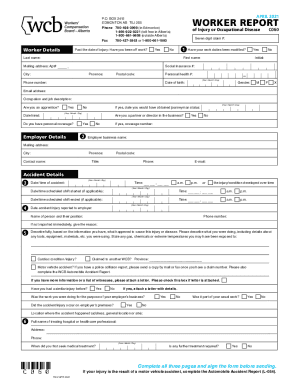
Having a visual reference can be immensely beneficial when filling out the Worker's Injury Questionnaire. A completed sample form illustrates key sections that users should focus on for accuracy.
Referring to the example while completing the questionnaire can enhance understanding and ensure that all necessary information is provided correctly.
Get Started with the Worker's Injury Questionnaire Using pdfFiller
Utilizing pdfFiller to complete the Worker's Injury Questionnaire simplifies the entire process. The platform's user-friendly features streamline form filling, making it an ideal cloud-based solution for managing documents effectively.
With its commitment to security and compliance, pdfFiller stands out as a reliable option for workers seeking to navigate the challenges of submitting injury claims.
How to fill out the Canada WCB C-504
-
1.To access the Worker's Injury Questionnaire on pdfFiller, visit the pdfFiller website and use the search feature to locate the form by typing its name.
-
2.Once you find the form, click on it to open it in pdfFiller's user-friendly interface.
-
3.Before starting, gather all necessary information including your job title, details of the injury, symptoms, and any medical treatment received.
-
4.Navigate through the fillable fields, entering your personal information such as your name, date of birth, and address in the appropriate sections.
-
5.Use the checkboxes provided to indicate symptoms related to your injury, ensuring all options relevant to your situation are selected.
-
6.Carefully read the instructions that accompany each section to avoid missing critical information and ensure accuracy.
-
7.Once you have filled in all required fields, review your responses thoroughly to check for any errors or omissions.
-
8.To finalize the form, make sure to add your signature in the designated field, as this is essential for processing your claim.
-
9.After completing the form, you can save your work by selecting the save option in the pdfFiller toolbar.
-
10.To download the filled form, click on the download button, or use the submission options provided to send it directly to your employer or the responsible department.

Who is eligible to complete the Worker's Injury Questionnaire?
Any worker in Alberta, Canada, who has sustained an injury that they believe is work-related can complete the Worker's Injury Questionnaire. It's designed to assess and document injuries for claims purposes.
What supporting documents are needed to submit with this form?
While the Worker's Injury Questionnaire itself is the primary document, you should prepare any medical records or treatment documentation to support your claim. It's also helpful to include witness statements if available.
How do I submit the completed Worker's Injury Questionnaire?
You can submit the completed Worker's Injury Questionnaire either by downloading and handing it to your employer or relevant claims department or by electronically submitting it through pdfFiller if the upload option is available.
What are some common mistakes to avoid while filling out this form?
Common mistakes include leaving fields blank, not providing accurate job-related details, and failing to sign the form. Review all entries before submission to ensure completeness and accuracy.
What is the typical processing time for claims submitted with this questionnaire?
Processing times can vary, but generally, you can expect a response within a few weeks after submission. For faster assistance, contact your employer or claims department for updates.
Are there any deadlines for submitting this form after an injury occurs?
Yes, there may be specific deadlines for submitting the Worker's Injury Questionnaire to ensure your claim is processed promptly. It's advisable to submit the form as soon as possible after the injury, ideally within 30 days.
Does the Worker's Injury Questionnaire require notarization?
No, the Worker's Injury Questionnaire does not require notarization. However, make sure to sign the form to validate your submission.
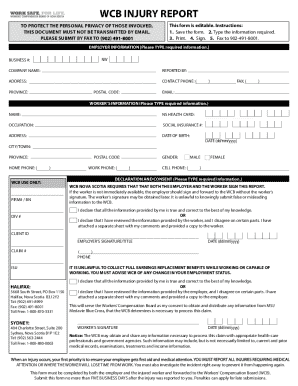
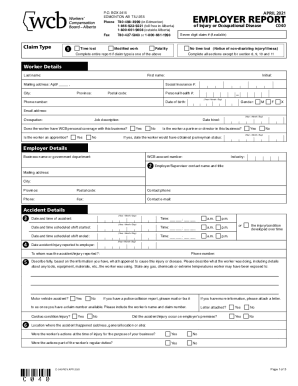
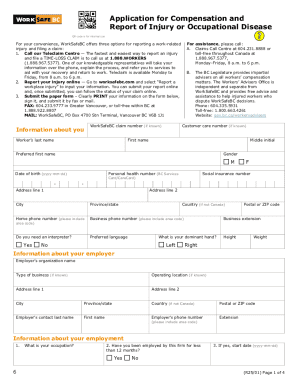
Canada WCB C-504 Form Versions
Related Forms



Get the latest insights from our blog


If you believe that this page should be taken down, please follow our DMCA take down process
here
.
This form may include fields for payment information. Data entered in these fields is not covered by PCI DSS compliance.