
Last updated on
Sep 30, 2026
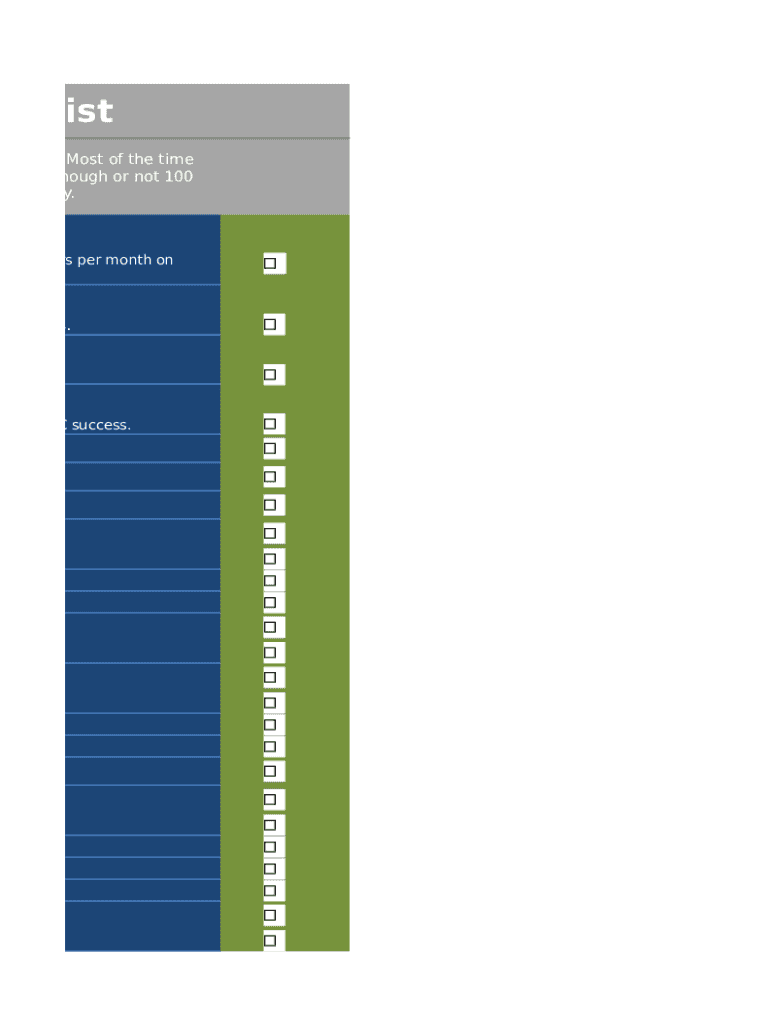
Ppc Audit Checklist free printable template
We are not affiliated with any brand or entity on this form

Fill out
Complete the form online in a simple drag-and-drop editor.

eSign
Add your legally binding signature or send the form for signing.

Share
Share the form via a link, letting anyone fill it out from any device.

Export
Download, print, email, or move the form to your cloud storage.
Why pdfFiller is the best tool for your documents and forms


End-to-end document management
From editing and signing to collaboration and tracking, pdfFiller has everything you need to get your documents done quickly and efficiently.
Accessible from anywhere
pdfFiller is fully cloud-based. This means you can edit, sign, and share documents from anywhere using your computer, smartphone, or tablet.
Secure and compliant
pdfFiller lets you securely manage documents following global laws like ESIGN, CCPA, and GDPR. It's also HIPAA and SOC 2 compliant.
What is Ppc Audit Checklist
The PPC Audit Checklist is a guide used by digital marketers and advertisers to evaluate and optimize their pay-per-click (PPC) campaigns.
pdfFiller scores top ratings on review platforms




Who needs Ppc Audit Checklist?
Explore how professionals across industries use pdfFiller.

Ppc Audit Checklist is needed by:
-
Digital marketers seeking to improve PPC performance
-
Advertising professionals auditing campaign effectiveness
-
Businesses aiming to reduce wasted ad spend
-
Marketing consultants conducting client audits
-
Entrepreneurs managing their online advertising
-
Finance teams assessing advertising budgets
Comprehensive Guide to Ppc Audit Checklist
What is the PPC Audit Checklist?
The PPC Audit Checklist serves as a vital tool for digital marketers to scrutinize their pay-per-click campaigns. By providing a structured framework, it helps marketers understand which areas of their campaigns are underperforming, including wasted spend and quality scores. Conducting regular PPC audits is crucial for optimizing campaign performance and enhancing overall advertising strategies.
This checklist encompasses key areas essential for evaluating the effectiveness of PPC initiatives. Its significance lies in the ability to uncover insights that lead to reduced costs and improved relevance in advertising efforts.
Purpose and Benefits of Using the PPC Audit Checklist
Utilizing the PPC Audit Checklist is integral for enhancing the efficiency of your advertising campaigns. It is specifically designed to identify areas that require improvement, thus increasing the overall performance of PPC strategies.
The checklist offers several benefits, including:
-
Optimization of advertising performance through targeted recommendations.
-
Reduction of unnecessary spending by pinpointing wasteful practices.
-
Increased relevance and effectiveness of PPC ads, ensuring they reach their intended audiences.
Key Features of the PPC Audit Checklist
This checklist is distinguished by several standout features that enhance its efficacy:
-
Comprehensive coverage of different audit aspects, ensuring no stone is left unturned.
-
Focus on actionable insights, which allow marketers to make informed decisions rather than relying solely on theoretical guidelines.
-
User-friendly format that facilitates easy comprehension and practical application.
Who Needs the PPC Audit Checklist?
The PPC Audit Checklist is beneficial for a variety of professionals and organizations involved in digital marketing. Its target users include:
-
Digital marketers aiming to enhance their campaign performance systematically.
-
Businesses running PPC ads with the objective of optimizing their spending.
-
Advertising professionals who are accountable for achieving campaign results and meeting performance metrics.
How to Conduct a PPC Audit Using the Checklist
To effectively utilize the PPC Audit Checklist, follow these steps:
-
Review each section of the checklist thoroughly to understand the criteria being evaluated.
-
Gather relevant data from your PPC campaigns to inform your audit.
-
Validate your findings to ensure accuracy before implementing changes.
This structured approach will lead to a thorough assessment of your advertising campaigns.
Common Mistakes and How to Avoid Them During a PPC Audit
While conducting a PPC audit, certain pitfalls can undermine the effectiveness of your evaluation. Common mistakes include:
-
Neglecting to examine all aspects of the PPC campaigns, leading to incomplete audits.
-
Failing to update the checklist regularly to reflect current PPC trends and practices.
-
Overlooking critical data that should be reviewed for a comprehensive assessment.
By recognizing these potential errors, you can take proactive measures to ensure a thorough evaluation and derive better results.
Security and Compliance Considerations for PPC Audits
Handling sensitive data responsibly is paramount during PPC audits. Key security considerations include:
-
Implementing robust security measures when using cloud-based tools to ensure data protection.
-
Adhering to GDPR and other relevant compliance regulations to safeguard user information.
-
Maintaining data integrity by employing best practices for protecting sensitive information during audits.
These considerations will help establish trust and security in your audit processes.
How to Leverage pdfFiller for Your PPC Audit Checklist
pdfFiller enhances the PPC audit process with its powerful features. By utilizing this platform, users can easily:
-
Edit and customize the PPC Audit Checklist for specific needs.
-
Use eSigning to finalize and distribute the checklist efficiently.
-
Access support resources and tools provided by pdfFiller for a seamless user experience.
This integration streamlines the auditing process, making it more effective and user-friendly.
Getting Started with Your PPC Audit Checklist
To get started with your PPC Audit Checklist, follow these steps:
-
Download or access the checklist through the pdfFiller platform.
-
Regularly conduct audits to reap the benefits of enhanced PPC success.
-
Engage with community or expert support for assistance with any challenges encountered during the audit process.
These steps will facilitate a proactive approach to your PPC campaigns.
How to fill out the Ppc Audit Checklist
-
1.Access pdfFiller and log in to your account.
-
2.Search for 'PPC Audit Checklist' in the template library.
-
3.Click on the checklist to open it in pdfFiller's editor.
-
4.Gather necessary information about your PPC campaigns, including metrics like quality score and click-through rates.
-
5.Utilize the checklist sections to navigate through different PPC elements that need review.
-
6.Follow the bullet points and sections to evaluate each area systematically.
-
7.Make notes or highlight areas of concern for each checklist item as you go.
-
8.Review the entire checklist for completeness and ensure you’ve covered all necessary areas.
-
9.Once finalized, save your document to the desired format.
-
10.Download the checklist or submit it directly as required, keeping a copy for your records.

Who can benefit from the PPC Audit Checklist?
The PPC Audit Checklist is designed for digital marketers, advertisers, business owners, and financial professionals who want to assess and optimize their pay-per-click campaigns for improved performance.
Is there a deadline for using the PPC Audit Checklist?
There is no specific deadline for using the PPC Audit Checklist; it can be utilized whenever you need to evaluate your PPC campaigns. Regular audits are recommended for maximum efficiency.
What information do I need before starting the checklist?
Before starting the checklist, gather key metrics from your PPC campaigns, such as quality scores, click-through rates, and historical spend data to perform an effective audit.
How can I submit my findings after completing the checklist?
After completing the PPC Audit Checklist on pdfFiller, you can download the document or save it within your pdfFiller account. If submitting to a client or manager, you can also share it via email directly from pdfFiller.
What are common mistakes to avoid when conducting a PPC audit?
Common mistakes include neglecting to analyze historical data, skipping areas of the checklist, and failing to act on the findings. Make sure to cover every section fully and take actionable steps based on your evaluation.
Are there fees associated with using the PPC Audit Checklist from pdfFiller?
Using the PPC Audit Checklist through pdfFiller may entail subscription fees, depending on your account type. Review pdfFiller's pricing page for specific details.
Can I edit the PPC Audit Checklist once it's downloaded?
Yes, once you download the PPC Audit Checklist, you can edit it using any standard PDF editor, but it is recommended to make edits directly in pdfFiller for the best experience.
Related Forms




Related Catalogs
Get the latest insights from our blog


If you believe that this page should be taken down, please follow our DMCA take down process
here
.
This form may include fields for payment information. Data entered in these fields is not covered by PCI DSS compliance.