
Last updated on
Oct 31, 2026

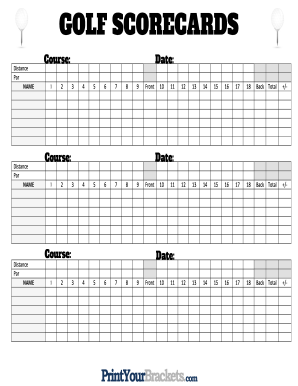
Golf Score Sheet free printable template
We are not affiliated with any brand or entity on this form

Fill out
Complete the form online in a simple drag-and-drop editor.

eSign
Add your legally binding signature or send the form for signing.

Share
Share the form via a link, letting anyone fill it out from any device.

Export
Download, print, email, or move the form to your cloud storage.
Why pdfFiller is the best tool for your documents and forms


End-to-end document management
From editing and signing to collaboration and tracking, pdfFiller has everything you need to get your documents done quickly and efficiently.
Accessible from anywhere
pdfFiller is fully cloud-based. This means you can edit, sign, and share documents from anywhere using your computer, smartphone, or tablet.
Secure and compliant
pdfFiller lets you securely manage documents following global laws like ESIGN, CCPA, and GDPR. It's also HIPAA and SOC 2 compliant.
What is Golf Score Sheet
The Golf Score Sheet is a personal form used by golfers to track their scores, handicap index, and course information.
pdfFiller scores top ratings on review platforms




Who needs Golf Score Sheet?
Explore how professionals across industries use pdfFiller.

Golf Score Sheet is needed by:
-
Amateur golfers seeking to improve their game
-
Golf instructors tracking student performance
-
Golf clubs maintaining member handicap records
-
Tournament organizers managing player scores
-
Golf enthusiasts analyzing their performance over time
Comprehensive Guide to Golf Score Sheet
What is the Golf Score Sheet?
The Golf Score Sheet is a vital tool for golfers, designed to track scores and facilitate the calculation of handicaps. By offering a structured format, this performance form allows users to monitor their golfing progress effectively.
Core functions of the Golf Score Sheet include:
-
Defining the scores achieved during each round of golf.
-
Calculating handicaps based on recorded scores.
-
Providing fillable fields that capture essential game details.
Benefits of Using the Golf Score Sheet
Utilizing the Golf Score Sheet presents several advantages that can significantly enhance a golfer’s game. Monitoring performance over time ensures continuous improvement.
-
Streamlines the calculation of a player’s handicap.
-
Enables golfers to identify scoring trends and patterns.
-
Facilitates a better understanding of personal golfing performance.
Key Features of the Golf Score Sheet
The Golf Score Sheet is equipped with essential features that make it highly effective for gamers of all skill levels. Key fields included in the sheet allow players to capture comprehensive game data.
-
Date: Record the date of play.
-
Holes: Specify the number of holes played.
-
Course: Indicate the course where the round occurred.
-
Tees: Note the tee box utilized.
-
Score: Document the total score.
-
Notes: Provide any additional remarks about the round.
-
Over Par: Track the score relative to par.
How to Fill Out the Golf Score Sheet
Filling out the Golf Score Sheet is straightforward. Here’s how to proceed:
-
Start by entering the date of your game in the specified field.
-
Record the number of holes you played, along with the course and its respective tees.
-
Calculate and input your final score, and mark your performance over par.
-
Include any additional notes that might be relevant to your game.
To ensure accuracy, remember to double-check each score entered, and don’t forget to save or print your completed score sheet.
Who Benefits from the Golf Score Sheet?
The Golf Score Sheet caters to a diverse audience within the golfing community. Various individuals can benefit, including:
-
Recreational golfers seeking to improve their skills.
-
Competitive players who require precise score tracking.
-
Coaches looking for comprehensive data to guide their students.
-
Golf clubs and organizations that need effective matchmaking tools for games.
Security and Compliance in Using the Golf Score Sheet
When it comes to using the Golf Score Sheet, user security is a top priority. Features ensuring the safeguarding of sensitive information include:
-
256-bit encryption protecting data during processing.
-
Compliance with GDPR and HIPAA regulations.
-
Assurances of privacy in document handling to prevent unauthorized access.
How to Access and Edit the Golf Score Sheet on pdfFiller
Accessing the Golf Score Sheet through pdfFiller is simple. Follow these steps to edit and personalize your form:
-
Log in to your pdfFiller account and locate the Golf Score Sheet in your documents.
-
Select the editing option to fill out required fields.
-
Utilize eSigning features for formal submissions if needed.
This cloud-based tool allows for flexibility and convenience while managing your score sheet.
Next Steps After Completing Your Golf Score Sheet
After filling out the Golf Score Sheet, consider these next steps:
-
Engage in further record-keeping to analyze your performance consistently.
-
Share your completed form with your coach or golf club for evaluation.
-
Retain a digital copy for your personal records to track progress over time.
Enhance Your Golf Game with pdfFiller
Using pdfFiller’s tools can significantly upgrade your golfing experience. The platform simplifies form completion online without requiring downloads. Additionally, consider sharing your experiences with the Golf Score Sheet to help fellow golfers.
Explore various form management solutions provided by pdfFiller to further enhance your golfing performance.
How to fill out the Golf Score Sheet
-
1.Access the Golf Score Sheet form on pdfFiller by visiting the website and searching for 'Golf Score Sheet' in the search bar.
-
2.Open the form by clicking on it in the search results, which will direct you to the pdfFiller editing interface.
-
3.Before filling out the form, gather all necessary information including your current handicap index, recent scores, course names, and any notes about your performance.
-
4.Navigate through the fillable fields using your mouse or trackpad. Click on each field to enter your data. Fill in your name, date, course information, and score for each hole, paying attention to any prompts or instructions.
-
5.After completing the scoresheet, review all entries for accuracy. Make sure your score adds up and that you have filled in your notes and over par information.
-
6.Once you are satisfied with the filled form, look for the 'Save' button to ensure your changes are preserved.
-
7.You can then choose to download the form as a PDF or submit it electronically based on your needs. Click on 'Download' or 'Submit' depending on your chosen action to finalize the process.

Who can use the Golf Score Sheet?
The Golf Score Sheet is ideal for amateur golfers, instructors, clubs, and tournament organizers who need to track scores and performance metrics.
What information do I need before filling out the form?
Before starting, gather your current handicap index, recent scores, course details, and any notes about your performance for accurate completion.
How do I submit the Golf Score Sheet once completed?
After filling out the Golf Score Sheet, you can either download it as a PDF or submit it electronically via pdfFiller's options, depending on the requirements you have.
Are there any specific mistakes to avoid while filling out the form?
Common mistakes include incorrect score totals, missing notes, and not updating your handicap index. Always double-check your entries for accuracy.
How long does it take to process the Golf Score Sheet after submission?
Processing time may vary based on how you submit it. If submitted electronically, expect confirmation via email shortly after submission.
Do I need to notarize the Golf Score Sheet?
No, notarizing the Golf Score Sheet is not required. It is a personal tracking form and does not have formal legal requirements.
Can I edit the Golf Score Sheet after saving it?
Yes, you can reopen the Golf Score Sheet in pdfFiller to make edits after saving it, as long as you have access to the file.
Related Forms






Get the latest insights from our blog


If you believe that this page should be taken down, please follow our DMCA take down process
here
.
This form may include fields for payment information. Data entered in these fields is not covered by PCI DSS compliance.