
Last updated on
Oct 31, 2026

Get the free Advance Beneficiary Notice (ABN) Form
We are not affiliated with any brand or entity on this form

Fill out
Complete the form online in a simple drag-and-drop editor.

eSign
Add your legally binding signature or send the form for signing.

Share
Share the form via a link, letting anyone fill it out from any device.

Export
Download, print, email, or move the form to your cloud storage.
Why pdfFiller is the best tool for your documents and forms


End-to-end document management
From editing and signing to collaboration and tracking, pdfFiller has everything you need to get your documents done quickly and efficiently.
Accessible from anywhere
pdfFiller is fully cloud-based. This means you can edit, sign, and share documents from anywhere using your computer, smartphone, or tablet.
Secure and compliant
pdfFiller lets you securely manage documents following global laws like ESIGN, CCPA, and GDPR. It's also HIPAA and SOC 2 compliant.
What is ABN Form
The Advance Beneficiary Notice (ABN) Form is a healthcare document used by patients to acknowledge that Medicare may not cover specific services, enabling informed decision-making about their healthcare costs.
pdfFiller scores top ratings on review platforms




Who needs ABN Form?
Explore how professionals across industries use pdfFiller.

ABN Form is needed by:
-
Patients considering Medicare services
-
Healthcare providers offering Medicare-covered items
-
Medical billing departments managing patient billing
-
Insurance coordinators assisting with medical claims
-
Healthcare facilities requiring patient consent
Comprehensive Guide to ABN Form
What is the Advance Beneficiary Notice (ABN) Form?
The Advance Beneficiary Notice (ABN) Form is crucial in the U.S. healthcare system, designed to inform patients that certain services or items may not be covered by Medicare. This form serves as a notice, helping patients understand their potential financial responsibilities before agreeing to receive care. It fosters informed decision-making by clearly outlining the implications of opting for these services.
Healthcare providers utilize the advance beneficiary notice form to ensure patients are aware of possible non-covered services, enhancing transparency and trust in the patient-provider relationship.
Why Use the Advance Beneficiary Notice (ABN) Form?
The use of the ABN form offers several benefits for both patients and providers. It helps patients grasp their financial responsibilities, allowing them to make educated choices regarding their healthcare options. By ensuring clear communication, the ABN form protects healthcare practices from misunderstandings and disputes about payment.
Moreover, it encourages patient consent prior to receiving any services that may fall outside Medicare coverage, reinforcing the importance of patient autonomy and understanding.
Key Features of the Advance Beneficiary Notice (ABN) Form
This user-friendly form includes several key features designed to assist patients. It has fillable fields for essential information such as the Patient's Name, Medicare Number, and Date of Service. Additionally, checkboxes allow patients to indicate their choices clearly, and signature lines confirm their consent.
To make the process easier, instructions are included within the form, guiding users through each step to prevent errors and promote accurate completion.
Who Needs the Advance Beneficiary Notice (ABN) Form?
The ABN form is relevant for various users within the healthcare spectrum. Primarily, patients who are receiving services that may not be covered by Medicare should utilize this form to be aware of their financial responsibilities. It is also essential for providers who must communicate these financial liabilities effectively.
Specific situations warrant the use of the ABN, including particular treatments or services that traditionally face non-coverage issues, thereby ensuring that all parties understand their roles and responsibilities.
How to Fill Out the Advance Beneficiary Notice (ABN) Form Online (Step-by-Step)
Completing the ABN form online involves several straightforward steps:
-
Begin by entering the Patient’s Name and Medicare Number in the designated fields.
-
Provide the Date of Service along with any additional required information.
-
Select appropriate checkboxes to indicate patient choices regarding service acceptance.
-
Have the patient sign and date the form to confirm their understanding.
Emphasizing accuracy is key to avoiding common mistakes that could lead to payment issues. Users may refer to visual aids to guide them through the process.
Security and Compliance for the Advance Beneficiary Notice (ABN) Form
Security is paramount when handling the ABN form. Healthcare practices should implement data security measures, such as 256-bit encryption, to protect sensitive patient information. Compliance with regulations like HIPAA and GDPR is essential to ensure that patient data is securely managed.
By prioritizing security, healthcare providers can maintain trust and safeguard the privacy of their patients, thereby enhancing the overall integrity of the patient experience.
How to Submit the Advance Beneficiary Notice (ABN) Form
Submitting the ABN form can take place through multiple methods:
-
Electronically via secure online platforms
-
Physically through mail or in-person delivery
Ensure to include any necessary documents that may accompany the submission and be aware of how to track submissions for confirmation, making the process seamless for both providers and patients.
Common Errors and Solutions When Completing the Advance Beneficiary Notice (ABN) Form
Many users encounter common errors during the completion of the ABN form. Mistakes might include entering incorrect information or failing to check appropriate options. To minimize these pitfalls, users should double-check all entered data prior to submission.
Resources for troubleshooting issues can facilitate smooth completion, allowing healthcare practices to handle potential concerns efficiently.
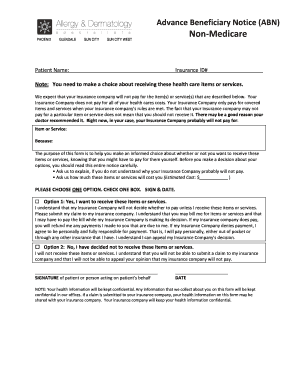
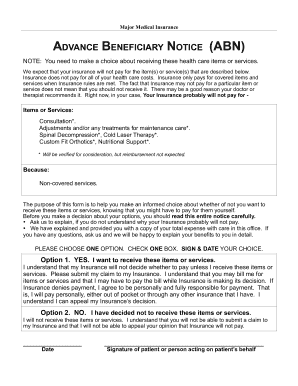
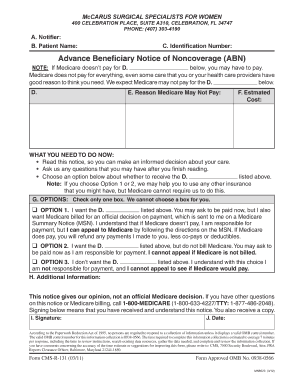
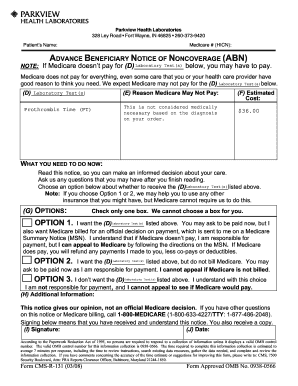
Sample or Example of a Completed Advance Beneficiary Notice (ABN) Form
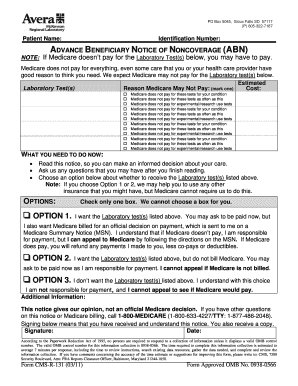
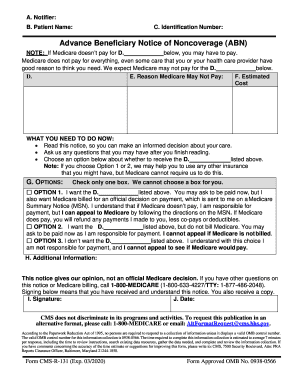
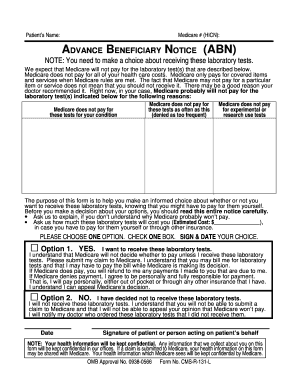
Providing a visual reference can significantly aid users in understanding how to complete the ABN form. A downloadable sample form is available to illustrate essential components and proper formatting.
This example reinforces users' understanding and enhances their ability to fill out the form accurately based on established practices.
Empower Your Choices with the Advance Beneficiary Notice (ABN) Form
Utilizing platforms like pdfFiller simplifies the process of filling out the ABN form. The features offered—such as eSigning, document sharing, and secure saving—make it easier for users to manage their documentation needs effectively.
By leveraging these tools, users can ensure that their important decisions regarding healthcare are well-supported and efficiently executed, empowering them to take control of their healthcare journey.
How to fill out the ABN Form
-
1.Access the Advance Beneficiary Notice (ABN) Form on pdfFiller by searching for the form title in the search bar or navigating to your saved documents if previously accessed.
-
2.Once opened, read the introductory section carefully to understand its purpose and implications for your Medicare services.
-
3.Begin filling in the Patient’s Name and Medicare# in the designated fields provided at the start of the form.
-
4.Enter the Date of Service and Estimated Cost in the appropriate boxes. Make sure to double-check these details to avoid any inaccuracies.
-
5.Navigate through the checkboxes that present two options regarding the services' Medicare coverage. Ensure you select the option that accurately reflects your decision.
-
6.Locate the signature line at the end of the form. You will need to sign and date the document after reviewing all provided information.
-
7.Before finalizing, take a moment to review the completed form for any errors or missing information, ensuring everything is filled out correctly.
-
8.Once reviewed, save your completed form by selecting the 'Save' option on pdfFiller. You may also choose to download or print the document directly from the platform.
-
9.To submit your form, refer to the submission guidelines provided by your healthcare provider or facility, which may specify emailing or physically handing it in.

Who is eligible to use the Advance Beneficiary Notice (ABN) Form?
Patients who are receiving or considering Medicare services that may not be fully covered are eligible to use the ABN Form. It is essential for those who need to understand their potential costs.
What should I do if I miss the submission deadline for the ABN Form?
If you miss the submission deadline, promptly contact your healthcare provider to discuss your options. It may be possible to resolve coverage issues directly with them.
How should I submit the completed ABN Form?
After completing the ABN Form, you can submit it by following your healthcare provider's submission method, which may include emailing, mailing, or delivering it in person.
What supporting documents do I need when completing the ABN Form?
You typically need your Medicare information, including your Medicare number, and details about the services being provided to complete the ABN Form accurately.
What are some common mistakes to avoid when filling out the ABN Form?
Common mistakes include failing to complete all required fields, not checking the appropriate options, and forgetting to sign and date the form. Double-check each section to avoid errors.
How long does it take to process the ABN Form?
Processing times for the ABN Form may vary based on the provider’s policies. It’s best to inquire with your healthcare provider for specific processing timelines.
Can I use the ABN Form if I have other insurance besides Medicare?
Yes, the ABN Form is useful even if you have other insurance. However, understanding how your other insurance interacts with Medicare is critical for any potential coverage.
Related Forms


Related Catalogs
Get the latest insights from our blog


If you believe that this page should be taken down, please follow our DMCA take down process
here
.
This form may include fields for payment information. Data entered in these fields is not covered by PCI DSS compliance.