
Last updated on
Nov 7, 2026

Childrens Community Health Plan Personal Health Information Release Form 2021-2026 free printabl...
pdfFiller is not affiliated with any government organization

Fill out
Complete the form online in a simple drag-and-drop editor.

eSign
Add your legally binding signature or send the form for signing.

Share
Share the form via a link, letting anyone fill it out from any device.

Export
Download, print, email, or move the form to your cloud storage.
Why pdfFiller is the best tool for your documents and forms


End-to-end document management
From editing and signing to collaboration and tracking, pdfFiller has everything you need to get your documents done quickly and efficiently.
Accessible from anywhere
pdfFiller is fully cloud-based. This means you can edit, sign, and share documents from anywhere using your computer, smartphone, or tablet.
Secure and compliant
pdfFiller lets you securely manage documents following global laws like ESIGN, CCPA, and GDPR. It's also HIPAA and SOC 2 compliant.
What is Childrens Community Health Plan Personal Health Information Release Form
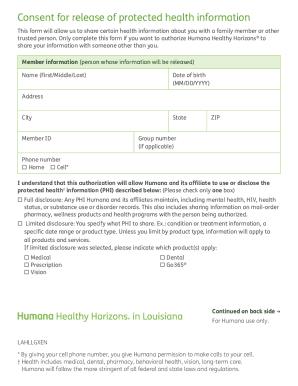
The Personal Health Information Release Form is a healthcare document used by members to authorize the disclosure of their protected health information to designated individuals or organizations.
pdfFiller scores top ratings on review platforms




Who needs Childrens Community Health Plan Personal Health Information Release Form?
Explore how professionals across industries use pdfFiller.

Childrens Community Health Plan Personal Health Information Release Form is needed by:
-
Members of Children's Community Health Plan
-
Personal Representatives managing a member's health information
-
Healthcare providers requiring access to a member's health data
-
Organizations or agencies needing patient health disclosures
-
Legal guardians responsible for medical decisions
-
Patients seeking to control their health data access
Comprehensive Guide to Childrens Community Health Plan Personal Health Information Release Form
What is the Personal Health Information Release Form?
The Personal Health Information (PHI) Authorization Form serves as a critical document for members of healthcare plans, enabling them to grant permission for the disclosure of protected health information. Its primary purpose is to ensure that sensitive health information is shared only with authorized individuals or organizations. This form necessitates signatures from members or their personal representatives, affirming the consent for the specified disclosures.
Purpose and Benefits of the Personal Health Information Release Form
This health information disclosure form is essential for managing how health information is shared among healthcare providers and organizations. The key benefits for members include enhancing care coordination and communication between healthcare providers, leading to improved patient outcomes. Furthermore, the authorization remains valid for a period of 24 months unless a shorter duration is specified.
Who Needs the Personal Health Information Release Form?
Typically, the personal health information release form is needed by individuals or entities involved in the healthcare process. Members, along with their personal representatives, play significant roles in completing and submitting this form, especially when sensitive information needs to be shared with healthcare providers or insurers. Situations that commonly require this form include instances where medical records must be transferred or shared for treatment or billing purposes.
How to Fill Out the Personal Health Information Release Form Online (Step-by-Step)
Filling out the PHI authorization form online can be accomplished efficiently by following these steps:
-
Access the online form via the pdfFiller platform.
-
Enter personal details including your name, address, and date of birth.
-
Provide the specifics regarding the recipient of the health information.
-
Sign the form, ensuring that all required fields are completed accurately.
-
Submit the form electronically via pdfFiller for convenience.
Common Errors and How to Avoid Them When Completing the Form
When filling out the PHI authorization form, users may encounter several common mistakes. These can include:
-
Skipping required fields, particularly the signature and date.
-
Providing incorrect or incomplete recipient information.
To ensure accuracy, consider using a review and validation checklist before submission to verify that all fields are properly completed.
How to Sign the Personal Health Information Release Form
Signing the PHI authorization can be done using several options. You can choose between a digital signature or a wet signature based on your preference. It's important to note whether notarization is required; however, in most cases, it is not necessary. Proper execution of the signature is crucial for the validity of the authorization.
Where to Submit the Personal Health Information Release Form
There are multiple submission methods available for the PHI authorization form, enabling flexibility in processing:
-
Online submission through pdfFiller.
-
Mailing the completed form to the respective healthcare provider.
-
In-person delivery at designated health plan offices.
Users can typically expect processing times to vary, but it’s advisable to follow up to confirm receipt and discuss any potential issues.
Security and Compliance When Filling Out the Personal Health Information Release Form
Handling personal health information demands a strong emphasis on security. The PDF filling process through pdfFiller adheres to compliance standards such as HIPAA and GDPR, ensuring that sensitive data is managed appropriately. With 256-bit encryption and a commitment to user privacy, you can trust that your information is safeguarded throughout the form-filling process.
How to Track Your Submission and What to Do Next
After filing the PHI authorization form, you may wish to confirm your submission status. Here are steps to follow:
-
Check the confirmation status on the pdfFiller platform.
-
Contact the healthcare provider if issues arise or amendments are necessary.
-
Understand common reasons for rejection, which can include incomplete information or missing signatures.
Get Started with pdfFiller for Your Personal Health Information Release Form Needs
Utilizing pdfFiller can simplify the process of filling out and managing your personal health information release form. This platform offers a wide range of features such as document editing, secure eSigning, and the ability to track your submissions seamlessly. Experience the convenience of securely creating and managing your healthcare documents with pdfFiller.
How to fill out the Childrens Community Health Plan Personal Health Information Release Form
-
1.Access the Personal Health Information Release Form on pdfFiller by searching its name in the platform's search bar or by finding it in the healthcare forms section.
-
2.Once opened, familiarize yourself with the layout of the document. The top section requires you to fill in your personal information including name, address, and date of birth. Make sure to enter accurate details.
-
3.Gather any necessary information before starting the form. You will need to know the purpose of disclosure and the recipients to whom you are granting access to your health information.
-
4.Use pdfFiller's fillable fields to enter your details. Click on the field you wish to complete, and type in the required information. Utilize the toolbar if you need to edit or change any entries.
-
5.Ensure you review the information you have entered. Double-check for any missing fields or errors before finalizing. Confirm that all necessary signatures, whether yours or your personal representative’s, are secured.
-
6.Finalize the form by clicking on the 'Finish' or 'Submit' button. This will allow you to save your progress or submit the completed form directly to the relevant entity.
-
7.After completing the form, you can save it to your account, download it for personal records, or submit it online through pdfFiller. Follow any submission guidelines provided by your health plan.

Who is eligible to use the Personal Health Information Release Form?
Members of the Children's Community Health Plan and their personal representatives are eligible to use this form. It is designed for those who wish to authorize the release of their protected health information.
What is the expiration timeframe for this authorization?
This authorization expires 24 months from the date it is signed unless you specify an earlier expiration date on the form. Be mindful of this timeframe as you plan your disclosures.
How do I submit the completed form?
You can submit the completed Personal Health Information Release Form through pdfFiller by following the platform's submission prompts, or you may need to send it directly to Children's Community Health Plan as per their specified procedures.
Are there any supporting documents required when submitting the form?
In most cases, you will not need additional supporting documents to submit this form. Just ensure that all required fields are completed accurately and signed appropriately.
What common mistakes should I avoid while filling out this form?
Common mistakes include leaving fields blank, providing incorrect personal details, and failing to sign the form. Always review your entries before finalizing to avoid these issues.
How long does processing take after submission?
Processing times can vary based on the health plan's internal procedures but typically take a few days to weeks. Check with Children's Community Health Plan for specific timeframes.
What if I change my mind after submitting the form?
If you change your mind, you may revoke the authorization by submitting a written request to the relevant health plan. Be sure to inquire about their specific revocation process.
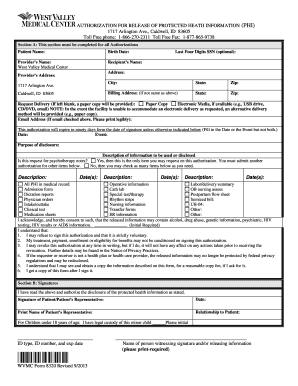
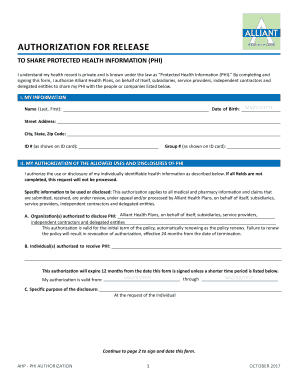
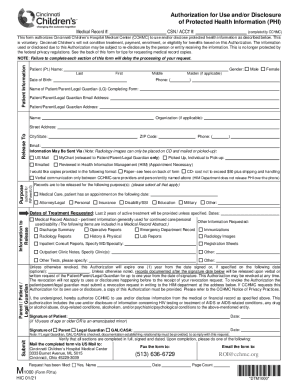
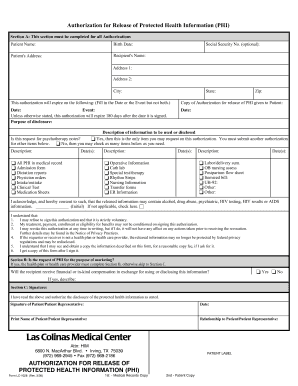
Childrens Community Health Plan Personal Health Information Release Form Form Versions
Related Forms





Get the latest insights from our blog


If you believe that this page should be taken down, please follow our DMCA take down process
here
.
This form may include fields for payment information. Data entered in these fields is not covered by PCI DSS compliance.