
Last updated on
Oct 31, 2026

Get the free Streamlined Sales Tax Agreement Certificate of Exemption
We are not affiliated with any brand or entity on this form

Fill out
Complete the form online in a simple drag-and-drop editor.

eSign
Add your legally binding signature or send the form for signing.

Share
Share the form via a link, letting anyone fill it out from any device.

Export
Download, print, email, or move the form to your cloud storage.
Why pdfFiller is the best tool for your documents and forms


End-to-end document management
From editing and signing to collaboration and tracking, pdfFiller has everything you need to get your documents done quickly and efficiently.
Accessible from anywhere
pdfFiller is fully cloud-based. This means you can edit, sign, and share documents from anywhere using your computer, smartphone, or tablet.
Secure and compliant
pdfFiller lets you securely manage documents following global laws like ESIGN, CCPA, and GDPR. It's also HIPAA and SOC 2 compliant.
What is Sales Tax Exemption Certificate
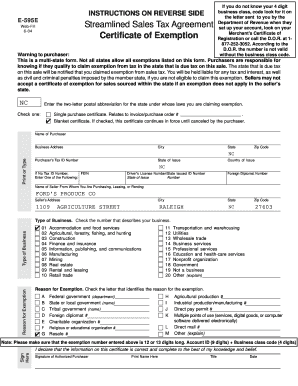
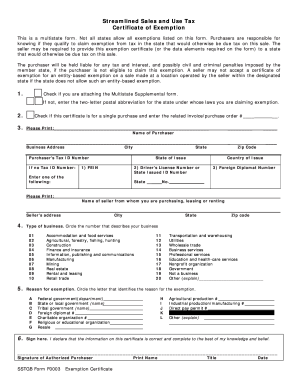
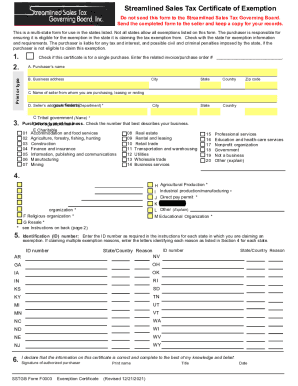
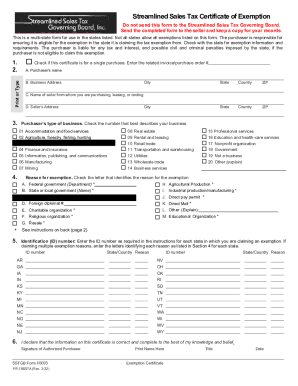
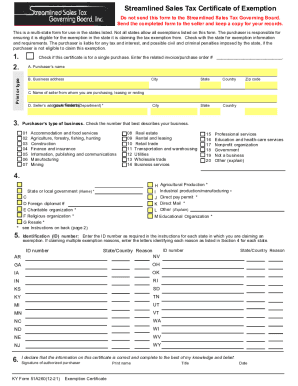
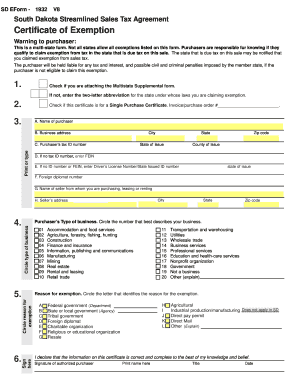
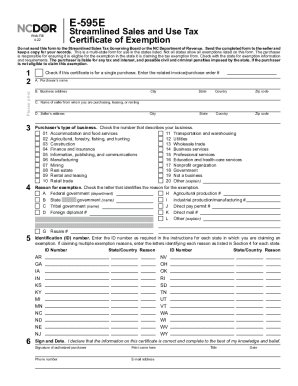
The Streamlined Sales Tax Agreement Certificate of Exemption is a multi-state business form used by purchasers to claim exemption from sales tax on specific transactions.
pdfFiller scores top ratings on review platforms




Who needs Sales Tax Exemption Certificate?
Explore how professionals across industries use pdfFiller.

Sales Tax Exemption Certificate is needed by:
-
Authorized Purchasers seeking sales tax exemptions
-
Businesses operating in multiple states
-
Accountants and tax professionals managing client exemptions
-
E-commerce vendors shipping to tax-exempt entities
-
Purchase managers in retail and wholesale sectors
Comprehensive Guide to Sales Tax Exemption Certificate
What is the Streamlined Sales Tax Agreement Certificate of Exemption?
The Streamlined Sales Tax Agreement Certificate of Exemption is a vital form utilized in various states to allow purchasers to claim exemption from sales tax for certain transactions. This certificate enables businesses and individual purchasers to act in accordance with tax regulations, preventing unnecessary tax expenses by proving eligibility for exemption.
Essentially, this form is designed to facilitate the tax-exempt purchase process, streamlining how purchasers handle multi-state sales tax obligations. As a critical document, it ensures that authorized purchasers can properly assert their status against sales taxes applicable in their transactions.
Purpose and Benefits of the Streamlined Sales Tax Agreement Certificate of Exemption
Utilizing the Streamlined Sales Tax Agreement Certificate of Exemption offers significant advantages to businesses. For instance, by employing this multi-state sales tax exemption form, companies can effectively minimize their tax liabilities and enhance their cash flow.
Moreover, using this business sales tax exemption form helps organizations maintain compliance with their respective state regulations regarding sales tax. Proper use of the certificate demonstrates commitment to legal obligations while optimizing financial resources.
Who Needs the Streamlined Sales Tax Agreement Certificate of Exemption?
The Streamlined Sales Tax Agreement Certificate of Exemption is essential for various types of purchasers, including businesses and individuals involved in taxable transactions. Typical users include retailers, wholesalers, and organizations in sectors like healthcare and education.
Authorized purchasers are required to sign the form, which validates its use and proves that the claimant ethically qualifies for the tax exemption. Ensuring the presence of a legitimate authorized purchaser is crucial for the form's acceptance by tax authorities.
How to Fill Out the Streamlined Sales Tax Agreement Certificate of Exemption Online
Filling out the Streamlined Sales Tax Agreement Certificate of Exemption online requires attention to detail. Start by gathering essential information such as your business name, business address, and tax ID number.
-
Identify the state abbreviation where the exemption is being claimed.
-
Clearly articulate the reason for exemption in the designated field.
-
Fill in the authorized purchaser’s name and signature where applicable.
Each field in the sales tax exemption certificate template is crucial for accuracy, enabling purchasers to submit their claims without complication.
Common Errors and How to Avoid Them When Filling Out the Form
When completing the Streamlined Sales Tax Agreement Certificate of Exemption, users may encounter several common errors that could lead to rejection or processing delays. Some frequent mistakes include missing signatures, incorrect state abbreviations, and omitting required information.
To prevent these issues, double-check all details before submission. Verifying each entry ensures that the form is accurately filled out and significantly increases the likelihood of approval.
How to Sign the Streamlined Sales Tax Agreement Certificate of Exemption
The signing process for the Streamlined Sales Tax Agreement Certificate of Exemption is essential for its validity. Purchasers must determine whether to use a digital signature or a wet signature, as different states may have specific requirements regarding signature types.
Ensuring a proper signature not only legitimizes the form but also helps protect the information contained within from unauthorized use. Understanding the signature requirements is an integral step in maintaining security and compliance with the relevant regulations.
Where and How to Submit the Streamlined Sales Tax Agreement Certificate of Exemption
Once completed, the Streamlined Sales Tax Agreement Certificate of Exemption needs to be submitted appropriately. Users can typically submit this form online or via mail, depending on their respective state’s guidelines.
-
Check for online submission portals specific to your state.
-
Ensure you are aware of any submission deadlines to avoid complications.
Being informed about state-specific submission regulations enhances the efficiency of the filing process.
What Happens After You Submit the Streamlined Sales Tax Agreement Certificate of Exemption
After submitting the Streamlined Sales Tax Agreement Certificate of Exemption, users should anticipate confirmation regarding their submission status. This process may vary by state, but typically you can expect to receive an acknowledgment within a specified timeframe.
Users should also familiarize themselves with common reasons for rejection so they can take the necessary steps to rectify any issues if their submission is denied.
Security and Compliance in Handling the Streamlined Sales Tax Agreement Certificate of Exemption
Handling the Streamlined Sales Tax Agreement Certificate of Exemption necessitates a focus on security and compliance. pdfFiller prioritizes user data protection through measures such as 256-bit encryption and adherence to HIPAA and GDPR requirements.
When filling out any form, especially those containing sensitive information, it is crucial to safeguard personal data. pdfFiller’s commitment to security helps users navigate these obligations confidently.
Utilizing pdfFiller for Your Streamlined Sales Tax Agreement Certificate of Exemption
pdfFiller streamlines the process of managing the Streamlined Sales Tax Agreement Certificate of Exemption with its powerful features. Users can take advantage of editing capabilities, fillable forms, and eSigning options, simplifying the filing experience significantly.
Moreover, pdfFiller offers tools for editing, sharing, and tracking document status, making it an efficient choice for managing tax exemption forms. Leveraging pdfFiller's robust platform can enhance organizational efficiency and ensure compliance with tax regulations.
How to fill out the Sales Tax Exemption Certificate
-
1.To access the Streamlined Sales Tax Agreement Certificate of Exemption on pdfFiller, navigate to the site and use the search feature to locate the form by its name.
-
2.Once the form is open, familiarize yourself with the fillable fields which include sections for your name, business address, and tax ID number.
-
3.Gather your necessary information, including the type of business you operate and the specific reason for claiming the exemption, to ensure accurate completion.
-
4.Begin filling out the form by entering your details as prompted in each field. Make sure to check any boxes that align with your business situation.
-
5.Use pdfFiller's interface to click on each field in order and follow the explicit instructions provided in the form, such as how to state the state of exemption.
-
6.After completing all sections of the form, review your entries for accuracy and ensure that all required fields are filled in correctly.
-
7.Once you’ve finalized the form, pdfFiller offers options to save your document, download a copy for your records, or submit the form electronically to the appropriate authority.

Who is eligible to use the Streamlined Sales Tax Agreement Certificate of Exemption?
Authorized purchasers and businesses operating in multiple states are eligible to use this certificate for claiming sales tax exemptions during qualified transactions.
Are there deadlines for submitting this exemption certificate?
While specific deadlines may vary by state, it is generally recommended to submit the exemption certificate prior to the relevant transaction to ensure sales tax is not charged.
How do I submit the Streamlined Sales Tax Agreement Certificate of Exemption once completed?
After filling out the form on pdfFiller, you can submit it electronically or print it for mailing, depending on the instructions provided by the entity requiring the exemption.
What supporting documents do I need to submit with this form?
Typically, no additional documents are required. However, ensure you have your tax ID number and relevant business information ready to support your claims.
What are common mistakes to avoid when filling out the exemption certificate?
Avoid leaving any required fields blank, ensure accurate details for your business are entered, and double-check the state of exemption before submitting.
How long does it take for the exemption certificate to be processed?
Processing times for the Streamlined Sales Tax Agreement Certificate of Exemption can vary, but it is advisable to allow multiple weeks for processing confirmation from the receiving authority.
What if I make a mistake after submitting the form?
If you realize there’s an error after submission, contact the authority where you submitted the form immediately to inquire about rectification procedures.
Related Forms


Related Catalogs
Get the latest insights from our blog


If you believe that this page should be taken down, please follow our DMCA take down process
here
.
This form may include fields for payment information. Data entered in these fields is not covered by PCI DSS compliance.