
Last updated on
Nov 9, 2026
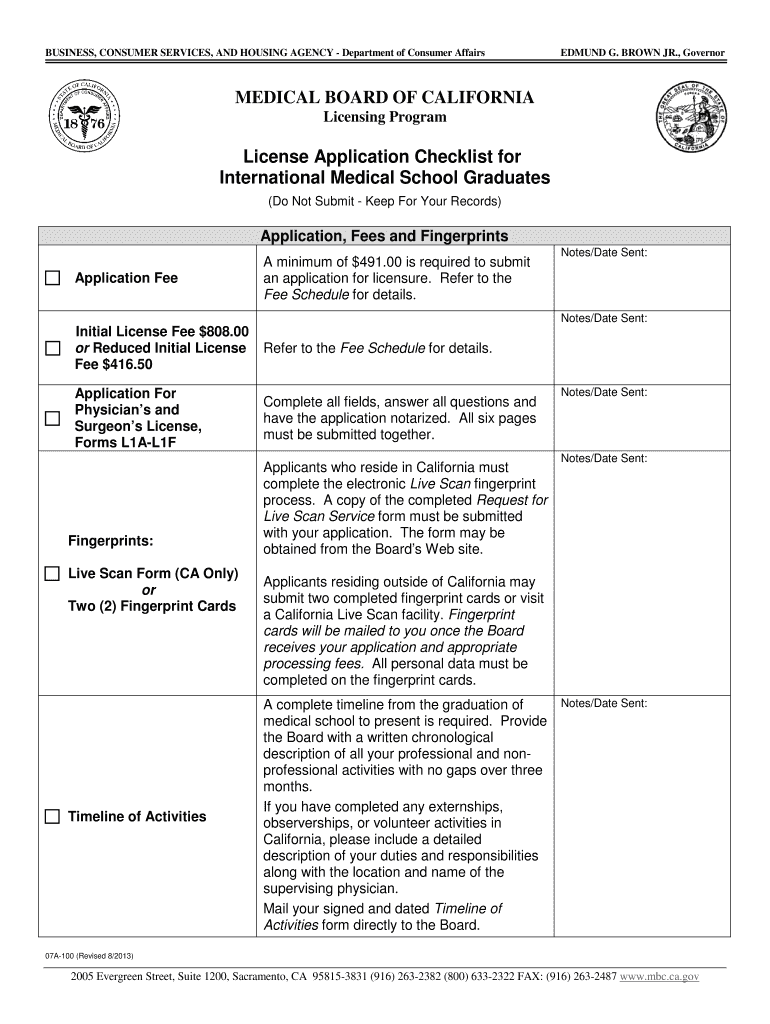
CA 07A-100 2013 free printable template
pdfFiller is not affiliated with any government organization

Fill out
Complete the form online in a simple drag-and-drop editor.

eSign
Add your legally binding signature or send the form for signing.

Share
Share the form via a link, letting anyone fill it out from any device.

Export
Download, print, email, or move the form to your cloud storage.
Why pdfFiller is the best tool for your documents and forms


End-to-end document management
From editing and signing to collaboration and tracking, pdfFiller has everything you need to get your documents done quickly and efficiently.
Accessible from anywhere
pdfFiller is fully cloud-based. This means you can edit, sign, and share documents from anywhere using your computer, smartphone, or tablet.
Secure and compliant
pdfFiller lets you securely manage documents following global laws like ESIGN, CCPA, and GDPR. It's also HIPAA and SOC 2 compliant.
What is CA 07A-100
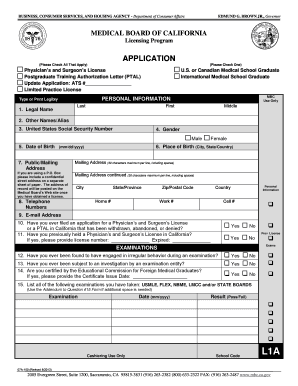
The California Physician’s and Surgeon’s License Application is a government form used by international medical school graduates to obtain a license to practice medicine in California.
pdfFiller scores top ratings on review platforms




Who needs CA 07A-100?
Explore how professionals across industries use pdfFiller.

CA 07A-100 is needed by:
-
International medical graduates seeking licensure in California
-
Physicians applying for a medical license after completing education
-
Postgraduate trainees requiring a license for practice
-
Candidates preparing for examination prerequisites
-
Healthcare professionals aiming to practice in California
Comprehensive Guide to CA 07A-100
What is the California Physician’s and Surgeon’s License Application?
The California Physician’s and Surgeon’s License Application is essential for international medical graduates wishing to practice medicine legally in California. This form serves to validate the applicant's medical credentials and ensure compliance with state regulations. Securing this license is crucial for foreign-trained physicians aiming to establish their careers in California's healthcare system.
This application signifies a step toward professional recognition, allowing graduates from international medical schools to become licensed healthcare providers in the state.
Purpose and Benefits of the California Physician’s and Surgeon’s License Application
The primary purpose of the California Physician’s and Surgeon’s License Application is to formalize the process of obtaining a valid medical license, which is a legal requirement for practicing medicine in California. Applicants benefit significantly from holding this license, as it opens up job opportunities and enhances their professional standing within the medical community.
In addition to compliance with legal requirements, the license lays a foundation for career advancement, allowing physicians to pursue various roles within the healthcare sector.
Who Needs the California Physician’s and Surgeon’s License Application?
International medical graduates are the primary applicants for the California Physician’s and Surgeon’s License Application. This group includes physicians who have completed their medical education abroad and are now seeking to practice medicine in California.
Various occupations, including general practitioners, specialists, and residents in training, require this license to operate legally and effectively in their fields.
Eligibility Criteria for the California Physician’s and Surgeon’s License Application
To be eligible for the California Physician’s and Surgeon’s License Application, candidates must meet specific criteria. Key requirements include graduation from a recognized medical school, passing required examinations such as the USMLE or COMLEX, and completing approved postgraduate training.
The California medical board outlines the acceptable medical schools and establishes the standards for examinations and training that prospective applicants must adhere to.
Required Documents and Supporting Materials
Applicants must provide a comprehensive list of documents when submitting the California Physician’s and Surgeon’s License Application. Essential materials include:
-
Proof of medical education
-
Examination scores from validating tests
-
Postgraduate training documentation
-
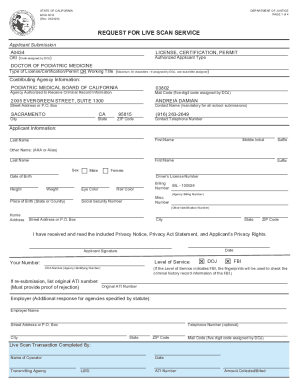
A background check report
The inclusion of supporting materials is critical, as these documents substantiate the applicant's qualifications and adherence to California medical regulations.
How to Fill Out the California Physician’s and Surgeon’s License Application Online (Step-by-Step)
Completing the California Physician’s and Surgeon’s License Application online can streamline the process. Follow these steps to fill out the application through pdfFiller:
-
Access the pdfFiller platform and locate the application form.
-
Begin by entering personal information accurately in the designated fields.
-
Attach necessary supporting documents as prompted.
-
Review each section for completeness and accuracy.
-
Submit the form when all information is correctly filled out.
Pay attention to common fields that may require additional detail to avoid errors.
Common Errors and How to Avoid Them
Many applicants encounter common mistakes during the application process that can lead to rejections. Frequent errors include:
-
Inaccurate personal information
-
Missing documentation
-
Omitting signature where required
It is advised to review the application thoroughly before submission to minimize such errors and enhance the chances of approval.
How to Submit the California Physician’s and Surgeon’s License Application
Applicants can submit their California Physician’s and Surgeon’s License Application through various methods, including online and traditional mail submissions. Each method has specific requirements for fees and deadlines that must be adhered to.
Ensure that all submission methods utilized allow for tracking, to confirm the application's progress after submission.
What Happens After You Submit the California Physician’s and Surgeon’s License Application
Once the California Physician’s and Surgeon’s License Application is submitted, it undergoes a detailed review process by the Medical Board. Applicants can expect to receive updates regarding their application status within defined timeframes.
Being aware of the review stages and potential follow-up requirements helps applicants prepare for the next steps in the licensing process.
Securing Your Data While Completing the California Physician’s and Surgeon’s License Application
pdfFiller prioritizes the security of sensitive data throughout the application process. The platform uses 256-bit encryption, ensuring compliance with privacy regulations such as HIPAA and GDPR.
Maintaining the confidentiality of applicants' information is crucial while navigating the California Physician’s and Surgeon’s License Application.
Maximize Your Chances of Success with pdfFiller
Utilizing pdfFiller for completing the California Physician’s and Surgeon’s License Application can significantly enhance the form-filling experience. Key features include easy document editing, secure eSigning, and organized document management.
These functionalities collectively contribute to a more efficient and user-friendly application process, helping applicants to present their credentials effectively.
How to fill out the CA 07A-100
-
1.Access pdfFiller and search for the California Physician’s and Surgeon’s License Application form.
-
2.Open the form to view it in the editor interface, which allows easy navigation of fields.
-
3.Gather necessary documents such as proof of medical education, examination scores, and a background check before starting your application.
-
4.Carefully fill in each field, ensuring that you input accurate information as per the requirements outlined in the application.
-
5.Use the toolbar options to add documents or any additional information required by the Medical Board of California.
-
6.Review your filled form for any errors or omissions using the provided preview feature on pdfFiller.
-
7.Finalize your form by saving any changes and ensuring that all required sections are completed.
-
8.Download a copy of your application for your records, or submit it directly through pdfFiller if supported.

What are the eligibility requirements for the California Physician’s and Surgeon’s License Application?
To be eligible, applicants must graduate from an accredited medical school, pass required examinations, and complete accredited postgraduate training, along with providing necessary documentation.
Are there any deadlines associated with this application?
While specific deadlines may vary, applicants should check the Medical Board of California's website for any application submission timelines and ensure all materials are submitted in a timely manner.
What is the submission method for this application?
The application must be submitted directly to the Medical Board of California. Applicants can do this through mail or utilize any online submission options available through pdfFiller.
What supporting documents are required with the application?
Applicants need to include proof of medical education, examination scores, details of postgraduate training, and possibly a background check among other relevant documents.
What common mistakes should be avoided when filling out the application?
Avoid omitting required information, misrepresenting documents, or failing to double-check the accuracy of your answers, as this can lead to application denial.
What are the processing times for the California Physician’s and Surgeon’s License Application?
Processing times can vary significantly. Typically, applicants should expect a few weeks to several months to receive a response from the Medical Board once the application is submitted.
Can I track the status of my application after submission?
Yes, once submitted, applicants can track the status of their application by contacting the Medical Board of California or using any tracking feature they provide.
CA 07A-100 Form Versions
Related Content
Related Forms



Related Catalogs
Get the latest insights from our blog


If you believe that this page should be taken down, please follow our DMCA take down process
here
.
This form may include fields for payment information. Data entered in these fields is not covered by PCI DSS compliance.