
Last updated on
Nov 9, 2026

UK HM Revenue & Customs P45 Part 1A 2008-2026 free printable template
We are not affiliated with any brand or entity on this form

Fill out
Complete the form online in a simple drag-and-drop editor.

eSign
Add your legally binding signature or send the form for signing.

Share
Share the form via a link, letting anyone fill it out from any device.

Export
Download, print, email, or move the form to your cloud storage.
Why pdfFiller is the best tool for your documents and forms


End-to-end document management
From editing and signing to collaboration and tracking, pdfFiller has everything you need to get your documents done quickly and efficiently.
Accessible from anywhere
pdfFiller is fully cloud-based. This means you can edit, sign, and share documents from anywhere using your computer, smartphone, or tablet.
Secure and compliant
pdfFiller lets you securely manage documents following global laws like ESIGN, CCPA, and GDPR. It's also HIPAA and SOC 2 compliant.
What is UK HM Revenue & Customs P45 Part 1A
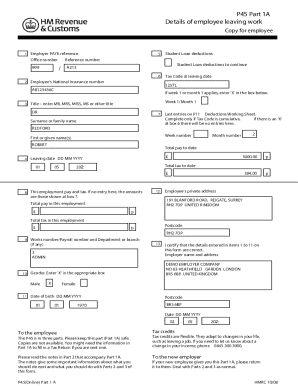
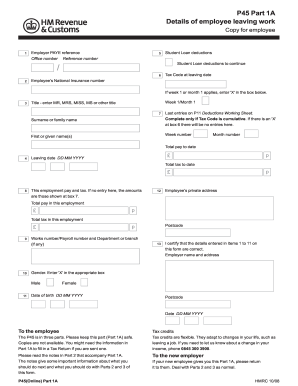
The UK P45 Form is a tax document used by employees in the UK to inform new employers or HMRC of their earnings and tax deductions upon leaving a job.
pdfFiller scores top ratings on review platforms




Who needs UK HM Revenue & Customs P45 Part 1A?
Explore how professionals across industries use pdfFiller.

UK HM Revenue & Customs P45 Part 1A is needed by:
-
Employees transitioning to new jobs
-
Employers completing payroll processes
-
HR departments managing employee exits
-
Tax professionals assisting clients
-
Accountants preparing tax returns
-
Individuals filing taxes with HMRC
Comprehensive Guide to UK HM Revenue & Customs P45 Part 1A
Understanding the UK P45 Form
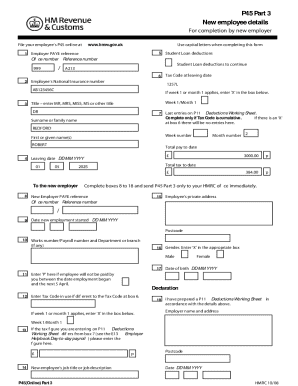
The UK P45 form is a crucial document for employees transitioning between jobs. It serves to inform new employers and HMRC of an individual's earnings and tax deductions. The form is divided into three parts, which include Part 1A for the employee, Part 2 for the new employer, and Part 3 for HMRC, each containing essential details for tax and employment record keeping.
Employees must understand the significance of this form to ensure smooth transitions from one job to another, particularly regarding tax obligations.
Purpose and Benefits of the UK P45 Form
The main purpose of the UK P45 form is to facilitate the sharing of tax information between departing employees and their new employers. This document is not only beneficial for employers in verifying tax details, but it also helps employees maintain accurate records of their earnings and deductions. Failing to submit this form promptly can lead to complications in tax calculations for both parties.
-
Provides tax details to new employers to ensure accurate payroll.
-
Helps employees maintain a record of their earnings and tax contributions.
-
Prevents potential tax issues and penalties from HMRC.
Who Needs the UK P45 Form?
The UK P45 form is primarily required for employees leaving their jobs. It is essential for both the departing employee and the new employer, as it aids in verifying tax information and ensuring compliance with HMRC regulations. Specific scenarios, such as when an employee changes jobs or if someone leaves the workforce, necessitate the submission of this form.
-
Employees transitioning to new job roles.
-
Employers who need to process tax information accurately.
-
HMRC for managing and tracking tax submissions.
How to Fill Out the UK P45 Form Online (Step-by-Step)
To complete the UK P45 form online using pdfFiller, follow these systematic steps:
-
Access the P45 form template on pdfFiller.
-
Fill in all required fields, including personal information and tax details.
-
Review the completed sections for accuracy before submission.
Accuracy is essential when filling out each field to prevent delays or errors in tax processing.
Common Errors and How to Avoid Them
When completing the UK P45 form, it is common for users to make several mistakes. Some frequent pitfalls include missing fields or incorrect National Insurance numbers. To ensure a smooth submission process, double-check your information for accuracy.
-
Ensure all mandatory fields are filled out completely.
-
Verify that all numbers, especially the National Insurance number, are correct.
-
Review the form thoroughly before finalizing it.
Submission Methods and Delivery of the UK P45 Form
Employees have various options for submitting the UK P45 form, including electronic submission through email or online platforms and traditional postal methods. It is crucial to know where to send it—either directly to the new employer or to HMRC. Tracking the submission can also help confirm that it has been received.
-
Electronic submissions via email are fast and efficient.
-
Postal methods require additional time and tracking for confirmation.
-
Know the designated recipient of the form for proper processing.
Security and Privacy Considerations for the UK P45 Form
Handling the UK P45 form involves important security considerations due to the sensitive nature of the information contained within. PdfFiller implements a range of security measures to protect user data, ensuring compliance with regulations like GDPR and HIPAA.
-
Utilize 256-bit encryption for document protection.
-
Follow best practices for securing personal information during submission.
-
Be aware of how digital platforms safeguard your data.
Additional Resources on the UK P45 Form
For those interested in learning more about the UK P45 form, there are several resources available. Official HMRC websites provide comprehensive information, along with FAQs addressing common questions.
-
Links to HMRC resources for authoritative guidance.
-
Samples of completed UK P45 forms for reference.
-
Tips on managing employment transitions effectively.
Maximize Your Experience with pdfFiller
Using pdfFiller to complete the UK P45 form enhances your experience through various features. This platform not only facilitates form filling but also includes secure sharing and eSigning capabilities.
-
Easy editing and filling of PDF forms online.
-
Options for secure sharing of documents with employers.
-
Access to additional document management tools to aid in your workflows.
How to fill out the UK HM Revenue & Customs P45 Part 1A
-
1.Access pdfFiller and search for the UK P45 Form in the template library.
-
2.Open the P45 Form to begin filling it out. Familiarize yourself with the layout and sections of the form.
-
3.Gather all necessary information before starting, such as your National Insurance number, leaving date, and total pay and tax to date.
-
4.Begin filling in the required fields marked with asterisks, including your name, title, gender, and date of birth.
-
5.For the Employment Details section, input the Employer PAYE reference, total pay in this employment, and total tax in this employment.
-
6.Complete the Leaving Date field accurately, as this is crucial for your new employer.
-
7.After filling in all sections, review each field for accuracy and completeness. Use pdfFiller's tools to double-check your entries.
-
8.Ensure you save your progress frequently using the 'Save' option.
-
9.Once you've reviewed the form, finalize it by following the submission steps provided on pdfFiller.
-
10.Save or download the completed form in PDF format. You may also submit directly through pdfFiller if that option is available.

Who needs to fill out a P45 Form?
Any employee in the UK who is leaving a job is required to fill out a P45 Form. It provides essential tax information for their new employer or HMRC.
What information do I need to complete a P45 Form?
Before filling out the P45 Form, you will need your National Insurance number, employer's PAYE reference, leaving date, and details of your total pay and tax deductions to date.
How do I submit a P45 Form?
Once completed, you can submit the P45 Form to your new employer or HMRC. If using pdfFiller, you can also directly submit through their platform if that option is available.
What are the deadlines for submitting a P45 Form?
The P45 Form should be provided to your new employer immediately upon leaving your job. Timely submission is important to ensure correct tax calculations.
Are there common mistakes to avoid when filling out the P45 Form?
Common mistakes include incorrect entry of personal details, including spelling errors, and failing to provide total pay and tax information accurately. Double-check your entries before submission.
How long does it take to process a P45 Form?
Processing times can vary, but typically it is processed quickly since it contains straightforward information about your employment and tax status. Ensure that your form is filled out correctly for timely processing.
Do I need to notarize the P45 Form?
No, the P45 Form does not require notarization. It should be filled out and submitted without any notarization requirements.
Related Forms




Related Catalogs
Get the latest insights from our blog


If you believe that this page should be taken down, please follow our DMCA take down process
here
.
This form may include fields for payment information. Data entered in these fields is not covered by PCI DSS compliance.