Bill Of Sale - State Of California

Get eSignatures done in a snap

Prepare, sign, send, and manage documents from a single cloud-based solution.

What is Bill Of Sale - State Of California?

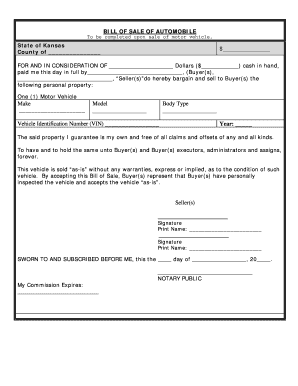
A Bill of Sale - State of California is a legal document that records the transfer of ownership of personal property from one person to another. It serves as proof of the transaction, outlining the details of the sale such as the buyer and seller's information, description of the item, purchase price, and date of the transfer.

What are the types of Bill Of Sale - State Of California?

There are various types of Bill of Sale - State of California, depending on the type of personal property being transferred. Some common types include:

Bill of Sale for a Vehicle
Bill of Sale for a Boat
Bill of Sale for a Motorcycle
Bill of Sale for an ATV

How to complete Bill Of Sale - State Of California
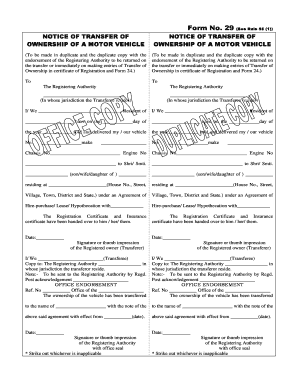
Completing a Bill of Sale - State of California is a straightforward process. Here are the steps involved:

01
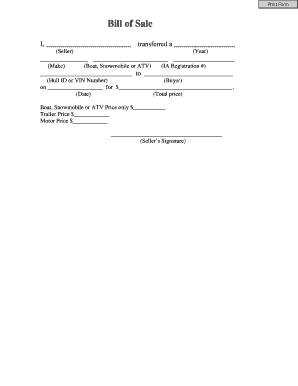
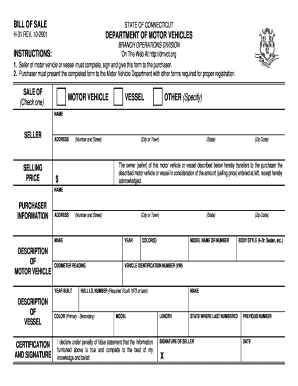
Identify the buyer and seller: Include their full names, addresses, and contact information.
02
Describe the item: Provide detailed information about the personal property being sold, including its make, model, year, color, and any unique identifiers such as serial numbers.
03
Specify the purchase price: Clearly state the agreed-upon purchase price in both words and numbers.
04
Date and sign the document: Both the buyer and seller should sign and date the Bill of Sale to make it legally binding.
05
Notarize the document: While not required, having the Bill of Sale notarized adds an extra layer of authenticity and can provide added legal protection.

pdfFiller empowers users to create, edit, and share documents online, including Bill of Sale - State of California. With unlimited fillable templates and powerful editing tools, pdfFiller is the only PDF editor users need to get their documents done quickly and effectively.

Video Tutorial How to Fill Out Bill Of Sale - State Of California
Thousands of positive reviews can’t be wrong

Read more or give pdfFiller a try to experience the benefits for yourself
5.0
I like the fact that it is easy to use and has all of the forms that I am lookin...
What do you like best? I like the fact that it is easy to use and has all of the forms that I am looking for. I use this product on a monthly basis and find that it is easy to use and that the documents are easy to find. What do you dislike? There are times that I can't find a form that I know I have filled out. Also there are times that I am unable to get back to the home screen to find a new form. Recommendations to others considering the product: I would highly recommend this product to others and in fact I have done so. This product is easy to use and inexpensive compared to other products like it. What problems are you solving with the product? What benefits have you realized? Form 2848, Form 1099Misc and W2s
Susan ODay
4.0
Editing and modification of document ment to be non editable.
What do you like best? Editing and modification of document ment to be non editable. What do you dislike? Online editing instead of offline editing to paid customers. What problems are you solving with the product? What benefits have you realized? Document signing and form filling
TOM PETER
5.0
I love that I can make any document filler-friendly.
What do you like best? I love that I can make any document filler-friendly. My handwriting is atrocious. I've completed applications, tax forms, and more. I love that I can move my text around. Love that I can easily insert check marks. What do you dislike? Sometimes I struggle a bit with saving my documents. I sometimes want to save one as a blank and one as a completely filled form. Recommendations to others considering the product: Yes! It will make your life easier! What problems are you solving with the product? What benefits have you realized? It's so easy to change a document I might have goofed up! I can make the change and reprint. Done. It's been a huge timesaver for me. I can prefill certain parts of a form I have to use over and over which saves time.
Jane Leighty

Questions & answers

California doesn't publish an official horse bill of sale. Buyers and sellers are free to draft their own. The only requirement, other than buyer and seller signature, is that the bill of sale includes the purchase price.
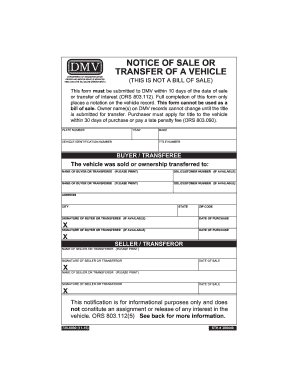
To take over ownership of a vehicle, you will need: If the seller is not the owner whose name is on the title, you will need a Bill of Sale signed by both the seller and the person whose name appears on the title. A record of the odometer mileage (if the vehicle is less than 10 years old).
California doesn't publish an official horse bill of sale. Buyers and sellers are free to draft their own. The only requirement, other than buyer and seller signature, is that the bill of sale includes the purchase price.
How do I write a Bill of Sale? Describe the item. Provide the property's details. Provide each party's information. List the name and address of both the seller and the buyer. Outline payment details. State the item's sale price and specify if sales tax will apply to the sale. Note any loans or liens.
A California motor vehicle bill of sale form is used when a vehicle (or vessel) is purchased to report the sales price, identify the buyer and seller, and provide evidence that the transaction took place. A bill of sale is essential in documenting the transfer of ownership and is required in all private sales.