
Last updated on
Nov 9, 2026
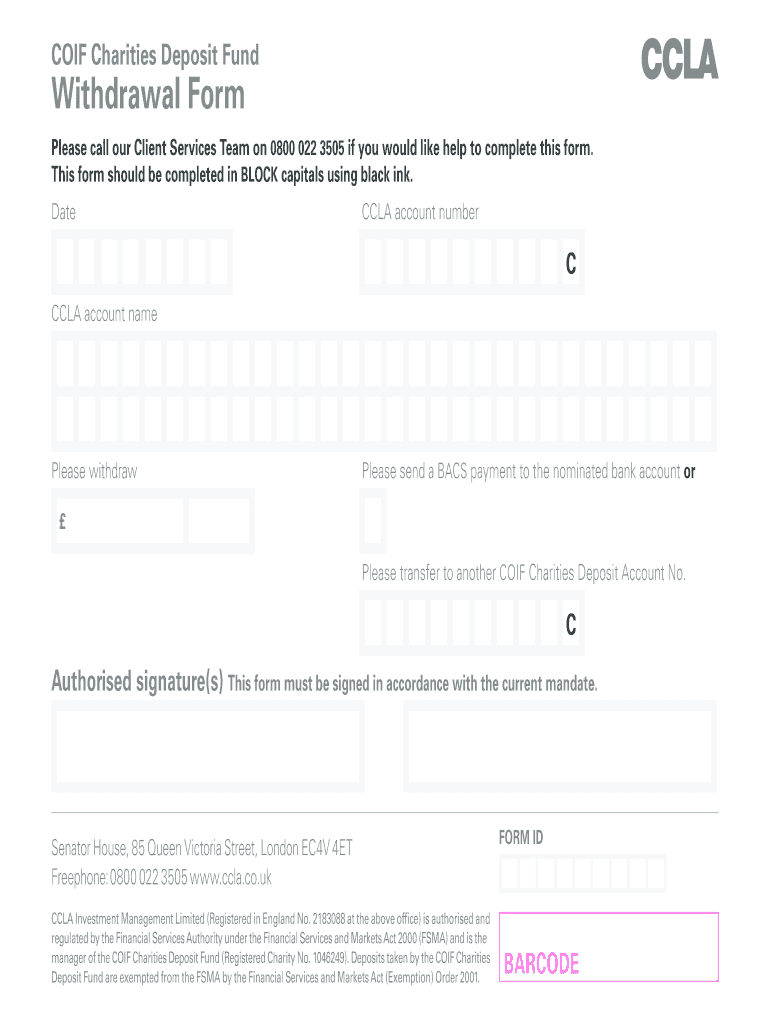
UK CCLA COIF Charities Deposit Fund Withdrawal Form 2013 free printable template
We are not affiliated with any brand or entity on this form

Fill out
Complete the form online in a simple drag-and-drop editor.

eSign
Add your legally binding signature or send the form for signing.

Share
Share the form via a link, letting anyone fill it out from any device.

Export
Download, print, email, or move the form to your cloud storage.
Why pdfFiller is the best tool for your documents and forms


End-to-end document management
From editing and signing to collaboration and tracking, pdfFiller has everything you need to get your documents done quickly and efficiently.
Accessible from anywhere
pdfFiller is fully cloud-based. This means you can edit, sign, and share documents from anywhere using your computer, smartphone, or tablet.
Secure and compliant
pdfFiller lets you securely manage documents following global laws like ESIGN, CCPA, and GDPR. It's also HIPAA and SOC 2 compliant.
What is UK CCLA COIF Charities Deposit Fund Withdrawal Form
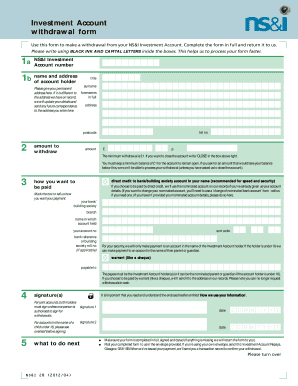
The COIF Charities Deposit Fund Withdrawal Form is a financial document used by charity account holders to formally request a withdrawal from their COIF Charities Deposit Fund account.
pdfFiller scores top ratings on review platforms




Who needs UK CCLA COIF Charities Deposit Fund Withdrawal Form?
Explore how professionals across industries use pdfFiller.

UK CCLA COIF Charities Deposit Fund Withdrawal Form is needed by:
-
Registered charities with COIF accounts
-
Financial officers of non-profit organizations
-
Authorized signatories on charity accounts
-
Charity fund managers
-
Account holders needing fund transfers
-
Audit and compliance personnel
Comprehensive Guide to UK CCLA COIF Charities Deposit Fund Withdrawal Form
What is the COIF Charities Deposit Fund Withdrawal Form?
The COIF Charities Deposit Fund Withdrawal Form is a critical instrument used by account holders to request withdrawals from their COIF Charities Deposit Fund accounts. This form is specifically designed for authorized signatories of charities, allowing them to manage their funds effectively. Eligible users include representatives from registered charities or organizations needing to access funds for operational expenses or specific projects.
Purpose and Benefits of the COIF Charities Deposit Fund Withdrawal Form
The primary purpose of the COIF Charities Deposit Fund Withdrawal Form is to facilitate structured and secure withdrawals. By utilizing this form, charities can efficiently manage their financial resources. Key benefits of withdrawing funds from a COIF account include improved liquidity, easier access to necessary funds for fulfilling charitable missions, and structured financial management for organizations.
Key Features of the COIF Charities Deposit Fund Withdrawal Form
This withdrawal form includes essential fields that must be completed for successful processing. Key features consist of:
-
Date of submission
-
CCLA account number
-
CCLA account name
-
Authorised signature(s)
The form also contains instructions for completion, highlighting the importance of filling out details in block capitals. These fillable fields streamline the input process, ensuring accuracy in information provided.
Who Needs the COIF Charities Deposit Fund Withdrawal Form?
The primary users of this form are usually approved signatories and accounting personnel within charitable organizations. Circumstances that necessitate filling out this form include withdrawal requests for operational expenses, funding specific projects, or transferring funds between accounts. Understanding who requires this form helps ensure it is utilized efficiently by authorized individuals only.
How to Fill Out the COIF Charities Deposit Fund Withdrawal Form Online (Step-by-Step)
To fill out the COIF Charities Deposit Fund Withdrawal Form via pdfFiller, follow these steps:
-
Access the form through the pdfFiller platform.
-
Enter the required information in the designated fillable fields.
-
Ensure accuracy in all entries, particularly in the account number and authorised signature areas.
-
Review the completed form for any errors before finalizing.
-
Submit the form as instructed on the platform.
Common Errors and How to Avoid Them When Submitting the Form
Completing the COIF Charities Deposit Fund Withdrawal Form can lead to mistakes if users are not careful. Common errors include:
-
Missing or incorrect CCLA account numbers
-
Failure to obtain authorised signatures
-
Omitting the date of submission
To avoid these pitfalls, double-check all entries and verify that all required fields are completed prior to submission.
Submission Methods for the COIF Charities Deposit Fund Withdrawal Form
Users have several options for submitting the COIF Charities Deposit Fund Withdrawal Form. Submission methods include:
-
BACS payment requests
-
Transfer requests to another COIF Charities Deposit Account
Proper instructions on delivering the completed form can ensure that withdrawals are processed efficiently.
What Happens After You Submit the COIF Charities Deposit Fund Withdrawal Form?
Once the COIF Charities Deposit Fund Withdrawal Form is submitted, the processing time may vary. Users can generally expect outcomes such as processed withdrawals and notifications regarding status. Keeping track of the submission is important, usually through feedback or confirmation communications from the COIF.
Security and Compliance When Using the COIF Charities Deposit Fund Withdrawal Form
Security measures are vital when handling financial documents like the COIF Charities Deposit Fund Withdrawal Form. Data protection and privacy are essential, and using pdfFiller ensures compliance with security standards. The platform utilizes 256-bit encryption and adheres to SOC 2 Type II, HIPAA, and GDPR regulations, providing peace of mind for sensitive information.
Engage with pdfFiller for Your COIF Charities Deposit Fund Withdrawal Form Needs
Utilizing pdfFiller for your COIF Charities Deposit Fund Withdrawal Form needs can enhance efficiency in form completion and submission. The platform offers capabilities such as editing, eSigning, and saving forms, making the process more streamlined. Take advantage of these features to manage your forms securely and effectively.
How to fill out the UK CCLA COIF Charities Deposit Fund Withdrawal Form
-
1.To access the COIF Charities Deposit Fund Withdrawal Form on pdfFiller, navigate to the website and log in to your account. If you don't have one, create an account for free.
-
2.Once logged in, use the search bar at the top of the page. Enter 'COIF Charities Deposit Fund Withdrawal Form' to find the correct document.
-
3.When you locate the form, click on it to open in the pdfFiller editor. Familiarize yourself with the layout, which includes fields like 'Date', 'CCLA account number', and 'Authorised signature(s)'.
-
4.Gather essential information before filling out the form. Ensure you have your account number and account name at hand, as well as the names and signatures of any authorized signatories.
-
5.Start by entering the date at the top of the form in the designated field. Ensure all entries are made using block capitals as specified.
-
6.Next, fill in the CCLA account number and CCLA account name accurately. Check these details twice for correctness.
-
7.Proceed to the 'Authorised signature(s)' section. Ensure to have the authorized signatories review and sign the form, as their signatures are mandatory for processing withdrawals.
-
8.Once all fields are completed and reviewed, save your work frequently to avoid losing any changes. Utilize the save function in the pdfFiller interface.
-
9.To finalize the document, review it to confirm all information is complete and correct. Look for any lingering fillable fields or missing signatures.
-
10.After finalizing, choose the save or download options based on your preference for submission. You may download it as a PDF or save it to your pdfFiller account for future access.
-
11.If required, submit the completed form to the designated charity department or financial institution as per your organization's procedures.

Who is eligible to use the COIF Charities Deposit Fund Withdrawal Form?
The form is designed for registered charities that have established accounts with the COIF Charities Deposit Fund. Authorized signatories listed on the account can also complete the form.
What information do I need to complete the form?
You need your CCLA account number, account name, the date of withdrawal request, and authorized signatures to complete the form correctly.
What is the submission process for completed forms?
Completed forms should be sent to the relevant department within your organization for processing. Make sure to follow your charity’s specific submission guidelines.
How do I ensure all signatures are properly collected?
Collect signatures from all authorized signatories listed on the account before finalizing the form. Ensure that signatures are in block capitals and match the ones on record.
What are common mistakes to avoid when filling out this form?
Common mistakes include missing required fields, incorrect account information, and failing to obtain necessary signatures. Always double-check the form before submission.
What are the processing times for withdrawal requests?
Processing times can vary based on your organization's policies. Typically, withdrawal requests are processed within several business days after submission.
Are there fees associated with withdrawals through this form?
Fees may vary depending on your organization’s policies and the financial institution. Review your charity’s financial guidelines for accurate information on potential fees.
UK CCLA COIF Charities Deposit Fund Withdrawal Form Form Versions
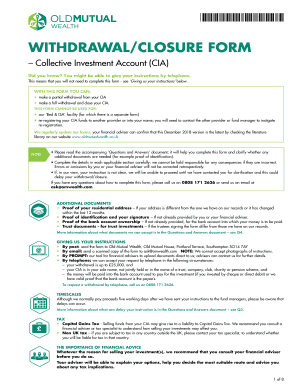
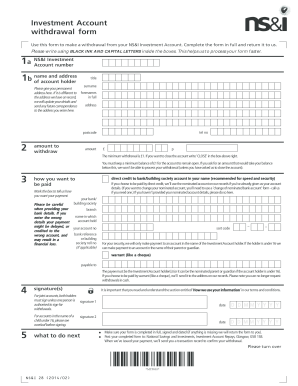
Related Forms






Get the latest insights from our blog


If you believe that this page should be taken down, please follow our DMCA take down process
here
.
This form may include fields for payment information. Data entered in these fields is not covered by PCI DSS compliance.