





Philhealth Online Registration 2021 Requirements - Page 2


What is Philhealth online registration 2021 requirements?
To complete Philhealth online registration in 2021, you will need to gather certain documents and information to proceed with the registration process.
What are the types of Philhealth online registration 2021 requirements?
The types of Philhealth online registration 2021 requirements include:
Valid identification card (e.g., passport, driver's license, etc.)
Proof of billing address (e.g., utility bill, lease agreement, etc.)
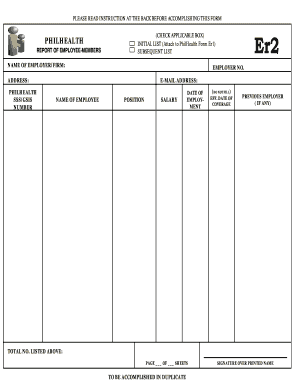
Philhealth Membership Form (PMRF)
Proof of Philhealth contributions (if applicable)
How to complete Philhealth online registration 2021 requirements
To successfully complete Philhealth online registration requirements in 2021, follow these steps:
01
Visit the Philhealth website and create an account
02
Fill out the online registration form with the required information
03
Upload the necessary documents mentioned above
04
Submit the registration form online
05
Wait for confirmation of successful registration
pdfFiller empowers users to create, edit, and share documents online, offering unlimited fillable templates and powerful editing tools. It is the only PDF editor users need to get their documents done.
Video Tutorial How to Fill Out Philhealth online registration 2021 requirements
Thousands of positive reviews can’t be wrong
Read more or give pdfFiller a try to experience the benefits for yourself
Questions & answers
How can I fill up my PhilHealth registration form?
0:39 2:45 Tutorial on how to fill up PhilHealth Form - YouTube YouTube Start of suggested clip End of suggested clip Last name first name p.m. extension is there any. And the middle name.MoreLast name first name p.m. extension is there any. And the middle name.
What are the requirements for PhilHealth registration?
Registration procedures Fill out two (2) copies of the PhilHealth Member Registration Form (PMRF) Submit PMRF to the HR Department of employer. Await Member Data Record and PhilHealth ID card from employer.
How can I register my PhilHealth online?
Application Procedure Go to the PhilHealth Electronic Registration System page at eregister.philhealth.gov.ph. ... Click the Proceed button. Click the Accept button to agree to the Terms and Conditions. Enter the required personal and contact information in the form.
How can I get my PhilHealth number online 2021?
How to get Philhealth ID number online Go to the organization's website, then click the "Online Services" link. Click the "Register link" in the electronic registration section under "Membership". Once you reached the electronic registration system page, click on "Proceed". Fill out the online application form.
How can I apply for PhilHealth online 2021?
Here's how: Step 1: Visit PhilHealth website and click the Online Services link. ... Step 2: Click the Register link in the Electronic Registration section under Membership. ... Step 3: Once you reached the PhilHealth Electronic Registration System page, click Proceed. ... Step 4: Fill out the PhilHealth online application form.
How can I register my PhilHealth online for the first time?
1. PhilHealth online registration (currently not available). Step 1: Access the PhilHealth Electronic Registration System. ... Step 2: Fill out the PhilHealth online registration form. ... Step 3: Upload the PhilHealth requirements. ... Step 4: Check your email for a confirmation message. ... Step 5: Wait for your PhilHealth number.
Can I register PhilHealth online?
Members with internet access can also register online by logging on to eregister.philhealth.gov.ph. By signing the PMRF, a member certifies under oath that all information supplied in the form, including their declared dependents, are true and accurate.
What are the requirements for PhilHealth ID?
PhilHealth Requirements for Membership Two accomplished copies of the PhilHealth Member Registration Form (PMRF) Two latest 1×1 ID pictures. At least two valid IDs or a photocopy of your PSA-issued Birth Certificate.
Can I apply for PhilHealth online?
Members with internet access can also register online by logging on to eregister.philhealth.gov.ph. By signing the PMRF, a member certifies under oath that all information supplied in the form, including their declared dependents, are true and accurate.
What do I need to apply for PhilHealth?
Registration procedures Fill out two (2) copies of the PhilHealth Member Registration Form (PMRF) Submit PMRF to the HR Department of employer. Await Member Data Record and PhilHealth ID card from employer.