Business Meeting Agenda Template

Get eSignatures done in a snap

Prepare, sign, send, and manage documents from a single cloud-based solution.

What is Business Meeting Agenda Template?

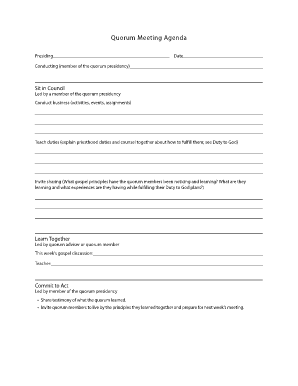
A Business Meeting Agenda Template is a pre-designed document that serves as a guide for organizing and planning business meetings. It outlines the topics to be discussed, the order in which they will be addressed, and the allotted time for each item. This template helps ensure that all necessary topics are covered and that the meeting stays on track.

What are the types of Business Meeting Agenda Template?

There are several types of Business Meeting Agenda Templates available, depending on the specific needs and format of the meeting. Some common types include:

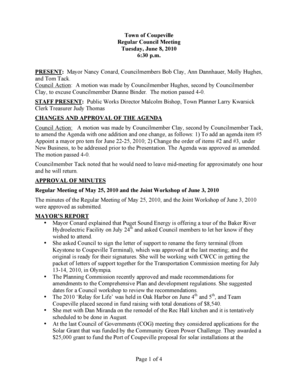
General Business Meeting Agenda Template: This template is suitable for most general business meetings. It includes standard items such as introductions, review of previous meeting minutes, discussion of current issues, and future planning.
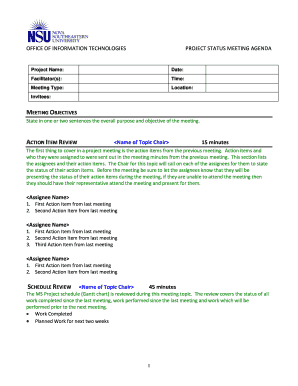
Project Meeting Agenda Template: This template is geared towards meetings that focus on project-specific discussions. It includes sections for project updates, task assignments, and problem-solving discussions.
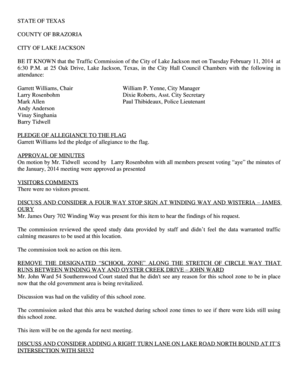
Board Meeting Agenda Template: This template is specifically designed for board meetings. It typically includes items such as financial reports, committee updates, and key decisions to be made.
Conference Meeting Agenda Template: This template is tailored for conferences and large-scale meetings. It incorporates sections for guest speakers, presentations, workshops, and networking activities.

How to complete Business Meeting Agenda Template

Completing a Business Meeting Agenda Template is relatively straightforward. Here are the steps to follow:

01
Start by identifying the purpose and goals of the meeting.
02
List the topics to be discussed in the order of importance.
03
Assign time slots for each agenda item, keeping in mind the overall meeting duration.
04
Include any necessary background information or materials related to each item.
05
Send the agenda to the attendees in advance, allowing them enough time to prepare.
06
During the meeting, follow the agenda closely, making sure to cover all the items within the allocated time.
07
Take notes and record decisions made during the meeting, which can be shared with attendees afterward.
08
Review the meeting agenda after the meeting and make any necessary modifications for future meetings.

pdfFiller empowers users to create, edit, and share documents online. Offering unlimited fillable templates and powerful editing tools, pdfFiller is the only PDF editor users need to get their documents done.


Video Tutorial How to Fill Out Business Meeting Agenda Template

Thousands of positive reviews can’t be wrong

Read more or give pdfFiller a try to experience the benefits for yourself
4.0
I like that it allows me to keep my signature on file for future documents to ma...
I like that it allows me to keep my signature on file for future documents to make turning in paperwork to various organizations go a lot faster!
Sarah S
5.0
The features and tools of PDF filler editor are really perfect.
What do you like best? The features and tools of PDF filler editor are really perfect. I can describe it as a strongest online PDF editor in comparison with another services. With this service you dont need any expensive PDF editor softwares like Adobe Acrobat on your own system. What do you dislike? Some fonts and non-Latin languages not supported. What problems are you solving with the product? What benefits have you realized? I have used it for filling official forms and I am satisfied.
Ehsan Bagherzadeh
4.0
This is an absolutely AMAZING service This is an absolutely AMAZING service, the...
This is an absolutely AMAZING service This is an absolutely AMAZING service, the only reason I had to give 4 stars instead of 5 is due to the cost. To expect people to pay so much money (especially during the pandemic) when everyone needs to work and operate from home is unconscionable. If this service was, say, $12.99/mo. then I would most definitely pay it. However, the monthly cost is nearly three times that high, and it is not something I can afford on unemployment benefits of $235 per week. This service is amazing and efficient, but the company is not being realistic about the current cost of its services. And no, offering annual payments of $200+ is not a viable solution.
Laurel King

Questions & answers

0:00 0:52 How to Create an Agenda in Microsoft Word - YouTube YouTube Start of suggested clip End of suggested clip And once you select file click on the new button. And right here where it says office.com. TemplatesMoreAnd once you select file click on the new button. And right here where it says office.com. Templates you have a couple of choices. Either a you can click on agendas. From this category.
A meeting agenda should include the below elements: The main themes of your discussion. Goals. An outline of the topics you want to discuss. Support documents. A discussion period. An estimated time allotment for each topic. A final review.
How to Write a Meeting Agenda? 5 Key Steps Establish the meeting type. Not informing your team about the type of meeting they'd be attending can cause a lot of confusion. State the objective of the meeting. Identify specific meeting topics. Allocate time to discuss each topic. Include a list of necessary documents.
Or maybe you leave without a clear plan of what to do next. It all comes down to having (or not having) a meeting agenda.What to include in the meeting agenda Main themes. Talking points. Support documents. Decisions. Action items.
Explore the wide variety of free agenda templates, including the classic meeting agenda template in Word and the flexible agenda in Excel. You'll find an agenda format that will help you keep your meeting on track and on task.
An agenda usually contains the following elements: Call to Order. Roll Call. Reading/Approval of Minutes. Officer's (and others) Reports. Committee Reports. Unfinished Business. New Business.