Unlock PDF and Convert PDF to PNG for Website
Unlock your PDF files easily and convert them to PNG format.
What is Unlocking a PDF?
Unlocking a PDF allows you to access restricted content that may be password-protected. This process is essential for individuals and teams needing to unlock entire documents or specific pages. For instance, accessing legal contracts and forms often requires unlocking to ensure you can review and utilize the information effectively. By unlocking PDFs, you can gain immediate access to important documents, facilitating smoother workflows and collaboration among team members.
How to Unlock a PDF in pdfFiller
- Navigate to Tools → Unlock PDF in your pdfFiller account.
- Enter the password associated with the PDF file to unlock it.
- Access your unlocked PDF on any device without needing to install additional software.
Benefits of Unlocking PDFs
Unlocking PDFs offers several advantages that enhance document management. You gain immediate access to important documents, which is crucial for timely decision-making. This process also facilitates collaboration among teams, allowing multiple users to work on the same document without barriers. Moreover, it saves time by eliminating the need for printing and scanning, streamlining your workflow significantly.
When to Unlock a PDF
Unlocking a PDF is necessary in various scenarios. For example, you may need to access contracts for review before signing. Additionally, editing HR documents securely often requires unlocking to ensure compliance with internal policies. Sharing financial records with stakeholders is another situation where unlocking is essential to maintain transparency and facilitate discussions.
Converting PDF to PNG
- Navigate to Tools → Convert PDF in your pdfFiller account.
- Select PNG as the desired output format for your conversion.
- Utilize the converted PNG files for web use and presentations, enhancing visual communication.
Security Features of pdfFiller
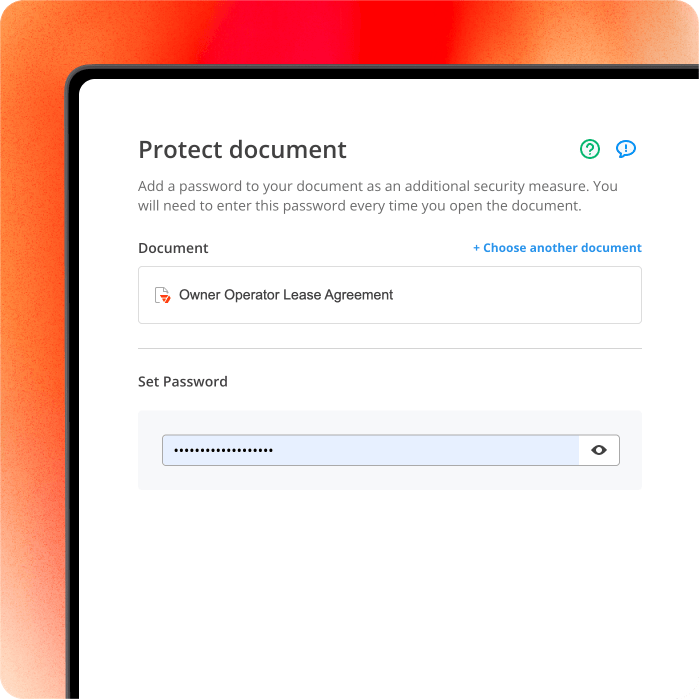
pdfFiller implements several security measures to protect your documents. Password protection is available for sensitive documents, ensuring that only authorized individuals can access them. Additionally, pdfFiller offers a confidential folder for secure storage of your files. The platform also complies with data protection regulations, giving you peace of mind regarding your document security and user privacy.
Browser Compatibility for Unlocking PDFs
pdfFiller supports unlocking PDFs across various browsers, including Chrome, Firefox, and Safari. This compatibility ensures that you can unlock your documents on any device, whether you are at your desk or on the go. Importantly, no installation is required for any browser, making the process straightforward and accessible.
Limitations of Unlocking PDFs
While unlocking PDFs is beneficial, there are some limitations to be aware of. The maximum password length for unlocking is 20 characters, which may restrict access in some cases. Additionally, specific plans may limit the page range that can be unlocked. It's also important to note that not all PDFs can be unlocked if the encryption is too strong, which may prevent access to certain documents.
Comparison of pdfFiller with Other PDF Unlocking Tools
How Does pdfFiller Compare?
pdfFiller offers a more intuitive interface for unlocking PDFs compared to ilovepdf, which may require additional steps. When compared to Smallpdf, pdfFiller provides comprehensive document management features beyond just unlocking, while Smallpdf focuses primarily on PDF tasks. Furthermore, pdfFiller is more affordable and requires no installation, unlike Adobe Acrobat, which offers extensive features at a higher price point.
Next Steps to Unlock Your PDF
Start unlocking PDFs in minutes with pdfFiller. There is no software installation required, allowing you to access your documents quickly. Join millions who trust pdfFiller for their document solutions and experience the ease of unlocking and managing your PDFs today.