How To Download Marriage Certificate Online Tamilnadu 2020
Get eSignatures done in a snap

Prepare, sign, send, and manage documents from a single cloud-based solution.

What is How to download marriage certificate online tamilnadu 2020?

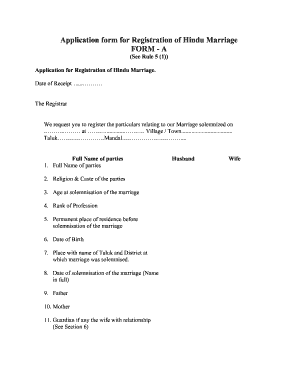
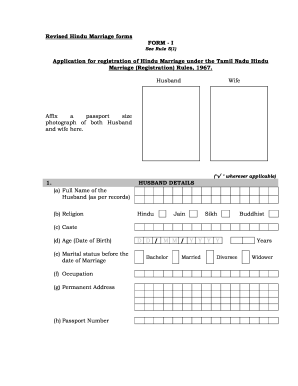
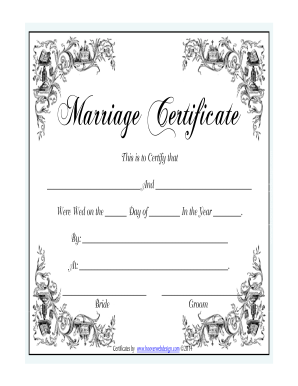
To download marriage certificate online in Tamilnadu in 2020, you can now easily obtain your marriage certificate without the need to visit government offices or stand in long queues. This process allows you to access your marriage certificate conveniently from the comfort of your own home.

What are the types of How to download marriage certificate online tamilnadu 2020?

There are mainly two types of methods available to download marriage certificate online in Tamilnadu in 2020. You can either opt for the online method, where you fill out a digital form and submit it electronically, or you can choose the offline method, where you visit the nearest government office and request a physical copy of your marriage certificate.

Online method
Offline method

How to complete How to download marriage certificate online tamilnadu 2020

To successfully complete the process of downloading your marriage certificate online in Tamilnadu in 2020, follow these steps:

01
Visit the official website of the Tamilnadu government for marriage certificate services
02
Fill out the required details accurately in the online form provided
03
Submit the form and wait for verification from the authorities
04
Once verified, download your marriage certificate in digital format

pdfFiller empowers users to create, edit, and share documents online. Offering unlimited fillable templates and powerful editing tools, pdfFiller is the only PDF editor users need to get their documents done.
Video Tutorial How to Fill Out How to download marriage certificate online tamilnadu 2020

Thousands of positive reviews can’t be wrong

Read more or give pdfFiller a try to experience the benefits for yourself
5.0
PDF Filler is extremely easy to use and navigate.
What do you like best? PDF Filler is extremely easy to use and navigate. I've never experienced any lag or difficulties in using the software. Signatures are easy, dates are easy to inpute. What do you dislike? You don't get to really choose where files are saved when you download them. What problems are you solving with the product? What benefits have you realized? I've been able to easily fill out and save consolidation agreements, settlement letters, and anything else that I need and don't have time to print out and sign just to have to scan it in. It's definitely a time saver!
Nicole Vorron
4.0
That the application makes editing documents that can be difficult to edit in ce...
What do you like best? That the application makes editing documents that can be difficult to edit in certain formats simple. What do you dislike? I dislike that there are some formats that this application cannot edit. What problems are you solving with the product? What benefits have you realized? Solving the problem of editing time documents that get distorted in Google Docs or Microsoft. The benefit of being able to cut major time from editing projects by utilizing the many features.
Mia Lawrence
5.0
The app notifies me of when someone fills out my form.
What do you like best? The app notifies me of when someone fills out my form. What do you dislike? The integration from the link in the email to the app on my phone. For some reason, there is a disconnect. Recommendations to others considering the product: If you have customizations and processes you wish to conform E-signature function in your documents, PDF Filler is a great tool. Great for contract-heavy and approval-required documents for our business. Great for folks who have medium to advanced level of word processing abilities and technical capabilities with graphic apps. If that's you, you will be a quick study. If you find it dificult to work in a Word document or Powerpoint or other types of programs, this app will have a learning curve for you. What problems are you solving with the product? What benefits have you realized? I cut down my use of paper and ink. I save time by modifying PDF's within the application. I can merge multiple documents. It has streamlined processes in our business to get paid faster and run more efficiently.
Administrator in Architecture & Planning
4.0
I use the pdf merge feature constantly.
What do you like best? I use the pdf merge feature constantly. It's great for compiling packets, assorted documents, expense reports etc. What do you dislike? It's not cheap, limited to uploading 5 docs. What problems are you solving with the product? What benefits have you realized? Compiling meeting materials. Digital signatures.
Administrator in Non-Profit Organization Management

Questions & answers

Applying for Appointment Online Click 'Make Appointment with DM' and register. Select your district and continue. Fill in the husband's details and select 'Registration of Marriage Certificate' Fill in Marriage Certificate form and select date of appointment. Click on 'Submit Application'
Citizens of Tamil Nadu can register their marriage through online and offline sources. Now the citizens are not required to visit the offices of the registrar in order to register their marriage. The marriage registration process in Tamil Nadu can be done through the official website.
Documents Required Proof of address. Proof of age. Affidavits in a prescribed format. Individual photographs. Certificate from the priest. One wedding photo. Wedding invitation card copy. Certificate of conversion, death certificate or divorce certificate if applicable.
Documents Required for Marriage Registration Address Proof. Age proof. Affidavits in the prescribed format. Individual photographs. Certificate from the priest. Wedding photo. Copy of Wedding Invitation Card. For Christian Marriage, church certificate and dispatch number as per the Christian Marriage Act.
Required Forms application Refer the application to the Divisional Secretariat of the area where the registration took place. Application can obtain from any Divisional Secretariat. Fees chargeable. Where the date of registration or the no. of the entry is given the fee for one copy of the certificate is Rs.100.00.
Download marriage certificate online in Tamil Nadu then you need to visit a TN registration website https://tnreginet.gov.in/ open this website and select main menu to eServices -> Search -> Marriage Certificate. Open a new page and select marriage type, next to select register wise or name wise and fill details.
Applying for Appointment Online Click 'Make Appointment with DM' and register. Select your district and continue. Fill in the husband's details and select 'Registration of Marriage Certificate' Fill in Marriage Certificate form and select date of appointment. Click on 'Submit Application'
Documents Required Proof of address. Proof of age. Affidavits in a prescribed format. Individual photographs. Certificate from the priest. One wedding photo. Wedding invitation card copy. Certificate of conversion, death certificate or divorce certificate if applicable.