Create Brand Logo and Comment Box in PDF
Add your brand logo and comment box to PDFs effortlessly.
What Branding Tools Do in pdfFiller
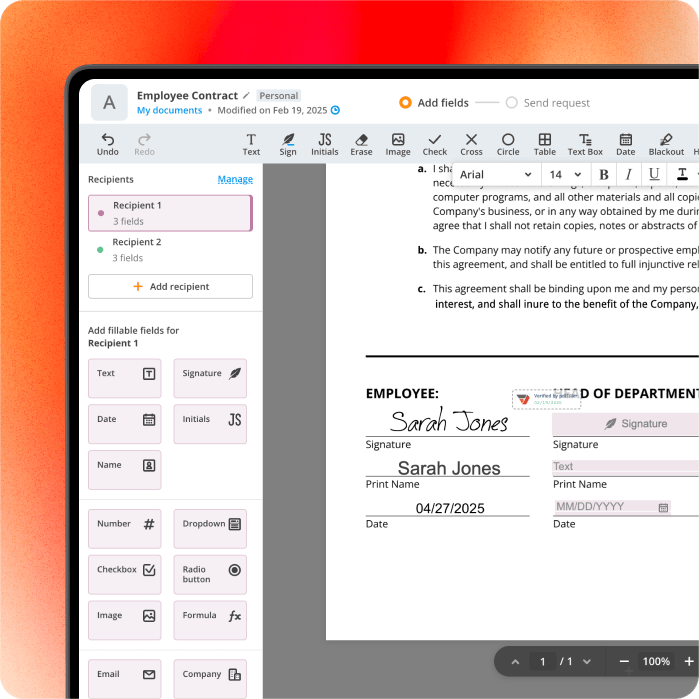
pdfFiller offers a two-layer branding system that simplifies the branding process for small and medium-sized businesses. Document-level branding allows you to customize individual documents, while workspace-level branding applies your brand elements across all documents in your workspace. This ensures consistency and professionalism in your branding efforts.
The Image Tool and Watermark Tool are essential features that facilitate easy integration of logos and watermarks into your documents. You can use these tools with various document types, making it suitable for invoices, contracts, and reports. This approach avoids the pitfalls of fragmented tools that complicate branding efforts, allowing you to focus on what matters most: your business.
Adding a Logo to a PDF
- Open your PDF document in pdfFiller.
- Navigate to the toolbar and select the Image Tool.
- Upload your logo file from your device.
- Drag and drop the logo to your desired location on the PDF.
- Resize the logo by clicking and dragging the corners to fit your design.
- Ensure compatibility by checking that your PDF format supports image embedding.
- Save your changes to keep the logo in your document.
- Preview the document to confirm the logo appears as intended.
Applying a Watermark with the Watermark Tool
The Watermark Tool in pdfFiller allows you to apply either text or image watermarks to your documents. You can customize these watermarks by adjusting their size and transparency to suit your branding needs. This flexibility ensures that your branding is visible without overwhelming the document's content.
Additionally, you can set the page scope for your watermark, choosing to apply it to all pages or specific ones. This feature is particularly useful for branding purposes, as it helps maintain a professional appearance across various document types.
Removing a Logo or Watermark from a Document
To remove a logo from your document, select the logo you wish to delete and press the delete key. This action will remove the logo from the document while maintaining its integrity. If you need to remove a watermark, access the Watermark Tool and choose the option to delete it from your document.
Maintaining document integrity is crucial, especially when multiple users are involved in editing. Ensure that you have the appropriate user roles assigned to manage branding elements effectively.
Creating a Custom Email Signature
Setting up a branded email signature is a straightforward process. Start by navigating to the email signature settings in your account. Here, you can configure your signature to include your logo, name, and contact information.
Consistent branding across your email communications enhances your professional image. Customization options allow you to adjust the design to match your brand identity, ensuring that every email you send reinforces your brand.
Branding Scenarios by Role and Document Type
Different roles within a business can utilize branding tools in various ways. For instance, a marketing manager may use document-level branding to create promotional materials that reflect the company’s identity. In contrast, an accountant might apply workspace-level branding to ensure all financial documents maintain a consistent look.
Branding actions can solve specific problems, such as ensuring that clients recognize official documents or enhancing the professionalism of internal reports. Real-world applications of these branding tools can significantly improve how your business is perceived.
Browser and Device Compatibility
pdfFiller supports a range of browsers, ensuring that you can access branding tools from any device. Mobile device access allows you to manage your documents on the go, making it convenient for busy professionals.
There are no installation requirements, which means you can start using pdfFiller immediately without any technical setup. This user-friendly approach enhances the overall experience across platforms.
Limitations and Known Constraints
When using pdfFiller’s branding tools, it’s important to be aware of certain limitations. Supported image formats for logos include JPEG and PNG, but ensure your images meet the size limits for uploads. Additionally, some features may be restricted based on your subscription plan, affecting your branding capabilities.
Understanding the differences between account-wide and per-document settings can help you manage your branding more effectively.
Security and Data Handling
pdfFiller prioritizes document security by implementing TLS encryption during uploads. This ensures that your documents are protected while being transferred. Document retention policies are also in place to manage how long your files are stored.
Compliance considerations are crucial for businesses handling sensitive information. pdfFiller follows best practices for user data handling to maintain confidentiality and security.
Comparison with Named Alternatives
How Does pdfFiller Compare?
Adobe Acrobat offers extensive editing tools but at a higher cost. Users may find it complex for simple branding tasks.
DocuSign focuses on e-signatures, lacking comprehensive branding features. Ideal for users prioritizing signing over branding.
HelloSign provides basic branding options but fewer customization features. Users seeking advanced branding may prefer pdfFiller.
Free vs. Paid Access for Branding Features
On the free plan, users can access basic branding features, such as adding a logo to documents. However, more advanced capabilities, like custom email signatures and extensive watermark options, require a paid subscription.
Understanding the differences in branding capabilities based on your plan can help you choose the right option for your business needs.
Summary and Next Steps
In summary, pdfFiller offers a comprehensive suite of branding tools that cater to small and medium-sized businesses. With features like document-level and workspace-level branding, you can enhance your documents' professional appearance.
Explore related features to maximize your branding efforts and take the next step in managing your documents effectively. Start utilizing pdfFiller today to streamline your document workflows.