Fill and Sign PDF Forms For Free

Drop document here to upload
Select from device
Up to 100 MB for PDF and up to 25 MB for DOC, DOCX, RTF, PPT, PPTX, JPEG, PNG, JFIF, XLS, XLSX or TXT

Last updated on Sep 12, 2026

Fill and Sign PDF Forms

Fill and sign PDF forms electronically in seconds using pdfFiller's intuitive tool, accessible from any device.

What is the Signature Tool for PDF Forms?

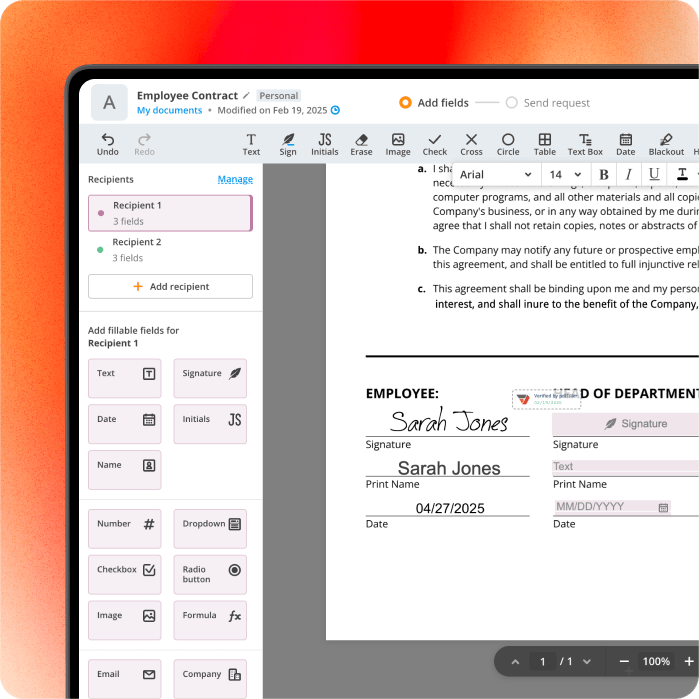
The signature tool for PDF forms allows you to fill and sign PDF documents electronically with ease. This tool is designed for professionals and small to medium-sized businesses that require a user-friendly interface. With pdfFiller, you can distinguish between self-signing documents and sending them for others to sign. There’s no need for complex IT setups, making it accessible for everyone. You can complete your tasks efficiently without the hassle of traditional document workflows.

How Does This Tool Improve Your Workflow?

This tool significantly enhances your workflow by allowing you to fill and sign PDF forms quickly. You no longer need to print or scan documents, which saves time and resources. The ability to work on any device means you can manage your documents from anywhere, ensuring that your workflow remains uninterrupted. By eliminating fragmented tools, pdfFiller provides a streamlined experience that keeps your processes efficient.

Three Ways to Create Your Signature

  • Draw your signature using a mouse or stylus, allowing for a personal touch.
  • Type your signature by selecting from various font styles and colors for customization.
  • Upload a signature image, ensuring it meets the supported formats and size limitations.

How to Draw Your Signature

  • Open the signature tool in pdfFiller.
  • Select the option to draw your signature using a mouse or stylus.
  • Customize your signature by adjusting the thickness and color of the lines.
  • Place your signature in the desired location on the document.
  • Review the signature to ensure it meets your expectations before finalizing.

How to Type Your Signature

  • Access the signature tool and choose the option to type your signature.
  • Select a font style that reflects your personal or professional brand.
  • Choose a color for your signature that stands out against the document background.
  • Position your typed signature where it is needed in the document.
  • Finalize your signature and ensure it appears as you intended.

How to Upload a Signature Image

  • Navigate to the signature tool and select the option to upload a signature image.
  • Ensure your image is in a supported format, such as PNG or JPEG.
  • Check the size of the image to confirm it meets the size limitations.
  • Place the uploaded signature in the correct location on your PDF document.
  • Verify that the signature appears clearly and is properly aligned.

Adding Initials to Your Document

To add initials using the tool, select the option for adding initials in pdfFiller. You can choose to draw or type your initials, allowing for customization in style and color. It's important to note that initials hold legal validity, ensuring that your documents are compliant with e-signature regulations. This feature simplifies the process of signing documents that require initials in addition to a full signature.

Saving and Reusing Your Signatures

To save your signatures for future use, follow the steps in the signature tool to store your signature securely. You can set a default signature for convenience, which speeds up the signing process for future documents. Reusing signatures eliminates the need for manual entry each time, making your workflow more efficient and consistent.

Legal Validity of Your Signatures

Signatures created using pdfFiller comply with legal standards such as ESIGN, UETA, eIDAS, and GDPR. Each signature is accompanied by a timestamped audit trail, ensuring that your documents are legally binding. Understanding the legal validity of your signatures is crucial for maintaining compliance and ensuring that your electronic signatures are recognized in legal contexts.

Next Steps After Signing

After signing your documents, you have several options for sharing them. You can easily share signed documents via email or integrate them with other tools for further processing. Emphasizing the importance of digital workflows, pdfFiller ensures that your signed documents are managed efficiently without the need for manual sharing methods.

How Does pdfFiller Compare?

DocuSign offers extensive features but can be complex for small businesses. pdfFiller provides a simpler, more affordable solution.

Adobe Acrobat Sign is known for its reliability but often comes with higher costs. pdfFiller delivers essential features without the enterprise price tag.

signNow provides competitive pricing but lacks the extensive template library of pdfFiller. pdfFiller offers 1M+ ready-to-use templates for diverse needs.

Try most popular PDF tools

Discover a full set of tools to handle any document task.

Edit PDFs

Make quick PDF edits online.

Sign

Add legally binding signatures.

Merge

Combine multiple PDFs.

Request signatures

Send a document for signing.

Convert

Transform PDFs into other formats.

Rearrange

Change the order of pages.

Share

Send PDFs for review or editing.

Compress

Reduce PDF file sizes.

How to sign a document online?

Upload

Signing and editing documents has never been easier

  • Edit and sign in one place Quickly eSign documents after reviewing or editing — no need to juggle tools and move files back and forth. Get your PDFs done fast with all the tools you need at your fingertips.
  • Easy sharing & collaboration After signing a document, share it instantly with clients and stakeholders for review, editing, or comments. To request signatures from other parties, add fillable fields and send the document for signing.
  • Mobile-ready solution Easily edit, sign, and send your documents from anywhere, even on the go. pdfFiller is entirely cloud-based, so you can manage documents effectively from your computer, smartphone, or tablet.
  • Legally binding & secure Sign contracts and agreements following global eSignature laws, including ESIGN, UETA, eIDAS, and GDPR. With HIPAA, PCI DSS, SOC 2 Type II, and other compliance standards, pdfFiller works for any industry.

Who needs this?

Explore how professionals use pdfFiller to sign documents.

Healthcare

Healthcare professionals use pdfFiller to simplify document signing, from patient consent forms to medical record requests. They can easily request, approve, and share signed documents with patients, staff, or suppliers, saving time and improving communication.

  • Patient consent forms
  • Prescription forms
  • Lab test requisition forms
  • Referral and consultation forms
Healthcare
  • G2 — Users Most Likely To Recommend
  • G2 — Grid Leader in Small-Business
  • G2 — High Performer
  • G2 — Regional Leader
  • G2 — Easiest To Do Business With
  • G2 — Best Meets Requirements
  • G2 — Best Support

pdfFiller scores top ratings on review platforms

pdfFiller is rated 4.6 out of 5 stars across 1,000+ G2 reviews.

Loved the ease of use, I'm sure if I used it more it would be a great.
R. Weiss
So computer illiterate, but you make it easy!!!
Anonymous Customer
Great customer service! The site works very well and is easy to navigate, and when a miscommunication happened on my end the company was extremely polite, helpful, and quick in their response. Great customer service!
Shylee R Turner
Great program Great program. Cheap, and versatile.
Scott Worsley
Purposeful Have been using for work forms. Easy to utilize. Serves my desired purpose.
stayinluv
Great stuff Great stuff. Easy to use. Used it once and then cancelled free trial without any issues. Would recommend if you need to fill a document.
e tikolevu

eSign documents with a trusted, all‑in‑one solution

Try easy-to-use tools for all your document management needs.

pdfFiller workspace for creating, filling and managing PDF forms

Why sign documents with pdfFiller?

Ease of use

Watch pdfFiller eSignatures in action

Check out a quick video tutorial that shows how to create and place your signature or send a document for signing.

FAQs

If you can't find what you're looking for, please contact us anytime!

To fill and sign PDF forms securely, utilize a trusted platform like pdfFiller that employs robust security protocols. Start by ensuring your internet connection is secure, and use features like password protection for sensitive documents. Additionally, always verify the authenticity of the PDF source before filling it out. For practical use, consider enabling two-factor authentication on your account to enhance security further.

You can fill and sign PDF forms on multiple devices by using a cloud-based solution like pdfFiller. This allows you to access your documents from any device, whether it's a desktop, tablet, or smartphone. Simply log into your account, and your documents will be available for editing and signing. For a seamless experience, ensure your documents are saved in a compatible format and consider using the mobile app for on-the-go access.

When choosing a PDF form filler and signer, look for features such as cross-platform compatibility, ease of use, and comprehensive document automation tools. A good solution should allow you to fill and sign PDF forms effortlessly, integrate with other applications, and offer templates for common documents. Additionally, check for security features like encryption and audit trails to protect your information during the signing process.

Yes, you can fill and sign PDF forms without printing them by using an online platform like pdfFiller. This eliminates the need for paper and allows for a more efficient workflow. Simply upload your PDF, use the editing tools to fill out the necessary fields, and apply your electronic signature. For best results, familiarize yourself with the platform’s features to maximize your document management efficiency.

To ensure that your filled and signed PDF forms are legally binding, use a reputable eSignature service like pdfFiller that complies with electronic signature laws, such as the ESIGN Act and UETA. Make sure to follow the platform's guidelines for signing and verify that your signature is captured correctly. For added assurance, consider saving a copy of the signed document with an audit trail that records the signing process.

If you encounter issues while filling and signing PDF forms, first check your internet connection and ensure that your browser is up to date. If problems persist, consult the help resources provided by pdfFiller or contact their support team for assistance. Additionally, consider clearing your browser cache or trying a different browser to resolve compatibility issues. Keeping your software updated can also prevent many common problems.

You can automate the process of filling and signing PDF forms by utilizing document automation features available in platforms like pdfFiller. Look for tools that allow you to create templates, pre-fill fields, and set up workflows for repetitive tasks. By integrating these features into your document management process, you can save time and reduce errors. For optimal results, explore the platform’s API options if you need to integrate with other applications.

What businesses achieve with pdfFiller

Discover how you can benefit too.

pdfFiller allows us to tap into additional markets and sell business we might not otherwise have sold because of the speed and ease with which we can produce the forms.

Scaturro Insurance Agency LLC

One tool. Every document task.

One workflow shouldn’t take five tools

Start free trial