What is Employer refuses to give ui19?

When an employer refuses to provide an employee with a UI19 form, it can cause various complications. The UI19 form is crucial for claiming unemployment benefits, and without it, the employee may face challenges in proving their eligibility for such benefits.

What are the types of Employer refuses to give ui19?

There are primarily three types of situations where an employer may refuse to give a UI19 form: 1. Deliberate refusal: The employer intentionally withholds the form to hinder the employee's ability to claim benefits. 2. Oversight: The employer may have overlooked or forgotten to issue the form due to administrative errors. 3. Miscommunication: There might have been a breakdown in communication between the employer and employee, leading to the form not being provided.

Deliberate refusal
Oversight
Miscommunication

How to complete Employer refuses to give ui19?

If faced with an employer who refuses to give you a UI19 form, here's what you can do: 1. Request the form in writing: Politely ask your employer to provide you with the UI19 form in writing, detailing its importance for your benefits claim. 2. Contact the Department of Labor: If your employer continues to refuse, reach out to the relevant labor department for guidance on how to proceed. 3. Seek legal advice: If all else fails, consider consulting a legal professional specializing in labor rights for further assistance.

01
Request the form in writing
02
Contact the Department of Labor
03
Seek legal advice

pdfFiller empowers users to create, edit, and share documents online. Offering unlimited fillable templates and powerful editing tools, pdfFiller is the only PDF editor users need to get their documents done.

Video Tutorial How to Fill Out

Thousands of positive reviews can’t be wrong

Read more or give pdfFiller a try to experience the benefits for yourself
4.0
A reliable and quick to use PDF signing and editing platform
Quick and easy signing for PDF forms, especially on mobile devices.
Stuart
5.0
better than expected!
I us I nearly every day. It saves time and hassle,and it makes PDFS easy to customize. I love it!
suzy
5.0
PDF FILLER
I have used this for payroll and accounting documents at work and for personal use as well. I have not had any trouble using it at all.
HELEN
5.0
Great Tool!
My experience has been great thus far. The use is seamless whether on my tablet, laptop, or phone, however, it's much easier to use on a laptop due to screen size.
Tiffany

Questions & answers

If you find that your employer has not registered you with the UIF, you must report your employer to the Department of Labour. You don't have to do this in person, you can contact them on their website or speak to them over the phone by calling 080 003 0007.
Claiming UIF In order to submit a claim for unemployment benefits, unemployed workers must obtain a UI19 form from their previous employer and submit it to their nearest labour centre, along with: a bar-coded ID or passport; form UI2.
When we receive your Registration number (this will take +-10 working days), we then send you your UIF registration number. Once you receive the UIF registration number you are able to do the following: Register with uFiling and make use of uFiling – You cannot pay your arrear payments to uFiling.
An employee and his/her employer must each contribute one percent of the employee's income to the UIF. An employer is responsible to deduct these contributions monthly. If an employer does not deduct these contributions, s/he will be held personally liable to pay it over to the Unemployment Insurance Fund.
Non-payment of UIF is an offence and the UIF will levy a 10% penalty on all the unpaid back contributions, and the finance committee at UIF will also calculate interest owing. An employer who has not deducted and paid UIF can calculate the amount owing and back pay the contributions.
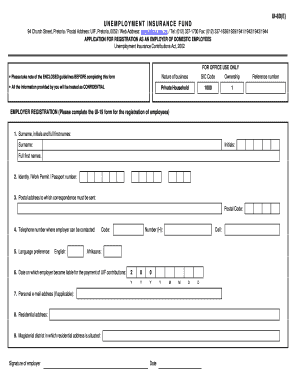
UI-8 (registration of employer) and UI19 ( registration of workers) can be downloaded from the website, or can also be obtained from the Fund or at any local office of the Department of Labour. Registration can be affected telephonically at (012) 337 1680. Completed forms can be posted to the UIF, Pretoria, 0052.
The forms can be submitted as follows: Online at: www.ufiling.co.za. (Illness benefits). Email the application to the nearest UIF processing centre. (Illness/ Reduced Work Time/ Death benefits). Fax the application to the nearest UIF processing centre. (Illness/ Reduced Work Time/ Death benefits).
Yes, absolutely. It's called The Temporary Employer/Employee Relief Scheme (TERS), which pays employees when the employers have to stop their operations due to COVID-19 and temporarily lay-off employees.
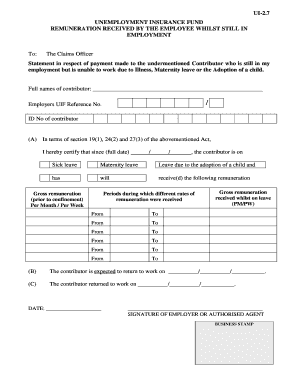
If you do not have internet access to submit your claim(s), you can e-mail or fax the application to the nearest UIF processing centre. The applicable UIF forms are: UI-19 and UI-2.7 (completed by Employer) UI-2.1 (application form)
Employers of domestic workers should complete the UI19 form for domestic workers to be e-mailed to webmaster@uif.gov.za . Declarations can also be submitted via ufiling. This facility secures online services for declarations and payment or contributions visit www.ufiling.gov.za .